
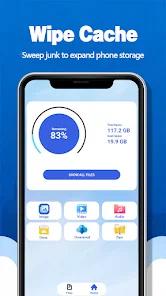
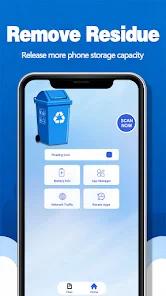
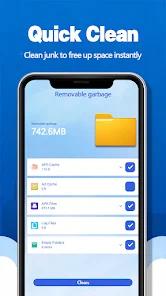
Junk Hound, developed by "rum," is a practical utility designed to combat "Digital Decay" on Android devices. In an ecosystem where applications frequently leave "Residual Files" and bloated caches, Junk Hound provides a "One-Touch" solution for storage reclamation. Its primary mission is to identify "Non-Critical Data"—such as temporary internet files, old thumbnails, and abandoned app folders—and purge them to free up space for user media and new applications.
A "Function Disassembly" of Junk Hound reveals its three-pronged approach: "Cache Wiping," "Residual Removal," and "Clutter Management". Unlike complex file managers, Junk Hound is designed for the "Non-Technical" user; its interface is dominated by a central "Scan" button that provides an immediate visual summary of "Recoverable Space". The "Deep Insight" here is the app's utility on "Low-End Hardware." On devices with limited internal storage (16GB-32GB), Junk Hound is not just a convenience but a necessity to prevent system-wide slowdowns caused by a full disk.
However, Junk Hound operates in a "High-Risk Utility" market. Since the introduction of "Files by Google," third-party cleaners have been forced to become more aggressive to remain relevant, leading to higher ad densities and "Optimization Notifications" that some users find spammy. Furthermore, while the app is effective at space reclamation, users must navigate a monetization model that relies heavily on interstitial video advertisements, which can sometimes take longer to watch than the cleaning process itself.
Pros
Effective Storage Reclamation: Consistently identifies and deletes hundreds of megabytes of hidden cache and residual files.
Extremely Simple Interface: Designed for quick use with no complex configuration required.
Identifies "Zombie" Folders: Finds folders left behind by apps that were uninstalled months ago.
Lightweight Application Size: The app itself consumes very little storage, making it suitable for nearly full devices.
Instant Cleaning Results: Provides a clear report of how much space was freed immediately after the process.
Cons
High Advertisement Frequency: Users have reported frequent full-screen ads that can feel intrusive.
Limited Advanced Features: Lacks the file-sharing or cloud-backup capabilities found in modern file managers.
Spammy Notifications: Some users find the "System Optimization" reminders to be too frequent.
FAQs
No, the app is designed to target system cache and residual files, not your personal media.
For a typical user, once a week is enough to keep cache from impacting performance.
Yes, it is compatible with modern Android versions, though it requires specific storage permissions.
Yes, the cache is temporary data that apps recreate as needed; clearing it is a standard troubleshooting step.
It is more focused on "Junk" specifically, whereas Google Files is a broader file manager.
Hot Reviews
No, the app is designed to target system cache and residual files, not your personal media.
For a typical user, once a week is enough to keep cache from impacting performance.
Yes, it is compatible with modern Android versions, though it requires specific storage permissions.
Yes, the cache is temporary data that apps recreate as needed; clearing it is a standard troubleshooting step.
It is more focused on "Junk" specifically, whereas Google Files is a broader file manager.