Clean Fix Plus

Overview
Clean Fix Plus, published by AppDustBuster, is a multi-functional system utility that has amassed over 1 million downloads and a strong 4.6-star rating since its update in late 2025. This application differentiates itself in the saturated cleaning market by combining traditional storage maintenance with unique environmental restoration tools, most notably its "Speaker Cleaner".
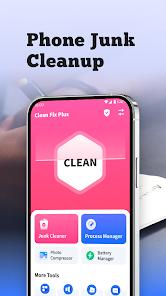
The application's technical approach to device maintenance is categorized as "selective restoration." The Junk File Cleaning module is designed to scan for non-essential data while "intentionally avoiding important files," a critical safeguard for users who may be wary of automated cleaning tools deleting personal documents or application databases. Furthermore, its "Uninstall Residual Check" specifically targets the directories left behind by partially removed applications, which is a major source of storage bloat in the 2026 Android landscape.
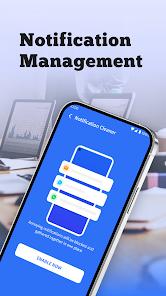
However, a deeper analysis of the app's user sentiment reveals significant "notification friction." While many users, such as Loretta Augustus, have praised the app for its "very quick and thorough cleaning," others like Lindsay Martin have warned of "excessive notifications" that can "beep 24 hours a day". This suggests that the application's engagement strategy is highly intrusive, potentially to maximize ad impressions. Additionally, the ad network utilized by Clean Fix Plus has been criticized for displaying inappropriate "raunchy novella" advertisements, which may not align with the tool's "Everyone" rating on the Play Store. Despite these flaws, the application remains a popular choice for users seeking to combine system optimization with hardware-level maintenance.
Pros & Cons
The innovative Speaker Cleaner feature effectively restores audio clarity and loudness without the need for physical hardware intervention.
Uses a "selective" scanning algorithm that minimizes the risk of deleting important user data while maximizing junk removal.
Provides highly thorough auditing of "residual" files that remain on the device long after an app has been uninstalled.
The user interface is intuitively designed, making the tool accessible to individuals who are not technically sophisticated.
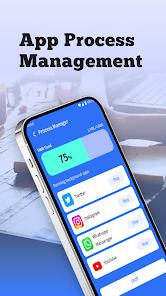
The background application manager allows users to identify and close "idle programs" that are consuming system memory in the background.
- ✕
The application push-notification system has been reported to be highly intrusive, sometimes "beeping 24 hours a day".
- ✕
Some of the advertisements delivered through the app have been flagged as inappropriate or "raunchy," which may be unsuitable for younger users.
- ✕
The application lacks a dedicated CPU cooler feature, which is a common expectation for comprehensive system maintenance tools in 2026.
Download
 Get it on Google Play
  Get it on App Store
 FAQs
How does the Speaker Cleaner function?
It utilizes specific sound frequencies that create vibrations in the speaker diaphragm to physically eject dust or small amounts of liquid.
Is Clean Fix Plus free to use?
Yes, the app is free to download and use, though it is supported by advertisements.
Will it delete my personal photos?
The app is designed to avoid "important files" and focuses on system junk and residual cache; it will not delete photos unless specifically commanded.
Where is the developer based?
The developer, SAOUSSANE ALIOUA, is listed as being located in Morocco.
Can the app fix a phone that is lagging?
By managing background applications and clearing system junk, the app can help restore responsiveness to a device suffering from storage-related lag.
Hot Reviews
Users have reported that the speaker cleaner successfully cleared muffled audio, allowing callers to hear them more clearly for the first time in months.
A recurring complaint is the app's tendency to send loud, beeping alerts throughout the day, which many find to be an "excessive" and frustrating feature.
Some reviews highlight that while the cleaning is effective, the advertisements displayed within the app are often of low quality or feature inappropriate themes.