

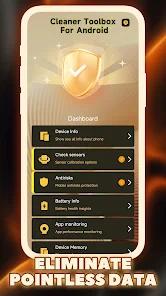

Cleaner Toolbox For Android, developed by BEINA LIMITED, positions itself as a specialized maintenance suite for the modern Android ecosystem in 2026. As Android versions 11 through 14 have introduced increasingly restrictive Scoped Storage and permission models, third-party utilities have had to evolve from simple "file deleters" into sophisticated diagnostic tools. This application utilizes a proprietary scanning engine designed to navigate these system constraints, identifying redundant data clusters that often evade standard system-level cleanup. The functional architecture of the app is segmented into several core modules: Deep Cleaning, Wi-Fi Query, Large File Management, and Battery Management.
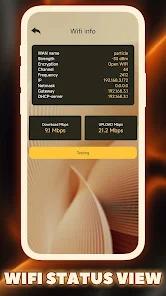
The Deep Cleaning module represents the technical core of the application. It employs a multi-pass scanning algorithm that targets "advertisement clutter" and "residual data". In the context of 2026, where social media and video-streaming apps frequently store high volumes of short-form video cache, such a tool addresses a specific pain point for users with mid-range devices featuring limited internal storage. Beyond cleaning, the Wi-Fi Query feature provides telemetry regarding the current network environment, while the Large File Management tool offers a visualization layer for high-bitrate media files, allowing users to make informed decisions about storage reclamation.
However, a deep insight into the app's current market performance reveals a significant disparity between its advertised "privacy-focused" assistance and its real-world implementation. While the developer claims all operations are performed locally, its Play Store Data Safety declaration indicates the sharing of location and device IDs with third parties. Furthermore, recent telemetry suggests that the application has shifted toward an aggressive monetization framework. Reports from January 2026 indicate that the app can trigger full-screen ad overlays every ten seconds, extending its presence even beyond its own UI to the device's home screen and app launcher. This behavior characterizes a shift from a "considerate assistant" to a platform for "malvertising," where the utility features act as a vehicle for constant advertisement impressions. This trend reflects a broader challenge in the 2026 tool market: as storage management becomes more automated within the Android OS itself, third-party developers are increasingly turning to intrusive ad delivery to maintain revenue streams.
Pros
The application demonstrates a high efficacy in identifying specific "advertisement clutter" and residual cache files that native Android tools frequently overlook.
The Large File Management utility provides a valuable visualization of storage distribution, specifically categorizing photos and videos by size for manual auditing.
The integrated Battery Management module tracks thermal thresholds and provides optimization suggestions to prevent device throttling during intensive operations.
All cleaning operations are claimed to be executed locally on the device, theoretically minimizing the exposure of personal file metadata to cloud servers.
The Wi-Fi Query feature provides users with immediate network telemetry, centralizing system maintenance and connectivity troubleshooting in a single interface.
Cons
Recent updates have introduced extremely intrusive advertisement patterns, with some users reporting full-screen pop-ups occurring every ten seconds.
The application has been observed to modify the system's user interface and take over the home screen launcher, behavior commonly associated with hostile software.
Despite claims of localized privacy, the app’s data safety declaration confirms the collection and potential sharing of location data and device identifiers with third parties.
FAQs
While the app provides cleaning features, recent user feedback highlights "hostile" behaviors such as constant ad pop-ups and UI changes that may disrupt normal phone usage.
No, it operates within standard Android permissions, although it requires broad access to the device's external storage to identify junk files.
The app monitors battery temperature and suggests closing background processes, but its own high frequency of ad delivery may counteract these energy savings.
It scans the storage directory for files exceeding a specific size threshold and presents them in a list, allowing users to manually delete them to free up space.
The app identifies large files but requires a manual "clean" command from the user; it is designed to notify users of redundant data rather than performing silent deletions.
Hot Reviews
While the app provides cleaning features, recent user feedback highlights "hostile" behaviors such as constant ad pop-ups and UI changes that may disrupt normal phone usage.
No, it operates within standard Android permissions, although it requires broad access to the device's external storage to identify junk files.
The app monitors battery temperature and suggests closing background processes, but its own high frequency of ad delivery may counteract these energy savings.
It scans the storage directory for files exceeding a specific size threshold and presents them in a list, allowing users to manually delete them to free up space.
The app identifies large files but requires a manual "clean" command from the user; it is designed to notify users of redundant data rather than performing silent deletions.