QR & Barcode Scanner Launcher

Overview
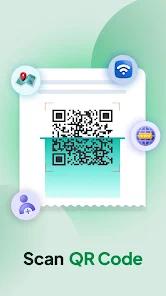
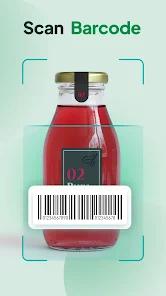
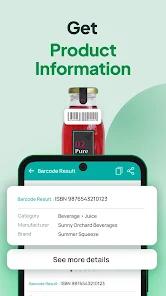
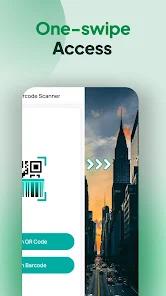
The QR & Barcode Scanner & Launcher by AtomApplications is a hybrid utility that redefines the relationship between the Android home screen and digital interaction tools. Rather than existing as a standalone application that requires manual searching and launching, this tool integrates a high-speed scanning engine directly into the device's launcher. By swiping right from the home screen, users gain "one-swipe access" to a scanner capable of decoding QR codes, Data Matrix, and a wide variety of retail barcodes (UPC, EAN, ISBN).
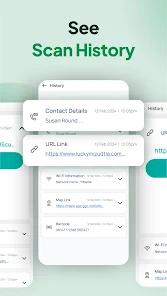
From a technical perspective, the application prioritizes "Site Safety Verification." In an era where "quishing" (QR phishing) is a growing threat, the app leverages Google Safe Browsing technology within Chrome Custom Tabs to audit URLs before the user is fully directed to the site. This proactive security layer is essential for users who frequently scan codes on public flyers or products. Additionally, the app features "Auto-copy to Clipboard" and a comprehensive "Scan History" that allows users to export data as CSV files, making it a viable tool for small business inventory management or price comparison shopping.
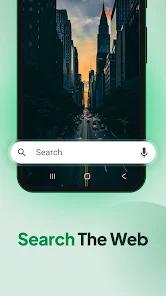
The "Launcher" aspect of the app introduces a significant UI shift, offering customized widgets for weather and time, alongside "Yahoo-powered" multi-touchpoint search for apps and the web. While this provides a cohesive, high-utility environment, it also acts as a "launcher-hijack" strategy, which may be perceived as invasive by users only seeking a simple scanner. The app's success is built on this trade-off: providing "lightning-fast" scanning at the cost of a restructured home screen experience.
Pros & Cons
The "one-swipe" accessibility significantly reduces the latency between a user seeing a QR code and interacting with it digitally.
Integrates "Safe Browsing" technology to warn users about malicious or fraudulent websites before they are accessed.
The "Scan History" feature is robust and business-friendly, supporting CSV exports for inventory or logistical tracking.
Includes built-in flashlight and zoom features, ensuring reliable scans in dark environments or at a distance.
Offers home screen customization through themed wallpapers and high-utility widgets, creating a localized search hub.
- ✕
As a launcher app, it fundamentally alters the home screen layout, which can be disorienting and difficult for casual users to revert.
- ✕
The inclusion of Yahoo-powered search and additional widgets may be viewed as "bloatware" by those seeking a minimalist scanning utility.
- ✕
Some users have reported difficulties with the uninstallation process, as the launcher settings can sometimes persist in system defaults.
Download
 Get it on Google Play
  Get it on App Store
 FAQs
Will this app delete my old folders?
No, but it will reorganize your home screen according to its own layout. Your apps and folders remain installed and accessible.
How does the Safe Browsing feature work?
When you scan a link, the app checks the URL against Google’s database of malicious sites before opening it in a secure tab.
Can I export my scan history?
Yes, the app allows you to export your entire history as a CSV file, which can then be opened in Excel or Google Drive.
Does the app require an internet connection?
Scanning and decoding are performed locally, but safe browsing and web searches require a data connection.
Can it scan Wi-Fi passwords?
Yes, it can instantly decode Wi-Fi QR codes and connect you to the network without manual password entry.
Hot Reviews
I love that I don't have to look for the app. I just swipe right on my home screen and I can scan anything. It’s the fastest scanner I’ve used.
The scanner is great, but I didn't realize it would change my whole home screen. It took me a while to find where my favorite apps were moved to.
I use this at the store to scan barcodes and see if the price is better on Amazon. The auto-copy feature makes it super easy to paste the link into a browser.