
Max Browser - Fast & Easy



Overview
Max Browser is a versatile mobile tool designed by devBroodyy to consolidate multiple digital tasks into a single interface. With over 1.8 million downloads, it positions itself as a "multi-functional browsing hub" that integrates web search, video downloading, file management, real-time news, and weather tracking. The architectural focus is on speed and resource optimization, utilizing a lightweight design to ensure smooth page loading even on aging hardware or slower mobile networks.
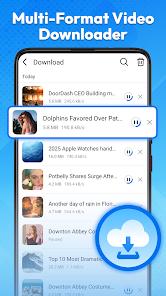
One of the application's core benefits is its integrated video playback and download engine, which supports common formats and allows users to save content directly from the web for offline consumption. For users concerned with personal security, the browser offers an incognito mode that suppresses the recording of history, cookies, and cached data. Beyond browsing, the inclusion of a dedicated file manager allows users to organize their downloaded documents and media without leaving the app environment. However, despite its high rating of 4.71 stars, the application has faced scrutiny for "scareware" tactics—specifically, the display of fake virus warnings that trick users into downloading other suspicious cleaning apps.
While the app provides a convenient "all-in-one" solution, users should be mindful of the data privacy trade-offs. The developer states that data is not encrypted in transit and that the app may share location and personal information with third parties. Furthermore, the ad frequency has been reported as intrusive, with many users noting that pop-ups can interfere with news reading and basic navigation.
Pros & Cons
Integrated video downloader and player allow for seamless saving of web content for offline viewing without third-party software.
The multi-feature hub design reduces the need for separate apps for news, weather, and file management, saving device storage.
Optimized loading technology provides a smooth browsing experience even on low-spec devices or inconsistent networks.
Private browsing mode offers a secure environment for searching on public networks or shared devices.
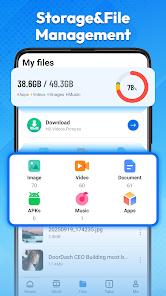
Internal file management system effectively categorizes downloads into documents, images, and videos for easy retrieval.
Lightweight APK architecture (41.9 MB) ensures the app does not bloat system storage.
Real-time news channels provide concise updates on technology, society, and international affairs.
- ✕
Significant reports of "scareware" tactics, including fraudulent virus infection warnings that encourage secondary app downloads.
- ✕
Intrusive advertising can interrupt the browsing experience and clutter the real-time news feed.
- ✕
Data is not encrypted in transit, which may pose a risk to sensitive information on public Wi-Fi.
Download
 Get it on Google Play
  Get it on App Store
 FAQs
Can I download videos from YouTube?
Like most browsers, video downloading capability depends on the specific site's terms and security protocols.
What is "scareware" and why am I seeing it?
Some users report seeing fake security warnings; these are often ads or scripts designed to push other apps. Users should avoid clicking these pop-ups.
How does the weather feature work?
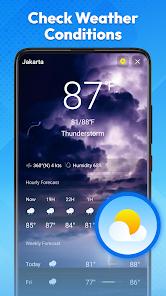
It uses your current location to provide real-time updates on temperature, AQI, and trends without requiring a separate app.
Is my browsing history saved in incognito mode?
No, Max Browser does not record history, cookies, or cached data when private mode is active.
Can I sync my bookmarks across devices?
Max Browser currently lacks a robust cross-platform syncing system equivalent to Google Chrome or Microsoft Edge.
Hot Reviews
Users appreciate having a downloader and news reader built into their browser, stating it significantly streamlines their daily mobile usage.
Critical reviews warn of fake "virus infection" alerts, with several users reporting they uninstalled the app after being pressured to download suspicious cleaners.
A recurring theme in feedback is that the volume of ads can sometimes make reading long-form news articles difficult.