
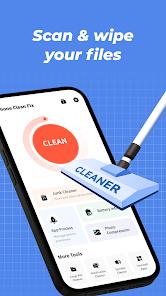

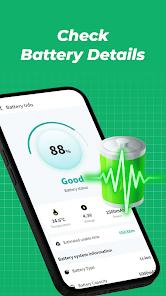
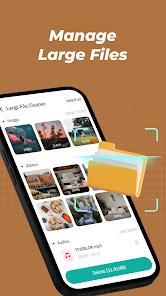
Phone Clean Fix, published by Mr.Appp.86, is a mobile utility designed to streamline Android performance. Its feature breakdown is split into four primary categories: Junk Cleaner (targeting cache and residual files), Battery Information dashboard, App Manager (for uninstalls), and a Background Process monitor. The app aims to keep devices "fast and responsive" by removing digital clutter.
In-depth comparison with native Android tools reveals a specialized UI that aggregates these disparate functions into a single "one-tap" experience. The "Junk Cleaner" specifically targets the .tmp and residual data folders that users often overlook. However, insightful observations of the app's reception in 2025 and 2026 suggest a high level of user skepticism. Independent reviews indicate that while the app claims to clear junk, the "found" junk files often appear to be the same size in subsequent scans, raising questions about the app's actual deletion logic.
Technically, the app is extremely lightweight (~20 MB), making it ideal for the low-end devices that typically require optimization most. From a monetization perspective, it operates as a funnel; the free utility features are often interrupted by advertisements steering users toward paid third-party antivirus or security software. This is a common pattern in the "general utility" category, where the utility itself serves as a lead-generation tool for affiliate products. While it is easy to navigate, its inability to support data deletion and its reliance on "scare-tactics" (like implying malware presence without symptoms) has made it a polarizing choice among more technical users.
Pros
Intuitive and extremely simple user interface that is ideal for non-technical users.
Effective at quickly identifying and batch-uninstalling unused applications.
The "Background Processes" monitor provides a clear view of which apps are consuming RAM.
Provides a centralized dashboard for basic battery health monitoring.
Very small APK size (under 20 MB) ensures it doesn't add to the storage problem it seeks to solve.
Completely free to download and use for all optimization tools.
Data is encrypted in transit, providing a layer of security during app communication.
Cons
Effectiveness of the "Junk Cleaner" is questioned by users who see the same junk reappear immediately.
Frequently uses advertisements and alerts to pressure users into downloading third-party software.
Does not allow for user-requested data deletion once information is collected.
Limited functionality compared to native optimization tools already built into modern versions of Android.
FAQs
No, it targets only system cache and residual files, not your personal media.
No, it is a cleaning utility, although it may show ads for antivirus programs.
By clearing background processes, it can free up RAM for more demanding applications like games.
This depends on your device usage, but it typically clears several hundred megabytes of app cache.
It uses standard Android system APIs, but users should be cautious of the third-party software it advertises.
It is compatible with most modern versions of Android, though effectiveness varies by OS.
Hot Reviews
No, it targets only system cache and residual files, not your personal media.
No, it is a cleaning utility, although it may show ads for antivirus programs.
By clearing background processes, it can free up RAM for more demanding applications like games.
This depends on your device usage, but it typically clears several hundred megabytes of app cache.
It uses standard Android system APIs, but users should be cautious of the third-party software it advertises.
It is compatible with most modern versions of Android, though effectiveness varies by OS.