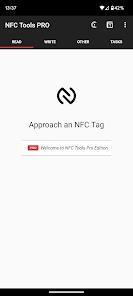
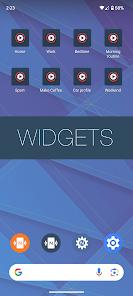
NFC Tools - Pro Edition represents a critical toolset for the advanced management of Near Field Communication (NFC) protocols. Developed by wakdev, this application transcends basic tag reading by providing a comprehensive development environment for programming tasks onto a wide array of compatible chips. The software is engineered to support professional and industrial workflows, enabling the creation of complex automation routines that bridge the gap between physical objects and digital commands. At its technical core, the application interacts with the NDEF (NFC Data Exchange Format) standard, allowing for seamless data exchange across diverse hardware environments including the NTAG series (213, 215, 216), ICODE, and specialized DESFire variants.
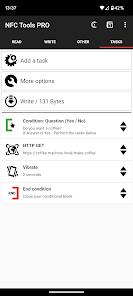
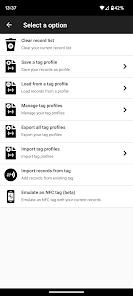
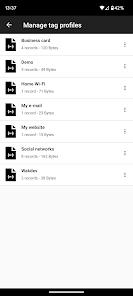
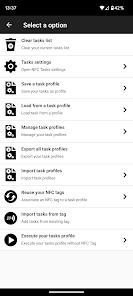
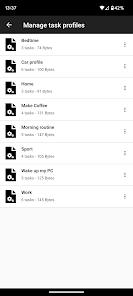
The introduction of the Pro Edition significantly expands the functional utility of the standard version. It incorporates a sophisticated profile management system, which is essential for industrial applications where multiple tags require identical or patterned programming. Users can save intricate records and tasks as reusable profiles, drastically reducing the latency associated with mass-deployment of NFC-enabled assets. Furthermore, the application features an advanced conditional block system. This allows for the implementation of "if-then-else" logic within a tag’s payload—for example, a tag placed in a vehicle could be programmed to launch a navigation app only if the device's battery is above 20% or to toggle Wi-Fi based on the detection of a specific SSID. This level of logical granularity transforms the smartphone into a powerful automation hub.
From a market perspective, NFC Tools - Pro Edition occupies a dominant position within the "Top Paid Tools" category on Google Play. It is frequently utilized in smart home integration, where enthusiasts use tags to trigger POST requests for home automation servers, and in marketing events where NFC keychains are used for rapid lead retrieval. The application’s ability to emulate NFC tags—permitting the smartphone to act as a virtual NDEF tag—remains a highlight, although it is constrained by specific hardware capabilities of the host device.
Pros
The application’s primary advantage lies in its sophisticated conditional logic blocks, which enable users to create non-linear automation tasks that respond to environmental variables such as time, date, battery levels, or connectivity status.
This is augmented by the profile management system, which allows for the rapid cloning and deployment of complex tag data sets, a feature indispensable for professional inventory or asset management.
The software offers an exclusive tag emulation feature that allows a device to simulate an NFC tag, facilitating testing and interaction without physical media.
The user interface is remarkably lightweight and efficient, providing access to over 200 distinct tasks without overwhelming the user with unnecessary visual clutter.
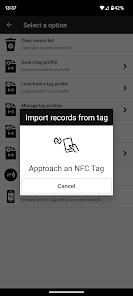
The ability to import data from existing tags for rapid editing ensures that users can modify legacy tag systems without starting from scratch.
Cons
A significant drawback for new users is the requirement of a separate, albeit free, companion application named "NFC Tasks" to execute certain programmed routines; this split-app architecture can lead to initial configuration confusion.
The tag emulation feature is highly hardware-dependent, and many modern smartphones lack the specific NFC controller capabilities required to support this function fully, leading to inconsistent performance across devices.
While the app is comprehensive, it faces inherent OS-level restrictions on Android that can prevent certain system-level tasks (like toggling Airplane Mode or GPS) from executing on non-rooted devices.
FAQs
The application is designed for interacting with NDEF-compliant tags and chips; it cannot bypass the secure encryption or payment protocols of EMV credit cards due to industry-standard security barriers.
While NFC Tools is used to read and write the data, the NFC Tasks app acts as the execution engine that interprets the commands on the tag and translates them into system actions on the smartphone.
If a tag has been permanently locked (set to read-only), no software can overwrite it; however, the app can read such tags and, through its "Reuse Tag" plugin, potentially associate those unique IDs with new software-side tasks.
Write errors typically occur due to poor alignment between the phone’s NFC antenna and the tag, or if the tag is incompatible with the NDEF formatting requested by the application.
Hot Reviews
The application is designed for interacting with NDEF-compliant tags and chips; it cannot bypass the secure encryption or payment protocols of EMV credit cards due to industry-standard security barriers.
While NFC Tools is used to read and write the data, the NFC Tasks app acts as the execution engine that interprets the commands on the tag and translates them into system actions on the smartphone.
If a tag has been permanently locked (set to read-only), no software can overwrite it; however, the app can read such tags and, through its "Reuse Tag" plugin, potentially associate those unique IDs with new software-side tasks.
Write errors typically occur due to poor alignment between the phone’s NFC antenna and the tag, or if the tag is incompatible with the NDEF formatting requested by the application.