
VidHD: Video Download
Overview
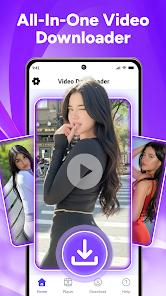
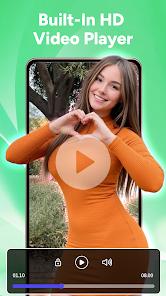
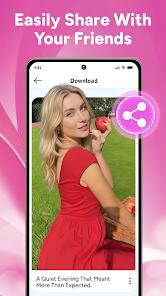
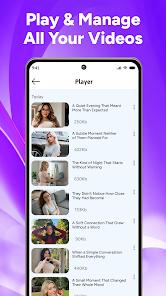
The VidHD application, developed by D2Soft Tech, has positioned itself in 2026 as a premier tool for high-fidelity media archiving and playback. With over 17 million total downloads and a consistent rating of 4.0 stars, VidHD distinguishes itself from generic utilities by focusing on the "playback experience"—providing a professional-grade player that supports 4K visuals and rich audio formats. The application is designed for users who wish to curate a permanent offline library of "inspiring lectures, tutorials, and memorable clips" that might otherwise disappear from their social media feeds.
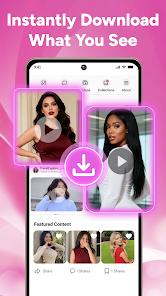
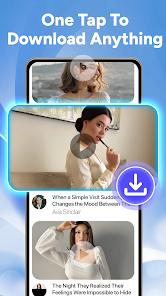
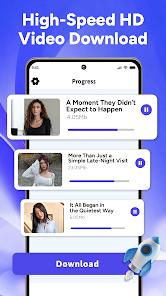
Technically, VidHD utilizes a "Quick Link Analysis" engine that detects downloadable content immediately upon pasting a URL, or through a built-in browser that supports multi-site detection. A standout feature for 2026 is the "Audio Extraction" tool, which allows users to convert video files into high-quality MP3s, a capability widely used for music and educational materials. The application also features a "Smart Download Manager" that automatically sorts saved videos into a clean, searchable library based on resolution and file type. Importantly, the app emphasizes user responsibility, explicitly stating that it does not support downloads from platforms that forbid such actions, such as YouTube or Instagram, ensuring compliance with global terms of service.
Despite its technical merits, the 2026 landscape for VidHD is marked by significant user feedback regarding advertising density, which the developer has pledged to optimize in upcoming patches.
Pros & Cons
Includes a superior built-in video player that provides smooth 4K playback and advanced seek controls not found in native Android players.
The "Audio Extraction" feature is highly effective, allowing users to quickly convert videos into MP3 files for offline listening.
"Quick Link Analysis" streamlines the process by automatically detecting downloadable content as soon as a link is provided.
The application features a clean, intuitive design that automatically organizes downloaded files into an easy-to-manage offline gallery.
VidHD is highly responsive to the latest Android updates, ensuring consistent performance and security across modern hardware.
- ✕
Recent versions have been criticized for an "absolute rubbish" ad experience, with frequent pop-ups that interrupt the download process.
- ✕
To remain compliant with store policies, the app does not support downloads from major social platforms like YouTube or TikTok.
- ✕
Data safety declarations indicate that user data is not encrypted and may be shared with third parties for advertising purposes.
Download
 Get it on Google Play
  Get it on App Store
 FAQs
Why can't I download YouTube videos with VidHD?
The app respects the terms of service of platforms that prohibit content downloading to ensure it remains available on the Google Play Store.
How do I turn a video into an MP3?
Simply select the video in your download manager and choose the "Audio Extraction" option to save it as an audio file.
Does VidHD support 4K?
Yes, the app is capable of downloading and playing videos in 4K resolution, provided the source file is of that quality.
How do I clear my download history?
You can manage and delete individual files or clear your entire history within the "Files" or "Library" tab.
Is VidHD safe for children?
The app is rated for "Everyone," though it contains advertisements that may lead to external content; parental supervision is advised.
Hot Reviews
I use this to download all my online coding lectures. The audio extraction is a game-changer because I can listen to the lessons while I'm at the gym or driving.
The player is actually better than my phone's default app. It handles high-res files without any lag, and the sorting system makes it easy to find what I need.
The app works, but the ads are out of control. Every single time I click a button, a 30-second commercial pops up. It makes a 5-minute task take twice as long.