
Cleanup: Phone Storage Cleaner

Overview
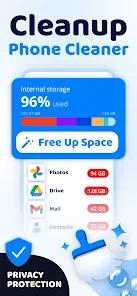
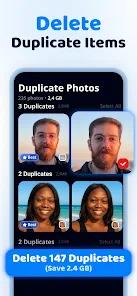
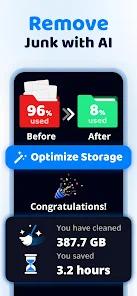
As high-resolution photography and 4K video become standard, local storage management is a critical pain point for Android users, marketed as Cleanup. Unlike traditional "junk cleaners" that focus on system cache, Cleanup is a specialized media optimizer that utilizes AI to help users reclaim gigabytes of space by identifying "digital hoarding" patterns. The application's core mechanism is a "smart scan" that detects duplicate photos, similar-looking screenshots, and blurry media that typically go unnoticed in a massive gallery.
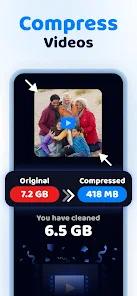
The technical standout of the Cleanup app is its "Video Compressor". Large video files often represent the majority of storage bloat; this tool allows users to reduce file sizes significantly while maintaining visual quality, allowing them to keep their memories locally without the "storage full" warning. Additionally, the app introduces a gamified "Swipe to Keep or Delete" interface, which allows users to quickly sort through hundreds of images in minutes, mirroring the UX pattern of popular dating apps to make a tedious chore feel engaging.
However, professional insights into the utility market reveal that Cleanup operates on a highly controversial monetization model. Many users have flagged the app as a "subscription trap," noting that it offers a short free trial that automatically converts into an $8/week recurring charge. This has led to significant "scam" warnings in user reviews, despite the app's functional utility. From a technical standpoint, the app requires broad "All File Access" permissions, which is necessary for its scanning capabilities but may raise privacy concerns for users who are not comfortable granting such deep access to their private media.
Pros & Cons
AI-driven duplicate photo detection accurately identifies the "best" shot among a series of burst-mode or similar photos.
Powerful video compression tool allows for dramatic storage reclamation without the need to delete high-value media.
Innovative "Swipe-to-Clean" interface significantly speeds up the process of gallery organization compared to manual deletion.
Comprehensive storage breakdown provides an intuitive view of which file types (apps, junk, or media) are clogging the device.
User-friendly UI design ensures that non-technical users can perform deep storage optimization in just a few taps.
- ✕
High-cost subscription model ($8/week) is considered predatory by many users, especially those who miss the trial cancellation window.
- ✕
The application can be difficult to uninstall or may continue to prompt for payment even after basic removal.
- ✕
Requires extensive system permissions, which might be a deterrent for users prioritizing data privacy and security.
Download


FAQs
Is Cleanup: Phone Storage Cleaner a free app?
It is free to download and offers a basic trial, but a paid subscription is required to access the full cleaning and compression suite.
Will it delete my original photos automatically?
No, the app only "recommends" files for deletion; the user must swipe or confirm to finalize any removal.
How much space can I expect to save?
For users with large video and screenshot libraries, it is common to reclaim 30-50% of occupied storage through deduplication and compression.
Does it work on external SD cards?
Yes, the app can be granted permission to scan and manage files on both internal storage and expandable SD memory.
Is the video compression permanent?
Yes, once a video is compressed, the original large file is usually deleted (after user approval) to free up the space.
Hot Reviews
Users with "out of control" photo libraries frequently praise the app for making the daunting task of cleaning their phone feel "manageable and even fun".
A large volume of popular feedback serves as a warning about the $8/week charge, with many users feeling the price is "extortionate" for a utility tool.
Technical reviews often focus on the quality of the video compressor, noting that it saves "massive amounts of space" without making the videos look pixelated.