
Google Docs has undergone a fundamental architectural shift between 2024 and 2026, transitioning from a cloud-native word processor to a sophisticated collaborative canvas powered by the Gemini Large Language Model (LLM). At its technical core, the application continues to rely on the Jupiter algorithm, an operational transformation (OT) methodology that enables character-by-character real-time synchronization among hundreds of concurrent editors. This architecture ensures that even in complex documents, conflicting edits are resolved through a list of changes rather than traditional file-locking mechanisms, maintaining a single "source of truth" across all devices.
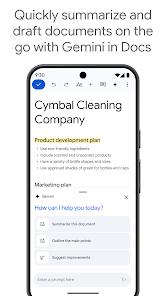
By 2025, the integration of Gemini has moved beyond simple grammar correction into generative authoring. Users can now utilize "Help me write" prompts to generate blog posts, creative briefs, and project outlines directly from the mobile interface. This capability is enhanced by "Building Blocks," which allow for the seamless insertion of email drafts, meeting notes, and product roadmaps that can be exported directly into Gmail or Google Calendar. The strategic pivot toward a "Pageless" view represents a departure from paper-mimicry, offering an infinite canvas that accommodates wide tables and large images, aligning with the needs of digital-first organizations.
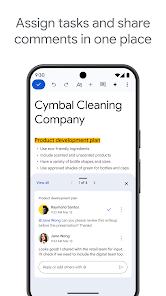
Furthermore, the application’s machine learning models have been refined to identify "Action Items" within the text automatically. If a user writes a phrase like "Sarah to update the quarterly report," the system intelligently assigns the task to "Sarah," generating badges and notifications within the broader Google Workspace ecosystem to ensure accountability. This interconnectedness highlights Google’s intent to position Docs not merely as a text editor but as a centralized hub for organizational workflow and communication.
Pros
Unrivaled Collaboration Infrastructure: The ability for multiple users to edit character-by-character without version conflicts remains the industry gold standard.
Gemini Generative Authoring: The 2025 update allows for the instant creation of complex outlines and content drafts from simple natural language prompts.
Deep Workspace Integration: Features like Building Blocks and Action Items transform documents into actionable project management tools.
Infinite Pageless Canvas: Removes traditional paper boundaries, making it ideal for large-scale data sets and collaborative brainstorming.
Comprehensive Version Control: Users can view the exact additions made by different authors, distinguished by color, and revert to any specific timestamped version.
Cross-Platform Fidelity: Mobile edits on Android reflect perfectly on web and tablet interfaces without formatting degradation.
Cons
Advanced Layout Limitations: Lacks the hyper-specialized desktop publishing features required for complex professional magazines or newsletters.
Storage Quota Dependency: Document functionality is tied to the shared 15GB Google Drive limit, requiring subscriptions for large-scale enterprise users.
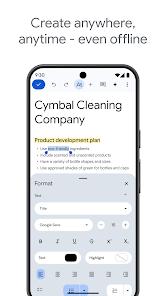
Offline Setup Friction: While it supports offline editing, users must manually enable "Offline mode" for specific documents prior to losing connection.
FAQs
The application utilizes the Jupiter algorithm for operational transformation, which treats the document as a stream of changes rather than a static file, resolving concurrent edits in real-time.
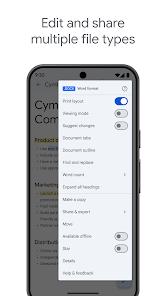
Yes, Google Docs allows you to open, edit, and save.docx files directly without requiring conversion to the native Google format.
A single document can contain up to 1.02 million characters, regardless of the number of pages or font sizes used.
All changes are automatically saved to Google's encrypted servers in the cloud, ensuring that your work is accessible from any other device upon login.
It uses generative AI to analyze your prompt and the context of your document to draft new content, which the user can then refine or regenerate.
Hot Reviews
The application utilizes the Jupiter algorithm for operational transformation, which treats the document as a stream of changes rather than a static file, resolving concurrent edits in real-time.
Yes, Google Docs allows you to open, edit, and save.docx files directly without requiring conversion to the native Google format.
A single document can contain up to 1.02 million characters, regardless of the number of pages or font sizes used.
All changes are automatically saved to Google's encrypted servers in the cloud, ensuring that your work is accessible from any other device upon login.
It uses generative AI to analyze your prompt and the context of your document to draft new content, which the user can then refine or regenerate.