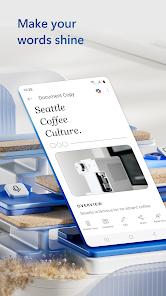
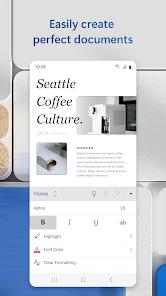
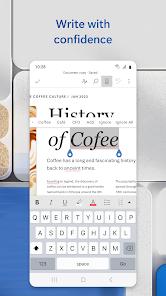
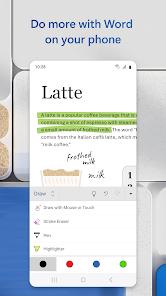
Microsoft Word for Android is the global standard for word processing, redesigned for the "Mobile-First" professional. Functionally, it deconstructs the document creation process through a unique "Mobile Reading View." This feature reflows the document to fit the smartphone screen, ensuring that long reports are easy to read without horizontal scrolling. The app also includes "Smart Lookup," an AI-driven tool that brings definitions, Wikipedia insights, and related web content directly into the writing interface.
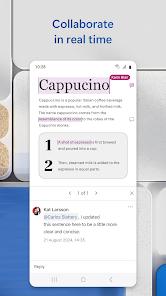
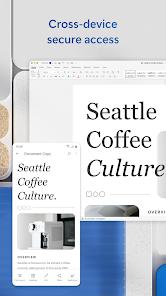
A deep analysis of Word’s mobile capabilities highlights its "Pristine Formatting" guarantee. Regardless of whether a document is opened on a phone, tablet, or PC, the layout, fonts, and images remain identical. For professionals on the go, the app allows for real-time "Co-authoring," where multiple users can edit and comment on the same document simultaneously. Technically, Word integrates with Android’s voice-to-text services, allowing for high-accuracy dictation of drafts. It also features a "PDF Converter" that can turn any Word doc into a PDF or vice versa, making it an essential tool for business communications.
Deep insights into Microsoft Word suggest its evolution into an "AI Drafting Studio." With the integration of Copilot, users can now prompt the AI to "Write a 500-word essay on X" or "Summarize this document," significantly reducing the cognitive load of mobile writing. However, like Excel, the 10.1-inch screen size limit applies: while smaller devices enjoy free editing, larger tablet users require a Microsoft 365 subscription to unlock the full feature set.
Pros
The "Mobile Reading View" makes reviewing and reading long documents on a phone significantly more comfortable.
Layout fidelity is industry-leading, ensuring that your documents look professional no matter where they are opened.
The integrated "Smart Lookup" feature is a powerful research tool that saves time by bringing information to you.
Real-time co-authoring and the commenting system are exceptionally robust, making it the best tool for team-based writing.
Dictation and voice-to-text features allow for high-speed drafting when you are unable to type.
Cons
Editing is locked on devices with screens larger than 10.1 inches unless you have a paid Microsoft 365 subscription.
The application has a large storage footprint (over 400 MB), which can be an issue for older devices.
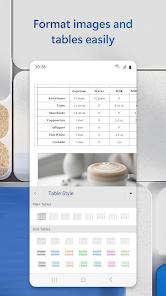
The mobile interface can occasionally feel crowded when navigating complex formatting menus or large tables.
FAQs
Yes, Word can open PDFs and even convert them into editable Word documents.
Tap the "Share" button and choose "Invite People" or send a link with "Can Edit" permissions.
If your tablet has a screen smaller than 10.1 inches, you can sign in with a free Microsoft account to edit.
Yes, you can enable "Track Changes" to see edits made by others and respond to their comments.
Yes, while it defaults to cloud storage, you can choose "Save As" and select "This Device" to save locally.
Hot Reviews
Yes, Word can open PDFs and even convert them into editable Word documents.
Tap the "Share" button and choose "Invite People" or send a link with "Can Edit" permissions.
If your tablet has a screen smaller than 10.1 inches, you can sign in with a free Microsoft account to edit.
Yes, you can enable "Track Changes" to see edits made by others and respond to their comments.
Yes, while it defaults to cloud storage, you can choose "Save As" and select "This Device" to save locally.