



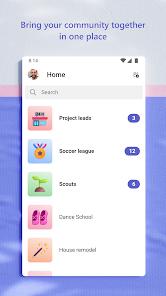

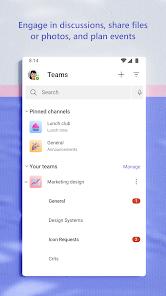



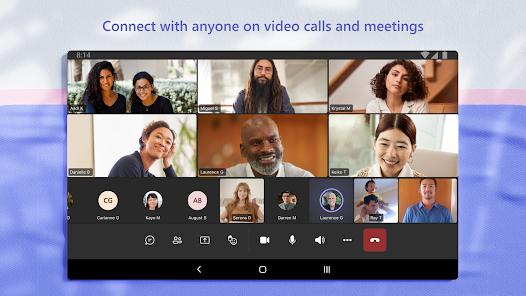
Microsoft Teams is the "Super-App" of the professional world, serving as a unified platform for chat, video meetings, file storage, and project management. Functionally, it deconstructs the collaboration process by integrating the Skype architecture for high-quality audio and video calls with a robust "Channels" system for organized group communication. In 2026, Teams has expanded beyond the office with "Communities," a feature that allows social groups, families, and interest groups to organize events, tasks, and calendars in a secure setting.
A deep analysis of Teams reveals its "Integrated Workflow" as its primary functional strength. Unlike standalone chat apps, Teams allows users to view and edit Excel, Word, and PowerPoint files directly within the chat interface, using cloud storage (OneDrive) to ensure everyone has the latest version. The app deconstructs meeting fatigue through AI-powered features like "Live Captions," "Whiteboard collaboration," and "Breakout Rooms," which allow larger groups to split into smaller working units for brainstorming. Technically, the app provides "Enterprise-Level Security," ensuring that conversations and files are encrypted and that administrators have granular control over data access.
Deep insights into Microsoft Teams suggest it is the central "Connective Tissue" of the Microsoft 365 ecosystem. By incorporating tasks and polling directly into chats, it reduces the need for external management tools. However, the mobile app is noted for being "Resource-Intensive," often requiring high battery and data usage during video calls. For the modern professional, Teams is not just a messaging app; it is a "Digital Office" that facilitates complex project orchestration across global time zones.
Pros
Functions as a comprehensive all-in-one hub for business communication, project management, and file sharing.
The integration with Microsoft 365 is seamless, allowing for document editing and collaboration without leaving the app.
"Communities" offer a powerful and secure way to organize personal groups, sports teams, and family activities.
Meeting features like "Live Captions" and "Breakout Rooms" are industry-leading and improve accessibility and engagement.
Enterprise-grade security ensures that sensitive professional and personal data remains encrypted and protected.
Cons
The mobile app is resource-heavy, often leading to significant battery drain during video conferencing.
The user interface can be overwhelming for new users due to the sheer volume of features and menus.
Notification management can be difficult, as alerts from multiple teams and communities can quickly become cluttered.
FAQs
Yes, the free version includes unlimited chat and 60-minute group meetings with 100 participants.
Teams includes everything in Skype plus advanced collaboration tools like Channels, file editing, and task management.
Yes, the "Communities" and "Shared Calendar" features are specifically designed for organizing family and social group events.
A Channel is a dedicated space for a specific project or topic where all relevant chats, files, and notes are organized.
No, you can join a meeting as a guest via a link without needing to create a Microsoft account.
Hot Reviews
Yes, the free version includes unlimited chat and 60-minute group meetings with 100 participants.
Teams includes everything in Skype plus advanced collaboration tools like Channels, file editing, and task management.
Yes, the "Communities" and "Shared Calendar" features are specifically designed for organizing family and social group events.
A Channel is a dedicated space for a specific project or topic where all relevant chats, files, and notes are organized.
No, you can join a meeting as a guest via a link without needing to create a Microsoft account.