
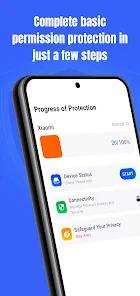

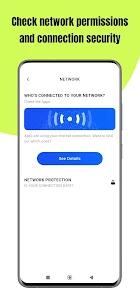
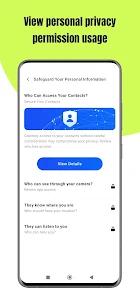
In the current era of heightened data surveillance, Permission Guard, developed by VY Technology Services, serves as a critical utility for users seeking to reclaim control over their device’s privacy landscape. The application’s primary function is to serve as a "Permission Master," auditing every installed application to identify which ones are accessing sensitive hardware components like the camera, microphone, or location sensors without explicit necessity. By visualizing risk levels for each app, Permission Guard provides a layer of transparency that standard Android system settings often obfuscate.
The technical value of Permission Guard lies in its "Bulk Management" capabilities. Instead of forcing users to navigate through the individual settings of dozens of apps—a process that is both tedious and prone to oversight—Permission Guard aggregates these controls into a single dashboard. This allows for the rapid revocation of permissions or the uninstallation of suspicious software that may be acting as "adware" or data-harvesting "bloatware". User reports indicate the app is particularly effective at identifying and neutralizing "PDF updates" or fake "money-making" games that trick users into granting excessive permissions.
Furthermore, the application addresses the "Cyber Hygiene" needs of non-technical demographics. It is designed with a user-friendly interface that simplifies complex security concepts, making it accessible for senior citizens—noted in reviews as "helpful at 80 years young"—and those who are not digitally native. By offering clear choices between permission modification and total uninstallation, Permission Guard empowers users to maintain a "Zero Trust" posture regarding third-party software, significantly reducing the attack surface of the mobile device.
Pros
Provides a centralized, color-coded dashboard that immediately flags apps with high-risk permission requests.
The "Bulk Management" feature saves significant time by allowing users to revoke permissions or uninstall multiple apps simultaneously.
Features a streamlined interface that is accessible and easy to navigate for users of all technical skill levels.
Acts as a secondary security layer by identifying "zombie" apps that continue to run background processes and collect data.
Includes educational insights that explain the risks associated with specific permissions, helping users make informed privacy decisions.
Cons
The presence of advertisements within a security-focused application can be perceived as counterintuitive by privacy-conscious users.
Some users have reported difficulties with the premium payment structure, specifically regarding the acceptance of prepaid cards for subscriptions.
While it audits permissions, it cannot actively block an app's core functionality if that app is hardcoded to fail without those permissions.
FAQs
While primarily a permission auditor, it helps identify and uninstall apps that exhibit malware-like behaviors, such as excessive pop-ups or hidden background tasks.
Yes, because it aggregates all permissions into one view and provides a risk analysis that the default settings lack.
The app declares the collection of "App activity" and "Personal info" for functionality, though all data is encrypted during transmission.
It is recommended to run a scan after installing any new third-party applications or at least once a month to ensure no settings have been reset.
It can view permissions for system apps, but revoking them may cause device instability; the app typically warns users before such actions.
Hot Reviews
While primarily a permission auditor, it helps identify and uninstall apps that exhibit malware-like behaviors, such as excessive pop-ups or hidden background tasks.
Yes, because it aggregates all permissions into one view and provides a risk analysis that the default settings lack.
The app declares the collection of "App activity" and "Personal info" for functionality, though all data is encrypted during transmission.
It is recommended to run a scan after installing any new third-party applications or at least once a month to ensure no settings have been reset.
It can view permissions for system apps, but revoking them may cause device instability; the app typically warns users before such actions.