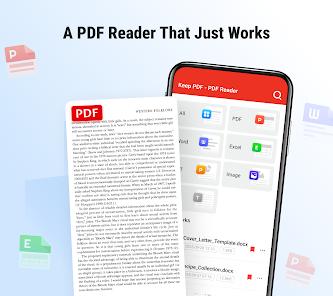
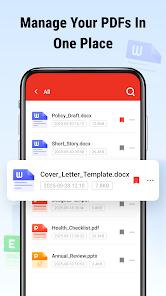
Keep PDF is a specialized document utility developed by Galiana Lian. In a market dominated by "Heavyweight" PDF editors like Adobe Acrobat, Keep PDF occupies a critical niche: "Lightweight, Offline-First Viewing". The app is designed for users who need to open, read, and organize PDF and Office documents instantly without the overhead of cloud syncing or complex editing tools.
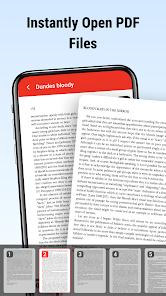
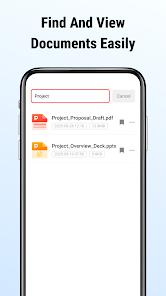
The "Function Disassembly" of Keep PDF reveals its focus on "Low-Latency Rendering." The app is optimized to open large, high-resolution PDF files with minimal lag, which is essential for reading technical manuals or academic papers on the go. Its secondary function is "Local Organization," utilizing the MANAGE_EXTERNAL_STORAGE permission to index the device’s entire file system and provide a "Centralized Document Hub". This allows users to search for documents by filename or date, regardless of which folder they are hidden in. A "Deep Insight" into this app is its "Privacy Value"—because it lacks the invasive "Cloud Telemetry" of its larger competitors, it is a preferred choice for users handling sensitive personal documents who do not want their files uploaded to a third-party server.
However, the application’s minimalism is also its primary limitation. It lacks the "Annotation Suite" (highlighting, signing, merging) that many professionals consider standard. Furthermore, the monetization model relies on intermittent ads during the file-selection process, which can be a point of friction for power users. Despite this, it remains a top-rated choice for those who value speed and privacy over feature density.
Pros
Exceptional Loading Speed: Opens large PDF and Office documents significantly faster than feature-heavy editors.
Privacy-First Architecture: Operates entirely offline with no mandatory cloud account or data syncing.
Unified Document Search: Instantly finds documents across the entire device storage using a powerful indexing engine.
Low Resource Footprint: Uses very little RAM and battery, making it ideal for budget or older Android devices.
Clean, Ad-Light Reading: Once a document is open, the reading interface is distraction-free and minimalist.
Cons
No Editing or Annotation: Users cannot highlight text, add comments, or sign documents within the app.
Limited Customization: Lacks advanced reading modes like "Reflow" or "Text-to-Speech" found in premium viewers.
Occasional Update Prompts: Some users find the frequent prompts to update to newer versions to be annoying.
FAQs
No, Keep PDF is a reader and organizer. For signing, you should use an alternative like Foxit or Adobe.
Yes, it is an all-in-one viewer that supports.doc,.docx,.xls, and.ppt formats.
This permission is necessary for the app to find and organize your PDFs across different system folders.
Yes, it includes a simple dark mode to reduce eye strain when reading in low-light environments.
The app is free to download and use, supported by minimal advertisements.
Hot Reviews
No, Keep PDF is a reader and organizer. For signing, you should use an alternative like Foxit or Adobe.
Yes, it is an all-in-one viewer that supports.doc,.docx,.xls, and.ppt formats.
This permission is necessary for the app to find and organize your PDFs across different system folders.
Yes, it includes a simple dark mode to reduce eye strain when reading in low-light environments.
The app is free to download and use, supported by minimal advertisements.