Google Chat
Overview
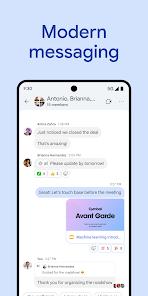
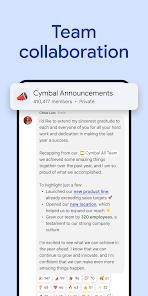
Google Chat has matured into the strategic centerpiece of Google Workspace's communication strategy. By 2025, Chat has moved far beyond its origins as a simple messaging app, evolving into an "AI-orchestrated Space." The core of this transformation is the "Space" architecture, which supports persistent, topic-based collaboration including threaded discussions, shared files, and integrated task management.
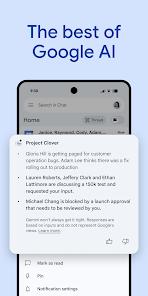
The implementation of Gemini AI within Chat is perhaps its most significant competitive advantage in the 2025-2026 cycle. Users can now leverage Gemini to generate "Notification Summaries," which recap long conversations in the notification shade, allowing managers to stay current without reading every individual message. Furthermore, Gemini acts as a contextual assistant within the chat window, capable of retrieving information from across a user's Google Drive or Gmail to answer questions like "What was the final decision on the project timeline?" without the user ever leaving the conversation.
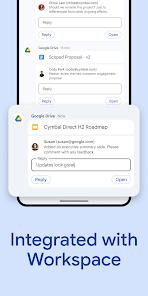
From a technical perspective, Google Chat is deeply integrated into the Workspace ecosystem. Unlike competitors that require external integrations, Chat allows users to open and collaboratively edit Google Docs, Sheets, and Slides directly within the side panel of a Space. This "Zero-Switch" workflow minimizes the cognitive load associated with toggling between disparate applications, making it a highly efficient platform for organizations already invested in the Google ecosystem.
Pros & Cons
Seamless Ecosystem Interoperability: The ability to edit documents and join meetings without leaving the chat window is a massive productivity booster.
AI-Driven Efficiency: Gemini summaries help users catch up on unread threads in seconds, reducing "notification fatigue".
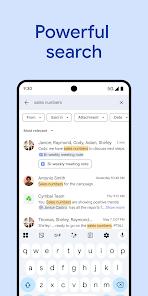
Unified Search Infrastructure: Uses Google’s elite search technology to find files, messages, and tasks across all organizational conversations.
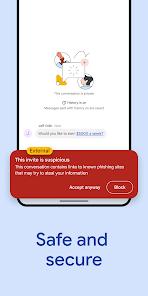
Enterprise-Grade Security: Inherits the robust encryption, 2FA, and compliance certifications of the broader Google Workspace platform.
Integrated Task Management: Allows for the immediate conversion of messages into assigned tasks within a collaborative Space.
Cost Efficiency for Organizations: Included at no additional cost for organizations already paying for Google Workspace.
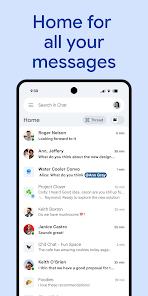
High-Fidelity Mobile Experience: Optimized Android app provides instant access to all Spaces and DMs with low latency.
- ✕
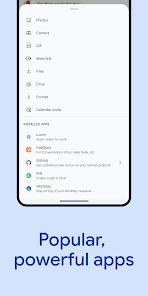
Third-Party Integration Depth: While growing, it has fewer third-party app connections (approx. hundreds).
- ✕
Threading Logic Discrepancies: Threading is robust in Spaces but absent in 1:1 Direct Messages (which use quote-replies instead), which can be confusing for some.
- ✕
Customization Limitations: Offers fewer visual customization options (themes, custom emoji sets).
Download


FAQs
What is the difference between a "Space" and a Direct Message?
A Space is designed for long-term project collaboration with persistent history and task tools; a DM is for transient 1:1 or small group communication.
Can I use Google Chat with people outside my company?
Yes, you can create "external" Spaces or invite external users to a chat, provided your organization's administrator has enabled the setting.
How does the Gemini summary feature work?
When you have many unread messages, Gemini analyzes the thread and provides a bulleted summary in your notification tray or at the top of the chat.
Does Google Chat support video calling?
Yes, it is natively integrated with Google Meet. You can start a video call with one tap from any conversation.
Is my chat history searchable across other Google apps?
Yes, if enabled, Google Workspace’s unified search allows you to find Chat messages from within Gmail or Drive.
Hot Reviews
Many users praise the ability to fix a typo in a shared Google Doc without having to switch tabs or open a new app.
IT managers frequently report that Chat is the most logical choice for teams already using Gmail due to its zero-cost and zero-setup nature.
High-level executives cite the Gemini-powered recaps as their most used feature for staying on top of multiple project streams.