
Microsoft Authenticator
Overview
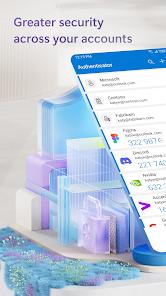
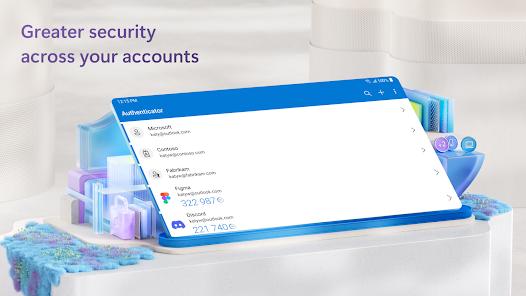
The contemporary cyber threat landscape has made traditional, single-factor password databases highly vulnerable to credential stuffing, brute-force attacks, and phishing campaigns. Microsoft Authenticator addresses this challenge by providing multi-factor authentication (MFA), passwordless verification, passkey management, and secure cloud backups. The application generates Time-based One-Time Passwords (TOTPs) and HMAC-based One-Time Passwords (HOTPs) using a shared cryptographic key, updating verification codes locally every 30 seconds to prevent interception.
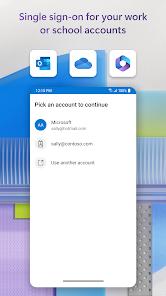
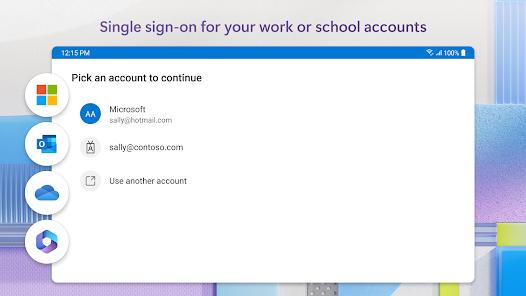
At the enterprise level, the application acts as a brokered authentication agent on Android. Integrated with the Microsoft Authentication Library (MSAL), it manages tokens across all company apps. When a user signs in, the authenticator obtains and securely stores a Primary Refresh Token (PRT) valid for 90 days, validating calling app signatures and verifying device compliance states via Microsoft Intune. It also supports Shared Device Mode, allowing shift workers to log in and out of all integrated Office 365 applications with a single action.
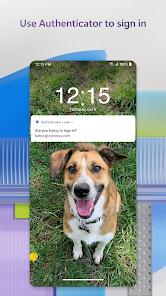
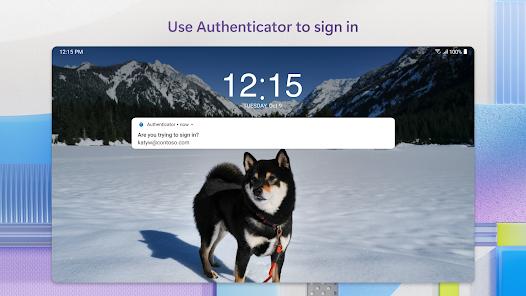
For individual users, the application simplifies daily access by replacing standard passwords with biometric verification or PIN entries. It also functions as a full-featured password manager with encrypted autofill capabilities across multiple platforms.
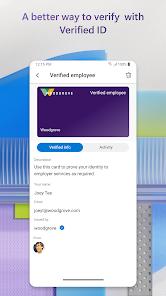
While the application provides comprehensive security, its focus on Microsoft's enterprise ecosystem can occasionally introduce complexity for standalone personal accounts or third-party credential migration. However, its combination of identity verification, passkey support, and single sign-on tools makes it an essential utility for modern security architectures.
Pros & Cons
Passwordless Biometric Approval: Replaces standard password entries with quick biometric or PIN confirmation.
System-Wide Single Sign-On: Shares secure login states across all Microsoft applications on a device, reducing repetitive authentication requests.
Encrypted Cloud Backups: Securely backs up credential lists to a user's Microsoft account for easy recovery on new devices.
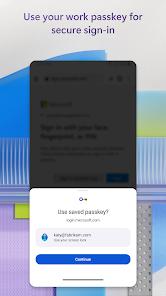
Integrated Passkey Support: Enables creation and storage of FIDO2-compliant passkeys, using device biometrics for secure web logins.
Built-In Password Manager: Stores and autofills credentials across mobile applications and web browsers using strong encryption standards.
Universal Token Support: Generates standard TOTP and HOTP codes for non-Microsoft platforms like Google, Amazon, and GitHub.
- ✕
Difficult Third-Party Migration: Lacks direct tools to import existing credential databases from other password managers or authenticators.
- ✕
High Setup Complexity: Configuring advanced features like Shared Device Mode and enterprise compliance policies requires considerable IT expertise.
- ✕
Time-Sync Dependency: Minor clock differences on mobile devices can cause temporary key generation mismatches.
- ✕
Potential Camera Access Issues: System-level permission conflicts can occasionally prevent the app from scanning QR setup codes.
Download


FAQs
How does "passwordless" verification differ from standard MFA?
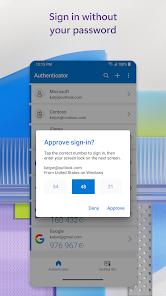
Standard MFA requires entering a password followed by a secondary verification code. Passwordless verification bypasses the password step completely, requiring only a username and biometric approval on the mobile device.
Can Microsoft Authenticator generate verification codes without network access?
Yes, the application generates standard time-based codes locally on the device, ensuring secure verification even when offline or in airplane mode.
How does the cloud backup feature operate?
Operators can enable backup in settings to upload encrypted credential lists to their personal Microsoft account. These can be restored to a new phone during initial setup.
Why does the application require location permissions?
Location data is requested only when mandated by an organization's specific conditional access policies, helping verify that sign-in requests originate from approved regions.
Does the application support passkeys?
Yes, the app allows users to create and store FIDO2-compliant passkeys, using device biometrics to secure logins across compatible services.
Hot Reviews
The biometric approval process is highly efficient. Approving push notifications directly from the screen saves time compared to manually copying 6-digit codes.
While the security features are reliable, the initial configuration can be confusing. Clearer step-by-step guides would greatly improve the setup experience.
The cloud backup functionality performs exceptionally well. During device transitions, restoring accounts from cloud storage is seamless, eliminating the risk of being locked out.
The absence of a direct import utility makes migrating from other authenticators tedious, requiring manual registration for each third-party account.