Google Authenticator
Overview
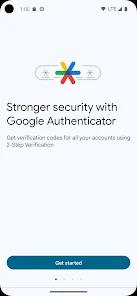
Google Authenticator is a cornerstone of modern cybersecurity. It generates Time-based One-Time Passwords (TOTP) that serve as a second layer of verification for millions of online accounts. By requiring both a password and a dynamic 6-digit code, it effectively mitigates the risks associated with stolen credentials.
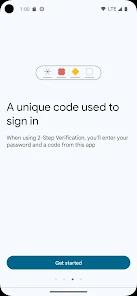
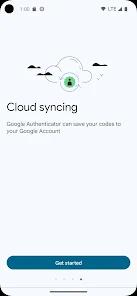
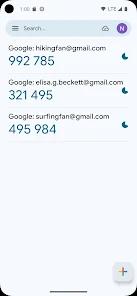
A functional disassembly of Google Authenticator reveals a minimalist, security-first architecture. The app uses the current time on the user's phone and a secret key to generate a unique code every 30 seconds. Critically, this process happens entirely offline—the app does not need a network connection to generate codes, ensuring reliability in all environments. However, a major 2025 update introduced optional "Cloud Sync," allowing users to back up their codes to their Google Account. This solves the long-standing "lost phone" problem where users were locked out of accounts if their device was destroyed.
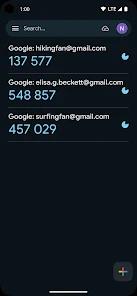
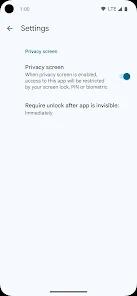
Deep insights into the app's positioning highlight its role as an "essential utility" rather than a commercial product. It is completely free, features no advertisements, and adheres to the "Material You 3" design language for a clean, modern user experience. However, the introduction of cloud sync represents a significant shift in the 2FA philosophy. While it increases convenience, it also creates a "single point of failure"—if a user's Google Account is compromised, all their 2FA codes are potentially accessible. This has led to the introduction of "Privacy Screen" features, allowing users to lock the app behind a PIN or biometric scan.
Google Authenticator is praised for its "no-nonsense" approach. While Authy requires a phone number and Microsoft Authenticator includes password management and cloud-backup for Microsoft accounts specifically, Google's offering remains the most straightforward tool for general TOTP needs. It is compatible with nearly any service that uses open standards (TOTP/HOTP), including banking, social media, and gaming platforms.
Pros & Cons
Robust Security Infrastructure: Provides a highly reliable second step for verification that is significantly more secure than SMS-based 2FA.
Seamless Cloud Synchronization: The recent update allows for code backup across multiple devices via a Google Account.
Intuitive "Material You" Design: Features a clean, accessible interface that makes managing multiple accounts straightforward.
Reliable Offline Functionality: Generates secure codes even when your device has no cellular or Wi-Fi signal.
Zero-Cost Solution: A completely free tool with no advertisements, trackers, or premium "paywalls" for basic security.
- ✕
Google Account Dependency: If you use the sync feature, your security is only as strong as your primary Google Account password.
- ✕
Limited Technical Support: As a free tool, there is no direct customer support for individual account recovery issues.
- ✕
No Multi-User Management: Lacks the enterprise features for team-sharing codes found in specialized tools like Daito.
Download


FAQs
What happens if I lose my phone?
If you have enabled cloud sync, your codes are backed up to your Google Account. You can recover them by signing in on a new device.
Can I use Google Authenticator for non-Google accounts?
Yes. It works with any service that supports the TOTP standard, including Facebook, GitHub, and many banking apps.
Is it safer than SMS codes?
Yes. Authenticator codes are generated on your device and cannot be intercepted by "SIM swapping" or other network-level attacks.
How do I transfer accounts to a new phone?
You can either use the built-in "Transfer Accounts" QR code feature or sign in to your Google Account on the new device to sync them.
Does Google Authenticator require internet to work?
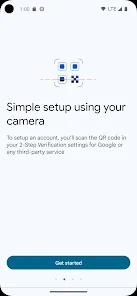
No. Codes are generated locally using the app. Internet is only required to initially add an account via QR code or to sync with the cloud.
Hot Reviews
Users frequently praise the app for being "straightforward" and "bloat-free," doing exactly what it promises without complexity.
Reviewers have expressed massive relief at the 2025 sync update, noting that losing a phone used to be a "digital catastrophe".
The addition of a "Privacy Screen" (biometric lock) is a highly-requested feature that users say adds a necessary layer of physical device security.