
LinkedIn: Jobs & Business News

Overview
The LinkedIn application represents the mobile pinnacle of professional social networking, serving as the primary gateway for over a billion users to interact with the global labor market. In the contemporary digital economy, LinkedIn has transitioned from a static repository of resumes into a dynamic, AI-powered ecosystem that facilitates recruitment, personal branding, and real-time industry intelligence. The mobile iteration is particularly significant as it optimizes high-frequency engagement through a refined home feed and robust messaging capabilities, reflecting the industry's shift toward "social recruitment".
Functional Breakdown and Technical Evolution
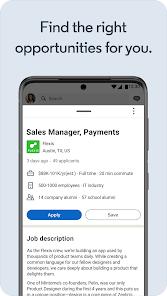
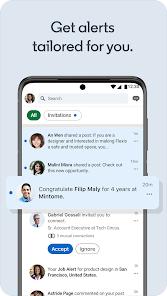
The architecture of the LinkedIn Android application is centered on the "professional graph," a data structure that maps connections between individuals, companies, skills, and opportunities. A core feature of the mobile experience is the "Easy Apply" system, which utilizes the user's stored profile data to bypass traditional application friction, allowing for near-instantaneous job submissions. This is supported by an AI-driven recommendation engine that processes billions of data points—including search history, profile endorsements, and industry trends—to surface tailored job alerts and content.
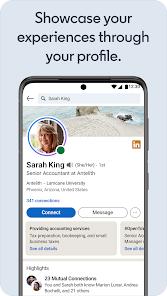
Deeply integrated into the current version is the "Verification" framework. To combat the proliferation of fraudulent accounts and AI-generated misinformation, LinkedIn has introduced verification badges. Members can verify their identity via government-issued IDs or workplace credentials, a process that has demonstrated significant market impact: verified profiles receive approximately 60% more views than their non-verified counterparts. This move underscores a broader trend in the tech industry toward the "trust economy," where authenticity becomes a measurable asset.
From a user experience (UX) perspective, the app has undergone a major visual revamp to enhance readability and navigation. The "Messages" page, in particular, has been redesigned to use screen real estate more efficiently, prioritizing active conversations and making it easier to manage a high volume of recruiter inquiries. However, a persistent technical critique involves the "Settings" architecture; critical privacy and account controls remain deeply buried under the profile icon, which can be counterintuitive for users accustomed to the more centralized settings menus found in modern OS designs.
Pros & Cons
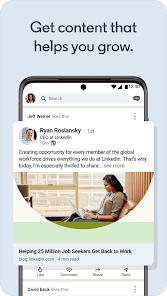
The redesigned user interface significantly improves the daily news feed's readability and interaction speed.
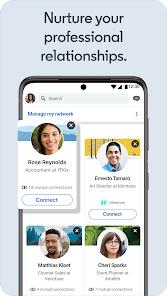
Connection management and invitation requests are streamlined, often proving more intuitive on mobile than on the web version.
AI-driven job recommendations exhibit high accuracy, effectively matching users with roles that align with their specific skill sets.
Push notification settings are exceptionally granular, allowing users to prioritize career-critical updates over general social alerts.
Direct integration with Microsoft Office and CRM tools enhances productivity for business development professionals.
The "Easy Apply" feature reduces application friction, enabling high-volume job seeking in competitive markets.
- ✕
Crucial account and privacy settings are difficult to locate, often requiring navigation through multiple sub-menus.
- ✕
Premium subscription tiers are priced at a level that may be prohibitive for entry-level professionals.
- ✕
Internal promotional material for other LinkedIn apps can occasionally clutter the primary navigation experience.
Download


FAQs
What are the specific benefits of a verified profile on the Android app?
Verification signaling authenticity can lead to a 60% increase in views and significantly higher trust from recruiters.
How does the "Easy Apply" feature interact with external resumes?
While it primarily uses your LinkedIn profile, many roles allow you to attach a specific PDF resume during the quick-apply process.
Where can I manage my data privacy settings?
Privacy controls are located under the profile icon within the "Settings" cog, categorized into Account, Privacy, and Communication.
Is the full library of LinkedIn Learning available in the main app?
While integrated, the most immersive learning experience is found in the dedicated LinkedIn Learning app.
Can I search for people at specific companies?
Yes, the search bar supports advanced filters for companies, roles, and geographic locations.
Hot Reviews
Users have praised the new messaging layout, noting that managing invitations is now significantly faster than the desktop experience.
A common point of feedback involves the high cost of the monthly subscription relative to the perceived value of features like "Who viewed your profile".
Professionals frequently highlight the app as an essential daily tool for staying informed on industry-specific news and emerging trends.