
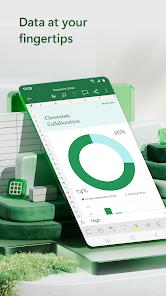
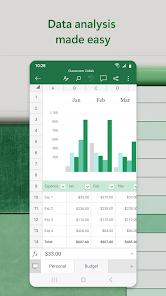
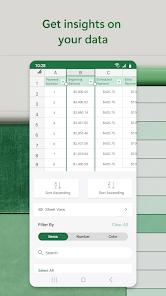
The Microsoft Excel mobile application is a high-performance spreadsheet engine that brings near-parity with the desktop version to the palm of the hand. Functionally, it allows for the creation, editing, and visualization of complex datasets using a touch-optimized interface. Unlike basic spreadsheet viewers, Excel mobile deconstructs the data analysis process through "Modern Templates"—pre-built workbooks for budgeting, financial analysis, and task management that allow users to begin complex work with one tap.
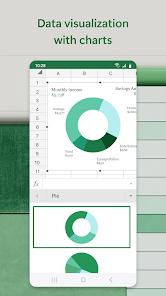
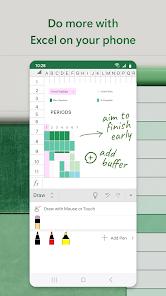
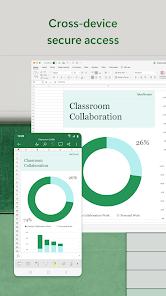
A deep analysis of the application reveals its "Data Visualization" engine as a major highlight. The "Chart Maker" allows users to insert, edit, and annotate charts that bring data to life, while "Pivot Charts" offer easily digestible formats for large datasets. For professional users, the integration of 400+ standard formulas means that complex financial modeling can be performed on a smartphone with the same accuracy as a workstation. Technically, the app introduces a "Draw" tab for devices with touch capabilities, enabling users to highlight worksheet sections, create shapes, or even write out complex equations by hand.
Deep insights into Excel mobile suggest a strategic focus on the "Small Business" and "Personal Finance" markets. The app includes a specialized "Budget Planner" and "Expense Tracker" that are designed for on-the-go financial management. However, there is a critical technical constraint: while viewing is free, editing on devices with screens larger than 10.1 inches requires a Microsoft 365 subscription. This makes the app highly effective for phone and small tablet users, but professional tablet users must commit to the Microsoft ecosystem to unlock full productivity.
Pros
Offers nearly all the powerful computational tools and formulas of the desktop version, ensuring professional accuracy on the go.
The "Touch-First" design and specialized templates make it easy to manage personal finances and small business accounting from a phone.
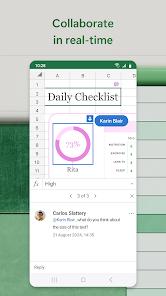
Seamless cloud integration with OneDrive and SharePoint allows for real-time collaboration with colleagues anywhere in the world.
The "Draw" tab enables natural annotations and hand-written equation entry, which is particularly effective on stylus-equipped devices.
Regular updates ensure high performance, security, and the addition of new features like AI-powered data insights.
Cons
Full editing features are locked behind a subscription for any device with a screen larger than 10.1 inches (e.g., larger tablets).
Recent user reviews have reported stability issues where data can "randomly disappear" or the app fails to recognize permissions, requiring reinstallation.
The mobile interface, while optimized, can still feel "cramped" when working with extremely large workbooks with hundreds of columns.
FAQs
It is free to view and edit on phones and tablets with screens smaller than 10.1 inches. Larger devices require a Microsoft 365 subscription to edit.
Yes, you can view, interact with, and create Pivot Charts and tables directly from the mobile interface.
Tap the "Share" button and you can send a link to the document or invite others via email to edit the file in real-time.
Yes, if you are signed in and your file is saved to OneDrive or SharePoint, the app uses "AutoSave" to preserve your changes instantly.
Yes, Excel can open and edit standard spreadsheet formats including.xlsx,.xlsm,.csv, and more.
Hot Reviews
It is free to view and edit on phones and tablets with screens smaller than 10.1 inches. Larger devices require a Microsoft 365 subscription to edit.
Yes, you can view, interact with, and create Pivot Charts and tables directly from the mobile interface.
Tap the "Share" button and you can send a link to the document or invite others via email to edit the file in real-time.
Yes, if you are signed in and your file is saved to OneDrive or SharePoint, the app uses "AutoSave" to preserve your changes instantly.
Yes, Excel can open and edit standard spreadsheet formats including.xlsx,.xlsm,.csv, and more.