ScanNow Home
Overview
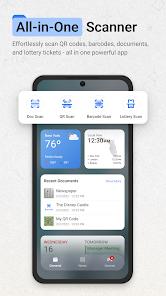
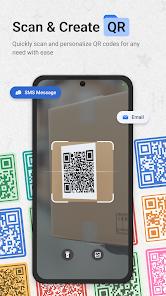
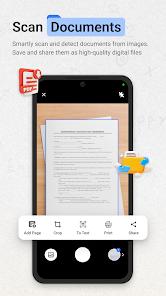
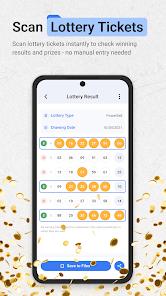
The Android home screen is increasingly becoming a battleground for utility integration, and ScanNow Home represents a bold pivot toward tool-centric personalization. Developed by Homescreen Apps, this application is not a traditional launcher in the aesthetic sense; rather, it is a professional scanning suite that has been expanded to encompass the entire device interface. The functional deconstruction of the app reveals a primary layer of document scanning tools (auto-edge detection, OCR, and PDF export) integrated directly into the home screen, alongside secondary utilities like a barcode/QR scanner and a lottery ticket validator. By making these tools accessible via a single swipe, ScanNow Home attempts to eliminate the multi-step process of finding and launching standalone utility apps.
A deep insight into the "Launcher-as-a-Service" model seen in ScanNow Home reveals a strategic shift in ad-delivery and search monetization. By becoming the default launcher, the app takes control of the user's primary search experience, routing all queries through Yahoo Search. This allows the developer to monetize the user's daily search habits in exchange for providing professional-grade tools for free. The document scanner itself is highly advanced, offering "Advanced Image Enhancement" and searchable text (OCR) capabilities that rival standalone enterprise applications. This integration turns the smartphone into a "Swiss Army Knife" where the home screen is no longer just a list of icons, but a dashboard of functional tools.
However, the "Hijacking" controversy remains a major point of friction for this app. Upon installation, ScanNow Home aggressively prompts to become the default home screen, a move that many users find disorienting and difficult to revert. The rearrangement of existing folders and the introduction of its own "Smart App Categorization" can lead to a "ScanNow OS" feel that suppresses the original Android experience. User feedback highlights a significant learning curve for those trying to restore their original settings, with some reporting it took "half an hour" just to find the way back to the native UI. Despite these usability concerns, for users whose daily work involves heavy document digitization or retail price comparison, the integration provides a high-efficiency environment that standard launchers lack.
Pros & Cons
Professional-grade document scanning (with auto-crop and OCR) integrated into the home screen.
Eliminates the need for multiple standalone apps for QR scanning, document digitization, and lottery checking.
High-quality export options, including searchable text PDFs and high-resolution JPEGs.
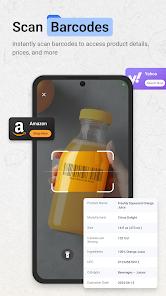
Efficient barcode scanner with built-in price comparison tools for savvy shoppers.
Clean, material design layout that helps organize apps into logical, smart categories.
Optimized for low-light scanning and battery efficiency compared to unoptimized web-scanners.
- ✕
Aggressively pushes to become the default launcher, which can be confusing for non-technical users.
- ✕
Redirects the default home screen search experience to Yahoo, which may not be the user's preference.
- ✕
Reorganizes and "wraps" existing Android folders, making it difficult to find apps initially.
Download
 Get it on Google Play
  Get it on App Store
 FAQs
Will ScanNow Home delete my current apps?
No, your apps and data remain safe; however, the launcher will rearrange their icons into its own categorization system.
How do I revert to my old home screen?
You must go to Settings > Apps > ScanNow Home, select "Home App" settings, and switch back to your original system launcher.
Is the lottery validator official?
It uses official data to check tickets, but you should always verify winning tickets at an authorized lottery retailer.
Does the OCR support searchable text?
Yes, the app can extract text from images and save it as a searchable PDF document.
Why is my search bar now using Yahoo?
The app’s terms of service state that by installing the launcher, you agree to set the search functionality to Yahoo.
Hot Reviews
Multiple users complain that the app "took over" their phone and was "impossible to get rid of," advising others to avoid downloading it.
Users who use the app for its intended purpose praise the "lightning-fast" scanning and the clarity of the PDF exports.
Some reviewers feel that while the scan gives basic information, it lacks the "deep details" on products found in dedicated retail apps.