
Adobe Scan AI PDF Scanner, OCR



Overview
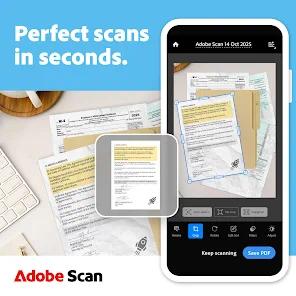
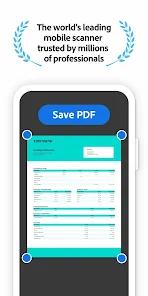
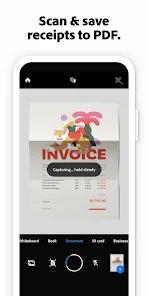
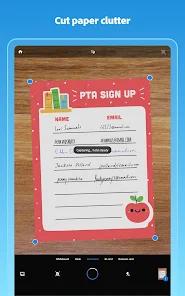
The Adobe Scan application turns standard Android smartphone hardware into a highly specialized document digitizer and OCR terminal. Trusted globally, the application scans paper documents, receipts, business cards, whiteboards, handwritten notes, and multi-page contracts, converting them into portable document formats (PDFs) or JPEG files. The core scanning engine is built on automated image processing that handles edge detection, crops out irrelevant backgrounds, straightens perspective issues, and adjusts contrast levels in real-time.
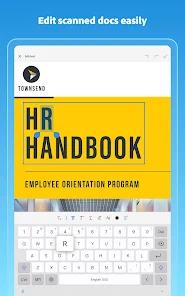
At the center of its utility is its Optical Character Recognition (OCR) engine. It extracts printed and handwritten text across multiple languages, converting static images into searchable, interactive PDFs. This enables users to perform keyword searches, copy and paste text segments directly, and export scanned files into Microsoft Word, Excel, or PowerPoint formats. Additionally, when scanning business cards, the application identifies contact information and can save details directly to the smartphone’s local contact database.
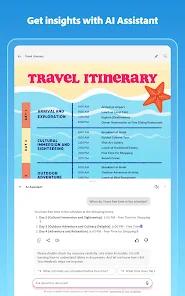
Recent versions of Adobe Scan introduce advanced generative AI tools to change how users interact with scanned information. This AI layer features an integrated "AI Assistant" and a "Generative Summary" engine. With a single tap, users can generate summaries of lengthy scanned documents, ask specific contextual questions, and draft professional emails or reports from the extracted data.
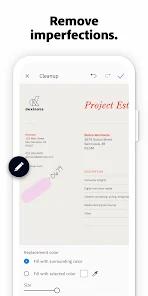
Paid subscribers also gain access to an AI-powered "Magic Eraser" tool. This tool lets users erase physical blemishes, stamps, handwritten marks, or background shadows from scans, automatically filling in the background to deliver clean, professional-grade results.
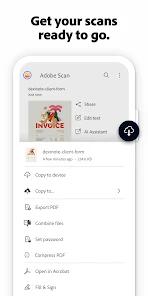
Scanned files are automatically synchronized with Adobe Document Cloud, ensuring secure backup and access across desktop, web, and mobile systems. The application also integrates with Adobe Acrobat Reader, allowing users to sign, highlight, annotate, and fill out forms on scanned documents.
However, users must navigate certain limits: the free tier restricts OCR processing to 5 pages, requiring a premium subscription to expand capacity to 100 pages, merge multiple documents, or unlock advanced editing features.
Pros & Cons
Features precise real-time edge detection and perspective correction to straighten tilted documents.
Includes a powerful multilingual OCR engine that converts scanned physical pages into fully searchable, editable PDFs.
Offers built-in generative AI tools to summarize long documents and draft emails or reports directly from scans.
Provides an AI-powered Magic Eraser tool to seamlessly remove smudges, stamps, and background imperfections.
Integrates directly with Adobe Document Cloud and Acrobat Reader for cross-device synchronization, annotating, and signing.
- ✕
Limits OCR text recognition to 5 pages on the free tier, requiring a paid subscription for larger documents.
- ✕
Restricts the ability to merge multiple scanned documents into a single PDF behind a premium subscription.
- ✕
Relies on stable internet connectivity for advanced generative AI summaries and cloud backups.
- ✕
Features a heavier application footprint that can run slower on older or budget Android hardware.
Download


FAQs
Does Adobe Scan require a paid subscription to use basic scanning features?
No, the core scanning, automatic cropping, perspective correction, and basic OCR tools are free to use. A premium subscription is only required to unlock advanced features like multi-document merging and expanded OCR page limits.
How does the integrated AI Assistant help manage scanned documents?
The AI Assistant processes the text within scanned documents to generate summaries, answer specific contextual questions, and draft emails or reports based on the scan's content.
Can scanned documents be saved directly to other cloud services like Google Drive?
Yes, while scans default to syncing with Adobe Document Cloud, users can save, export, and share files directly to third-party services like Google Drive.
How does the app handle business cards?
The application automatically detects business cards, extracts key contact details (names, phone numbers, email addresses), and allows users to save them to their phone's contact list.
Is there a way to password-protect sensitive scanned files?
Yes, the application allows users to set secure passwords on scanned files before sharing them, helping protect confidential or sensitive information.
Hot Reviews
The automatic saving and synchronization with cloud storage make managing notes highly efficient. Being able to access scanned files across multiple devices, along with the option to back up directly to Google Drive, provides a very reliable workflow.
The automatic edge detection is highly accurate, even when scanning folded receipts or pages captured at an angle. The straightening tool aligns tilted scans cleanly, saving users from having to recapture documents multiple times.
The AI-powered Magic Eraser is an excellent addition for paid users. Being able to remove stray marks, thumb shadows, or physical stains from old documents while keeping the background natural-looking delivers highly professional results.
The multilingual OCR tool is highly reliable. It extracts printed text and clear handwriting quickly, making it simple to copy text from contracts or study guides into other apps without manual typing.