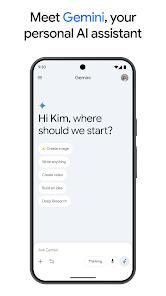
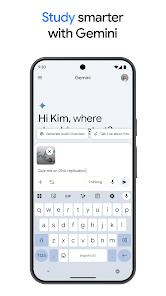

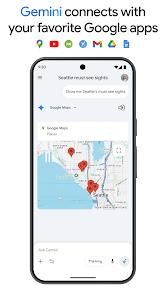
Google Gemini represents a paradigm shift in how users interact with their mobile devices. Transitioning from the experimental "Bard" project, Gemini is now positioned as Google’s primary AI assistant, capable of multimodal reasoning across text, images, and code. It is designed to be deeply integrated into the Android ecosystem, potentially replacing the traditional Google Assistant as the default interaction layer.
Functional disassembly of Gemini reveals a three-tier utility model: Information Retrieval, Creative Synthesis, and Actionable Integration. Unlike standard search, Gemini can synthesize information from across the web to provide nuanced, conversational answers. Furthermore, its "multimodal" nature allows users to take a photo of a broken appliance or a complex math problem and receive step-by-step instructions or solutions in real-time. The most significant feature, however, is its "Extensions" system, which allows the AI to access and interact with a user's Gmail, Drive, and Docs to summarize emails or find specific documents.
Deep insights into Gemini’s market positioning suggest a "platform-as-an-assistant" strategy. By embedding an LLM (Large Language Model) at the OS level, Google is attempting to lock users into its ecosystem through superior utility. If Gemini can draft your emails, schedule your meetings, and organize your photos better than any third-party app, it becomes the "brain" of the smartphone. This has significant implications for the "App Economy," as users may increasingly interact with an AI "overlay" rather than opening individual applications.
Gemini’s strength is its speed and its "native" feel on Android. It is positioned as the more "utilitarian" partner that understands your personal data (with permission) and your physical surroundings through the camera. This shift toward "Agentic AI"—software that can perform tasks on your behalf—marks the beginning of a new era in mobile computing.
Pros
Deep Ecosystem Integration: The ability to summarize your own emails and search your Google Drive via natural language is a massive productivity booster.
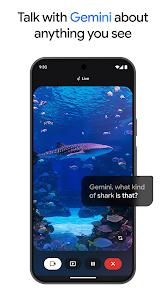
Exceptional Multimodality: Can "see" and "hear" with high accuracy, making it useful for real-world tasks like translating signs or explaining diagrams.
Incredible Speed: The "Gemini Flash" optimization ensures that basic queries are answered almost instantly compared to older AI models.
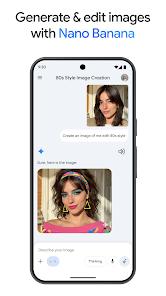
Creative Versatility: Excellent at drafting emails, writing code, and brainstorming creative projects in seconds.
Constant Evolution: Google’s rapid update cycle means that new features and better reasoning capabilities are added almost weekly.
Cons
Privacy Concerns: To be truly useful, Gemini requires significant access to your personal Google data, which some users may find invasive.
Hallucination Risks: Like all LLMs, Gemini can sometimes provide "hallucinated" or factually incorrect information with high confidence.
Heavy Resource Usage: The app can be demanding on battery life and processing power, particularly when using real-time video analysis.
FAQs
In many regions, you can choose to make Gemini your default assistant. It performs most of the Assistant’s tasks while adding conversational AI capabilities.
There is a free version available to everyone. A more powerful "Gemini Advanced" version is available through the Google One AI Premium subscription.
Only if you enable the "Google Workspace Extension." Google states that this data is not used to train its models without explicit consent.
While some "Gemini Nano" features work on-device for specific phones, most advanced reasoning requires an active internet connection to communicate with Google’s servers.
You can tap the camera icon in the app to take a photo or upload one. You can then ask Gemini questions about the content of that image.
Hot Reviews
In many regions, you can choose to make Gemini your default assistant. It performs most of the Assistant’s tasks while adding conversational AI capabilities.
There is a free version available to everyone. A more powerful "Gemini Advanced" version is available through the Google One AI Premium subscription.
Only if you enable the "Google Workspace Extension." Google states that this data is not used to train its models without explicit consent.
While some "Gemini Nano" features work on-device for specific phones, most advanced reasoning requires an active internet connection to communicate with Google’s servers.
You can tap the camera icon in the app to take a photo or upload one. You can then ask Gemini questions about the content of that image.