
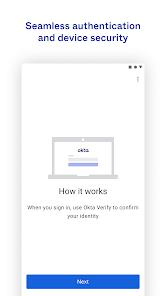
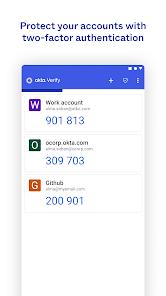
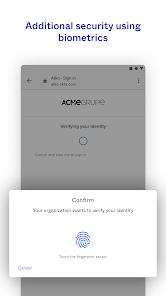
In modern enterprise security, identity is the new perimeter. Okta Verify is more than a simple code generator; it is the mobile extension of the Okta Identity Cloud ecosystem. Its functionality centers on multi-layered authentication mechanisms: Time-based One-Time Passwords (TOTP), responsive push notifications, and the biometrically-backed Okta FastPass.
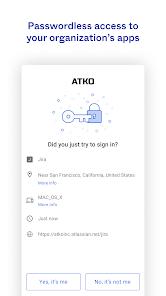
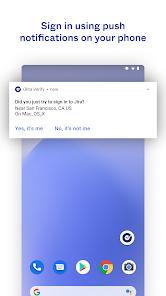
A technical comparison with traditional tools reveals Okta’s "context-aware" advantage. When a push notification arrives, the app displays geographic location, browser type, and device information. This transparency increases security and works with the Okta Risk Scoring Engine to trigger dynamic responses. If a login attempt is flagged as high-risk, the system automatically escalates to higher-level biometric verification.
Insights into its trajectory suggest a pivot toward "passwordless" experiences. By leveraging WebAuthn standards and FIDO2 protocols, Okta Verify utilizes the hardware-level security modules of Android devices (fingerprint/face recognition) to eliminate reliance on weak passwords. This architecture not only mitigates credential-related data breaches but also significantly enhances employee productivity by removing the friction of manual code entry.
Pros
Diverse Authentication Paths: Offers everything from offline TOTP codes to seamless, secure push notifications.
FastPass Technology: Facilitates a true passwordless login experience across enterprise resources.
Contextual Security Intelligence: Notifications include detailed metadata (location, device) to help users spot fraudulent attempts.
Hardware-Bound Integrity: Mandatory device binding ensures that authentication tokens cannot be easily cloned.
Universal Integration: Works as a standardized authenticator for third-party platforms like GitHub or Google.
Dynamic Risk Response: Integrates with backend risk engines to adjust verification strength based on real-time behavior.
Cons
Single-Device Limitation: Accounts are typically tied to one primary device, making recovery cumbersome if lost without a backup.
IT Dependency for Recovery: Most account reset operations require intervention from corporate IT administrators.
Notification Redundancy: Occasional self-promotional notifications can lead to user alert fatigue.
FAQs
It primarily collects coarse location data to verify login legitimacy; all transmissions are encrypted.
Due to security protocols, you usually need your old device for migration or must scan a new QR code from your company’s IT portal.
The camera is strictly used to scan organization-provided QR codes during the initial setup phase.
Yes, it supports the standard TOTP protocol and can serve as a 2FA tool for apps like Facebook or Google.
Hot Reviews
It primarily collects coarse location data to verify login legitimacy; all transmissions are encrypted.
Due to security protocols, you usually need your old device for migration or must scan a new QR code from your company’s IT portal.
The camera is strictly used to scan organization-provided QR codes during the initial setup phase.
Yes, it supports the standard TOTP protocol and can serve as a 2FA tool for apps like Facebook or Google.