
Microsoft Copilot




Overview
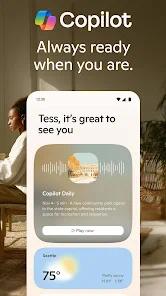
Microsoft Copilot is a multimodal artificial intelligence assistant that serves as the mobile gateway to the Microsoft AI ecosystem. As of early 2026, the application has integrated GPT-5, providing a monumental leap in reasoning, contextual memory, and task automation. Functionally, the app operates as a conversational hub where users can interact via text, voice, or images. It deconstructs the traditional search-and-browse workflow by offering a "Deep Research" mode, which performs iterative web searches to synthesize comprehensive, source-backed reports on complex topics.
A deep analysis of Copilot's mobile features highlights "Copilot Vision" as a transformative tool. This feature allows the AI to "see" and interpret what is on the user's mobile screen or through their camera in real-time. For instance, a user can show Copilot a complex textbook diagram or a sick garden plant, and the AI will provide personalized, context-aware analysis and guidance. Furthermore, the app integrates DALL-E 3 for high-fidelity image generation and includes a specialized "Compose" feature that helps users draft emails, stories, or code with varying tones and lengths. The application also introduces "Pages," an AI-native canvas where users can collaboratively edit and save AI-generated responses.
Deep insights into the application suggest a strategic shift toward "Personalized Intelligence." By signing in with a Microsoft account, Copilot can potentially tap into the user's "Microsoft Graph," summarizing emails, generating Excel formulas, or drafting PowerPoint outlines directly from the mobile interface. However, the mobile experience is noted for a "formal" tone compared to the more "playful" personality of ChatGPT. For professional users, the value lies in Copilot's accuracy and its deep integration with Windows and Microsoft 365, making it a powerful "AI Companion" for productivity rather than just a chatbot for entertainment.
Pros & Cons
Utilizes the latest GPT-5 model, offering the most advanced reasoning and problem-solving capabilities in the consumer AI market.
"Copilot Vision" provides a unique, real-time multimodal experience for analyzing on-screen content and real-world objects.
The app includes a "Deep Research" feature that synthesizes information from multiple web sources with transparent citations.
Seamless integration with Microsoft 365 allows for high-productivity tasks like summarizing emails or generating spreadsheets on the go.
It offers an extremely generous free tier that provides access to advanced models and DALL-E image generation.
- ✕
Memory retention is reportedly inconsistent; some users find the AI "forgets" specific details from long collaborative sessions once the app is closed.
- ✕
The conversational tone can be quite formal and "stiff" compared to competitors like ChatGPT or Claude.
- ✕
The "Deep Research" and image generation features have usage limits even for certain premium subscribers, depending on server load.
Download


FAQs
What is the difference between "Smart" and "Think Deeper" modes?
"Smart" mode uses GPT-5 for intuitive, fast reasoning, while "Think Deeper" uses advanced logic for slow-inference, high-accuracy technical queries.
Can I use Copilot to generate images?
Yes, you can describe any image you want, and the built-in AI will generate several versions for you to download or edit.
Does Copilot have access to my Microsoft 365 files?
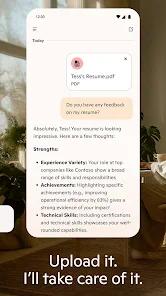
With your permission and a signed-in account, Copilot can help you summarize or find information across your OneDrive and Outlook.
Is "Copilot Vision" private?
Microsoft states that Vision data is processed securely and is used only to assist you during the active session.
Can I talk to Copilot hands-free?
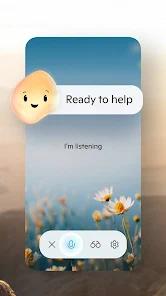
Yes, the app features a conversational voice mode that allows for natural, back-and-forth dialogue without typing.
Hot Reviews
Users on PCMag and other tech platforms frequently cite Copilot as being far superior to traditional search engines for complex research tasks, particularly praising its ability to cite its sources.
The ability to show Copilot plants, diagrams, or lines of code through the camera has been described as a "game-changer" for learning and troubleshooting.
A common piece of feedback involves the AI's "forgetfulness." Some users have expressed disappointment that the AI occasionally loses the thread of a complex multi-hour project if the page is refreshed.