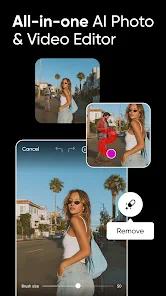


Picsart is the definitive "creative super-app" of the mobile era, boasting over 150 million monthly active creators and a feature set that rivals professional desktop suites. Its market dominance is sustained through a dual strategy of democratization and innovation: it provides high-level design tools—such as multi-layer editing, blending modes, and curves—to a demographic that may not have access to (or the technical training for) Adobe Creative Cloud. The 2026 iteration of the app is defined by the integration of "Aura," a conversational AI creative partner that uses natural language processing to assist in everything from prompt generation to complex image manipulation.
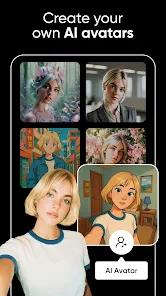
A comprehensive feature breakdown reveals that Picsart is no longer just a photo editor; it is a multimodal creative environment. It includes a full-featured video maker, a sticker creator with millions of community-contributed assets, and a sophisticated AI Image Generator that can create high-fidelity visuals from text. One of the most insightful observations of Picsart’s strategy is its "hybrid" approach to AI. Picsart allows users to generate a base image with AI and then use traditional manual tools—like the "Cutout" tool or the "Clone" stamp—to refine the output. This ensures that the final artwork reflects the creator's specific intent rather than just an AI’s interpretation.
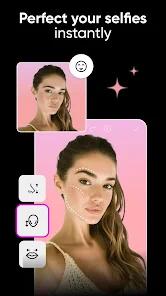
Picsart distinguishes itself by its "artistic" rather than "marketing-centric" focus. It excels in stylized art transformations, professional-grade retouching, and complex digital collages. The app’s "Replay" feature is a major driver of its community value, allowing users to view a step-by-step breakdown of how other artists achieved their looks and apply those exact edits to their own photos with a single tap. This educational loop fosters a highly engaged and loyal user base.
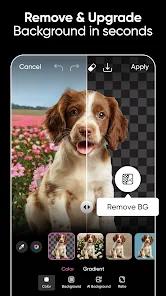
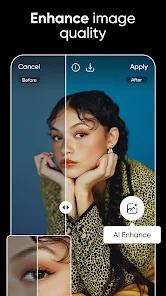
Technically, Picsart has moved much of its heavy processing to the cloud to support advanced AI features like "Magic Eraser" (object removal) and "AI Enhance" (resolution upscaling). This ensures that the application remains responsive even on mobile devices while delivering results that match professional standards. The app supports a wide range of export formats, including high-resolution PNGs with transparency and WebP, making it a critical tool for social media managers and small e-commerce business owners.
Pros
The integration of the "Aura" AI assistant allows users to bridge the gap between abstract ideas and finished designs through simple conversational prompts.
The "Replay" feature democratizes high-level editing by allowing anyone to apply complex, professional-grade artistic sequences to their own photos instantly.
It houses one of the world's largest libraries of free-to-use stickers, fonts, and backgrounds, providing infinite resources for creative exploration.
The "Magic Eraser" and "Cutout" tools use advanced neural networks to provide near-perfect object removal and background isolation with a single tap.
Multi-layer support and advanced blending modes allow for complex digital compositions that were previously only possible on desktop software.
The application supports seamless cross-platform workflows, allowing users to start a design on their phone and finish it on a tablet or desktop browser.
Cons
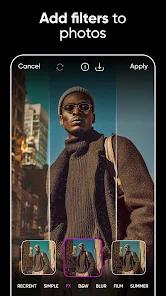
The sheer volume of tools and features can result in a steep learning curve that may overwhelm casual users who only want simple filters.
The free version is aggressively monetized with frequent advertisements and constant prompts to upgrade to the Gold subscription.
Some long-term users have reported that the shift toward AI-driven filters has occasionally compromised the "natural" look of certain classic retouching tools.
FAQs
For professional creators, yes; it removes all ads, provides thousands of premium assets, and grants access to advanced AI tools.
Yes, the "Cutout" tool allows you to isolate any object and save it as a custom sticker that can be shared with the community.
Yes, the video editor supports high-resolution exports up to 4K at 60fps on compatible high-end devices.
It is a deep-learning tool that adds missing pixels to low-resolution photos, significantly improving clarity and detail.
Yes, the app features "Remix" challenges and shared folders that allow multiple creators to work on the same project.
Hot Reviews
For professional creators, yes; it removes all ads, provides thousands of premium assets, and grants access to advanced AI tools.
Yes, the "Cutout" tool allows you to isolate any object and save it as a custom sticker that can be shared with the community.
Yes, the video editor supports high-resolution exports up to 4K at 60fps on compatible high-end devices.
It is a deep-learning tool that adds missing pixels to low-resolution photos, significantly improving clarity and detail.
Yes, the app features "Remix" challenges and shared folders that allow multiple creators to work on the same project.