
Hypic - Photo Editor & AI Art


Overview
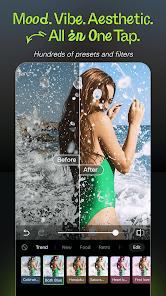
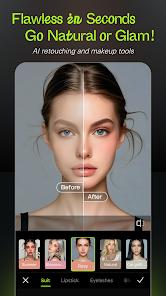
The emergence of Hypic, a high-performance photo editing suite developed by Bytedance Pte. Ltd., represents a paradigm shift in how mobile devices handle complex graphical processing and aesthetic curation. Positioned as an international counterpart to the highly successful "Xingtu" application in domestic markets, Hypic is designed to democratize professional-grade photography tools through the heavy integration of artificial intelligence. Its core architecture is built upon four distinctive pillars: AI-assisted magic tools, trend-aligned filter presets, precision facial retouching, and aesthetic story templates. Unlike traditional image editors that rely on manual adjustment sliders for brightness or contrast, Hypic utilizes neural networks to perform semantic segmentation, allowing the software to recognize specific objects and textures within a frame.
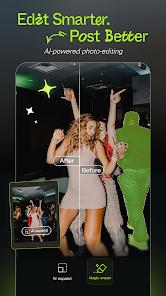
A primary feature of the application is the AI Cleanup tool, which utilizes advanced object-erasure algorithms to remove background distractions with a single tap. This technical capability is not merely a cosmetic addition but a significant productivity tool for digital creators who require clean, professional visuals without access to desktop-grade software like Adobe Photoshop. Furthermore, the app includes an AI Photo Quality Enhancer, which addresses the inherent limitations of smartphone sensors by clarifying low-resolution images and refining pixel density. The inclusion of "PS2 style" and "cyberpunk" AI filters further underscores Bytedance's strategy of aligning technical features with high-velocity social media trends, such as those found on TikTok and Pinterest.
Beyond simple edits, Hypic functions as a comprehensive design studio. It offers a "batch edit" functionality that allows users to apply a consistent aesthetic across dozens of images simultaneously—a feature typically reserved for professional workflows. The application also provides an "AI Avatar" generator that can transform a single selfie into a myriad of artistic interpretations, effectively serving as a gateway into the generative art space. This synthesis of precision editing and creative automation addresses a dual market: the casual selfie-taker seeking quick "glow-up" features and the professional influencer requiring a sophisticated, mobile-first toolkit for daily content production.
Pros & Cons
The application features a highly precise background cutout tool that includes a real-time zoomed-in view for pixel-perfect accuracy.
The AI Photo Quality Enhancer effectively restores clarity to low-resolution images, making it a valuable tool for salvaging old photography.
Its batch editing capability significantly reduces the time required for creators to process large sets of photos for "photo dumps" or story sequences.
The massive library of trend-focused aesthetic templates allows users with zero design experience to create professional-looking social media content.
The application maintains a high standard of data privacy by disclosing that no data is shared with third-party networks.
The user interface is intuitive, balancing high-end features with "one-tap" automation that appeals to beginners.
- ✕
The most advanced AI tools and trending filters are locked behind a subscription model that some users find prohibitively expensive in international currencies.
- ✕
The application is resource-intensive and may experience performance lag on older Android devices during complex AI processing tasks.
- ✕
Certain AI-generated filters and retouching tools can occasionally lead to an unnatural or "over-edited" appearance if the automation settings are not manually adjusted.
Download


FAQs
Is Hypic an offline editor?
While basic adjustments and some filters work offline, most AI-driven features like the Avatar generator and Quality Enhancer require an internet connection for cloud-based processing.
What is the difference between Hypic and CapCut?
CapCut is primarily optimized for video editing, whereas Hypic is specifically designed for still image retouching and graphic design.
Can I save my edits in high resolution?
Yes, the app supports high-definition exports, though some ultra-high-resolution settings may require a premium subscription.
Does the app include body editing features?
Yes, Hypic offers sophisticated body modification and face-tuning tools that use AI to maintain a natural appearance.
How do I use the batch editing feature?
Users can select multiple photos from their gallery within the app and apply a single preset or filter to all of them at once to ensure aesthetic consistency.
Hot Reviews
The cutout tool is the best on mobile; the tiny zoom window that pops up while you're tracing edges makes it so much easier to get a clean result.
While the app is great, the subscription price in certain regions feels too high compared to local living standards, making the premium features inaccessible for many.
The variety of templates for Instagram and TikTok is incredible. I can finish a professional-looking story in seconds that used to take me an hour in other apps.