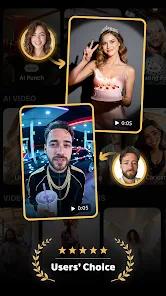
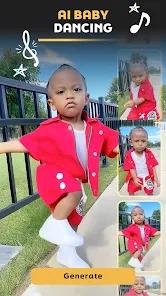
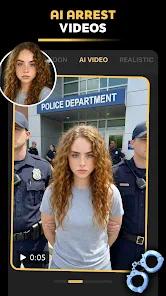
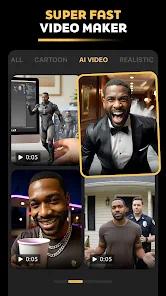
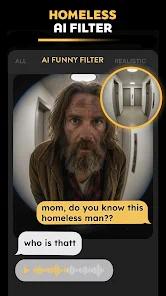
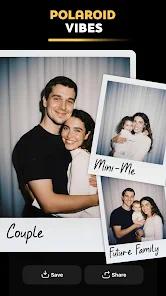
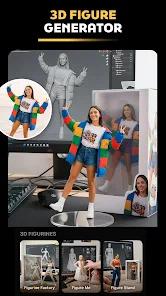
Pose: AI Photo & Video Maker is an all-in-one creative app designed to help users generate stylized photos, animated portraits, and short AI videos using a combination of pose estimation, image filters, and generative AI models. Unlike single-purpose photo editors, this app positions itself as a hybrid tool—part AI avatar generator, part animation studio, and part creative trend engine.
At its core, the app focuses on pose-based transformation. Users can upload a photo, select a pose or animation template, and allow the AI to re-render the subject in a new posture, style, or motion. This is particularly appealing for users who want eye-catching content for social media without needing advanced editing skills. The pose engine appears optimized for full-body and half-body photos, making it suitable for fashion shots, profile images, and short-form video loops.
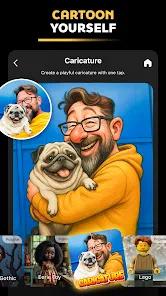
Another notable strength is its style diversity. The app blends multiple AI techniques—filters, generative re-rendering, and animation overlays—to create results ranging from realistic enhancements to artistic or anime-inspired visuals. Instead of applying simple color presets, the AI reconstructs facial details, lighting, and textures to better match the selected style. This gives outputs a more “AI-native” look rather than a traditional filtered photo.
From a usability perspective, Pose: AI Photo & Video Maker is clearly built for trend-driven creation. Many templates are aligned with viral social media aesthetics, such as cinematic portrait motion, subtle facial animation, or stylized still-to-video effects. The workflow is intentionally short: upload → choose a pose or effect → generate → export. This makes the app accessible to casual users while still offering enough variation to keep results from feeling repetitive.
When compared with standard AI photo editors, Pose stands out by emphasizing movement and pose realism rather than only face swaps or static avatars. While some AI avatar apps focus heavily on headshots, this app’s pose logic allows for more expressive body language, which can significantly improve storytelling in short videos.
That said, the app does rely heavily on cloud-based AI processing. This means generation quality is generally strong, but speed and consistency can vary depending on server load and the complexity of the selected effect. Advanced users may also notice that customization is mostly template-driven, with limited manual fine-tuning of facial features or body proportions.
Overall, Pose: AI Photo & Video Maker is best viewed as a creative accelerator rather than a precision editing tool. It excels at producing fast, visually engaging content that aligns with current AI art and social media trends. For creators, influencers, or casual users looking to experiment with AI-generated motion and poses, it offers a compelling balance between simplicity and visual impact.
Pros
Strong pose-based AI transformation that goes beyond basic face filters
Combines photo generation, animation, and short video creation in one app
Trend-focused templates suitable for social media content
Easy, beginner-friendly workflow with minimal setup
Wide variety of artistic and realistic styles
Cloud-based AI delivers generally high visual quality
Cons
Limited manual controls for advanced customization
Generation speed can vary depending on server load
Many premium effects are locked behind subscriptions
FAQs
No. The app is designed for beginners, with most results generated through templates and automated AI processing.
Yes. Users can generate stylized images as well as short animated or motion-based videos.
Both. The app supports realistic enhancements and more artistic or animated styles, depending on the selected template.
No. Most AI generation features require an internet connection because processing happens on remote servers.
Yes. Many effects are clearly optimized for short-form and trend-driven social platforms.
Hot Reviews
No. The app is designed for beginners, with most results generated through templates and automated AI processing.
Yes. Users can generate stylized images as well as short animated or motion-based videos.
Both. The app supports realistic enhancements and more artistic or animated styles, depending on the selected template.
No. Most AI generation features require an internet connection because processing happens on remote servers.
Yes. Many effects are clearly optimized for short-form and trend-driven social platforms.