
AI Video - AI Video Generator
A genuinely fast way to turn a prompt or a few photos into a finished short-form video with no editing skills, and its template library is the real time-saver — just go in knowing it trades deep control for speed, leans on a paid subscription for some features and commercial use, and needs an internet connection to work at all.
- Creators, marketers, and everyday social users who need daily or promotional clips fast and have no editing background
- People making short-form vertical content — stories, reels, product showcases — who value idea-to-export speed over frame-level control
- Professional editors and filmmakers who need timelines, audio layers, and motion curves
- Long-form or cinematic creators, anyone wanting a fully free tool with no subscription-gated features, and offline users




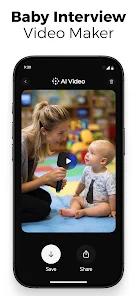



Overview
The verdict up front
If your problem is that you need a short video today and you can’t edit, AI Video is one of the more direct solutions on the store, and it’s refreshingly honest about what it is. Published by HubX and sitting in the Photography category, it’s built around a single premise: describe what you want, or hand it a few photos, and it assembles a finished-looking clip for you — no timelines, no keyframes, no layers to wrangle. That premise is backed by real scale, with 10M+ installs and a 4.5 rating across roughly 658,000 ratings, which is a strong consensus by any measure. The honest counterweight, which the store itself states plainly, is that this speed comes at the cost of deep creative control, that some features and commercial use sit behind a subscription, and that nothing works without an internet connection. For the right user those trade-offs are easy; for a professional editor they’re likely disqualifying — and the app doesn’t pretend otherwise.
The three workflows that define it
Almost everything funnels through three paths, worth taking one at a time.
The first is text-to-video. You type a short prompt or script, and the app generates a video with matching visuals, transitions, background music, and motion selected for you. The store frames this as ideal for turning social captions into videos, marketing hooks, or quote and story content — the kind of post where you have the words but not the footage. This is the workflow that most embodies the app’s pitch, because it asks for the least and produces the most.
The second is image-to-video. You upload your own photos and the AI adds motion — zooms, pans, parallax depth, and animated transitions — turning static images into something that moves. The store positions this squarely at slideshows, before-and-after sequences, and product showcases, and it’s arguably the most practical of the three because it’s working with your own material rather than generating from scratch. If you have product shots or event photos and want them to feel alive in a feed, this is the lane.
The third is template-based creation, and in the reviews it may be the quiet workhorse. The app ships prebuilt templates that bundle font styles, transition logic, color schemes, and music timing, optimized for vertical, story, and promo formats. The value here is subtractive: it removes the repetitive design decisions — which font, how the cuts land, when the music hits — that eat time on every single post. Users single out exactly this, with a recurring theme that templates save a lot of time by eliminating repetitive design work.
Layered across all three are AI effects and filters, applied automatically or manually. The store is candid that these aim to boost engagement rather than photorealism, and describes them as “not as advanced as professional AI video tools” while being well suited to fast social content. We’d read that as an honest calibration of expectations, not a hedge.
What using it actually feels like
The through-line the store keeps returning to is workflow efficiency — idea to export in minutes — echoed across the recurring review themes: fast results with minimal effort, turning ideas into videos quickly for daily or promotional posting. For someone posting on a schedule, the appeal isn’t a single spectacular output; it’s the ability to produce something acceptable, repeatedly, without a production process — a real and underrated benefit for feeds, where cadence often matters as much as polish.
You can edit after a clip is generated, but the FAQ is upfront that this is lightweight — text tweaks, music swaps, template adjustments — rather than detailed timeline control. Supported output covers vertical and square formats, which aligns with where short-form social content actually lives. None of this is accidental: the app is tuned end to end for the person who wants a finished short video, not a project file.
The honest limits
Here’s where a prospective user should be clear-eyed, and to the app’s credit, most of this comes straight from its own store listing and database.
The most significant limit is control. There are no fine-grained timelines, no separate audio layers, and no motion curves — the tools a professional relies on to shape a piece precisely. The store’s own positioning names this directly: limits appear the moment a user wants that kind of granular control, and it “succeeds as a fast production tool, not a replacement for professional editing software.” That’s an unusually honest self-assessment, and it maps neatly onto a review theme users repeat: easy to learn, hard to master, because the creative ceiling arrives quickly for advanced users.
The second is output variability. The database lists plainly that AI results can vary depending on prompt quality, so a vague prompt is likelier to produce a generic result than a sharp one. This isn’t a defect so much as the nature of a prompt-driven tool: the sharper your input, the more the output rewards you, and it pays to iterate on wording rather than expecting the first pass to land.
The third is scope. This is not built for long-form or cinematic projects; it’s a short-form tool by design, and asking it to carry a multi-minute narrative piece is using it against its grain. And the fourth is connectivity: processing happens in the cloud, so an internet connection is required. There’s no offline mode, which matters if you create while traveling or on unreliable networks.
The monetization reality
The app is usable to get started, but the store and database are explicit that some features require a paid subscription, and that commercial usage typically depends on your subscription plan. We’re deliberately not going to invent specifics the app doesn’t state — there are no dollar figures, credit mechanics, watermark rules, or free-trial terms we can responsibly quote here, because the source material doesn’t spell them out. What we can say plainly is the shape of it: expect an ongoing subscription rather than a one-time purchase to unlock the fuller feature set, and if you intend to publish monetized content, the FAQ advises reviewing the in-app licensing first, since commercial rights are tied to the plan. That last point is easy to overlook and genuinely consequential for marketers.
How it compares
The useful frame is to place it twice. Against professional desktop AI video tools and full editing platforms, AI Video is not competing on control, and it doesn’t claim to be — those tools give you timelines, audio mixing, and precise motion at the cost of a learning curve and, usually, a desktop. Against other mobile AI video generators — the field the store says it actually competes in — its case rests on workflow speed: idea to exported clip in minutes with minimal setup. Neither comparison crowns a universal winner. If you want deep control and cinematic results, the professional tools are correct; if you want a finished short-form clip on your phone with the least friction, this app’s emphasis on speed is aimed at you.
Recency and reputation
This is an actively maintained, large-scale app rather than a niche experiment. Play shows the listing updated March 12, 2026, with 10M+ installs, 8 screenshots, and a 4.5 rating across roughly 658,000 ratings — a broad, strongly positive consensus. We’d read the 4.5 as the honest headline: clearly well-liked at real scale, with the friction its own cons list names — the shallow control ceiling, prompt-dependent variability, and subscription gating — keeping it from being a fit for everyone. It’s a popular tool doing its narrow job well, not a do-everything editor.
Who it’s not for
Skip AI Video if you’re a professional editor or filmmaker who needs timeline, audio-layer, and motion-curve control — the automated workflow removes exactly the precision you’d want. It’s also a poor fit for long-form or cinematic creators, for anyone who wants a fully free tool with no subscription-gated features, and for offline users, since cloud processing means it won’t run without a connection. Those aren’t failings so much as mismatches with what the app sets out to do.
Our take
AI Video is a focused, fast production tool that does one thing well: it gets non-editors from an idea — or a handful of photos — to a finished short-form video in minutes, and its template library takes the repetitive design work off your plate. Its limits are equally real and, to its credit, openly stated: limited advanced control, results that vary with prompt quality, some features and commercial use behind a subscription, no long-form ambitions, and a hard requirement for an internet connection. A 4.5 store rating and 10M+ installs say a lot of people find that trade worthwhile. We land at a situational recommendation: an easy pick for creators and marketers chasing short-form speed, and the wrong tool for anyone who needs professional-grade control or offline reliability.
How We Evaluate
We did not hands-on test this app. This review is a desk assessment built from AI Video's Play Store listing and description, its stated feature set (text-to-video, image-to-video, and template-based generation, plus AI effects and filters), the pros and cons recorded in our app database, its developer FAQ, recurring themes across published user reviews, and its current 4.5 aggregate rating from roughly 658,000 ratings with 10M+ installs. The app is published by HubX. Where the store makes a capability claim — idea-to-export in minutes, auto-selected visuals and music, AI-driven motion on still photos — we attribute it as the vendor's framing rather than presenting it as independently verified. Where we describe strengths or friction, we trace them to those signals rather than to personal use, and we state the monetization model as plainly as the store does: some features and commercial usage depend on a paid subscription plan.
Pros & Cons
Fast AI-powered video creation with minimal manual setup
User-friendly interface suitable for beginners
Strong template library optimized for short-form content
Supports both text-to-video and image-to-video workflows
Good balance between automation and light customization
Ideal for social media, marketing clips, and casual creators
- ✕
Limited advanced editing controls for professional users
- ✕
AI results can vary depending on prompt quality
- ✕
Some features require a paid subscription
- ✕
Not designed for long-form or cinematic video projects
Download


FAQs
Does AI Video – AI Video Generator require video editing experience?
No. The app is designed for users with little to no editing background, relying on AI automation and templates.
Can I use the generated videos for commercial purposes?
Commercial usage typically depends on the subscription plan. Users should review the in-app licensing terms before publishing monetized content.
Does the app support vertical and square video formats?
Yes. Most templates are optimized for vertical and square formats commonly used on social platforms.
Can I edit the video after AI generation?
Yes, but editing options are relatively lightweight, focusing on text, music, and template adjustments rather than detailed timeline control.
Is an internet connection required?
Yes. AI video generation relies on cloud processing and requires an active internet connection.
Hot Reviews
Many users highlight how quickly they can turn ideas into videos, especially for daily posting or promotional needs.
The app is frequently praised for producing videos that fit well into short-form social feeds without extensive editing.
Users appreciate the built-in templates, noting that they eliminate repetitive design work and speed up production.
Some feedback points out that while the app is easy to start with, creative control becomes limited for more advanced users.