
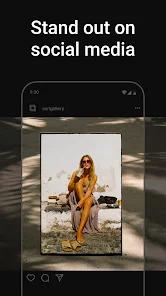
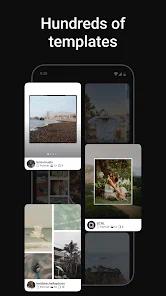
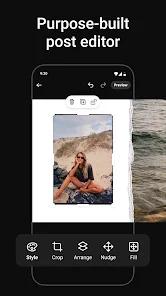
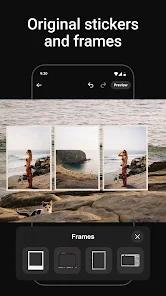
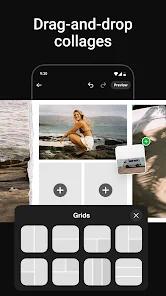
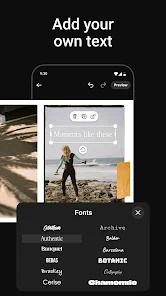
SCRL has become the definitive tool for the 'Carousel Era' of social media. In 2026, the aesthetic of Instagram and TikTok has shifted away from static single images toward multi-slide stories that feel like a cohesive digital magazine. SCRL was the first app to perfect the 'seamless transition,' and it continues to lead the pack through a focus on freeform canvas design. The core functionality of the app is its horizontal scrolling canvas. Instead of being confined to a single square, users can layout their images across a long strip that is then perfectly sliced into the 10:8 or 4:5 ratios required by social platforms.
A functional breakdown of the SCRL experience reveals a surprisingly powerful design suite that rivals professional desktop software like InDesign, but simplified for mobile. It offers 'Layer Management,' allowing users to stack photos, text, and stickers with varying levels of opacity. In 2026, the app introduced an AI-powered 'Flow Assistant' which analyzes the composition of your photos and suggests placement that avoids cutting off faces or important details at the carousel's 'seams.' This is a critical feature for brands and influencers who want their feed to look professionally produced without hiring a graphic designer.
SCRL is a specialized tool for 'Scrolling Narrative.' The way it handles the transition between slides is unmatched; it ensures that an image spanning two slides has no visible 'gap,' creating a mesmerizing effect as the user swipes. However, this level of precision comes with a learning curve. The freeform canvas can be intimidating at first, and the high-resolution exports can result in large files that might struggle to upload on poor data connections. Despite these minor hurdles, SCRL remains the go-to app for anyone who views their social media feed as a curated art gallery rather than a simple photo log. It has successfully gamified the design process, making it satisfying to see a long, messy canvas transform into a perfectly sequenced story.
Pros
Industry-leading seamless carousel layouts.
Freeform canvas allows for total creative control.
High-quality templates that look professionally designed.
Cons
The best templates are locked behind a subscription.
Learning curve for the freeform canvas can be steep for beginners.
High-res exports take up significant storage space.
FAQs
Place your photo across the frame lines in the canvas; SCRL will split them perfectly on export.
Yes, the premium version supports video integration within the layouts.
Yes, it has an integrated 'Share to Instagram' workflow.
Hot Reviews
Place your photo across the frame lines in the canvas; SCRL will split them perfectly on export.
Yes, the premium version supports video integration within the layouts.
Yes, it has an integrated 'Share to Instagram' workflow.