
PixVerse: AI Video Generator



Overview
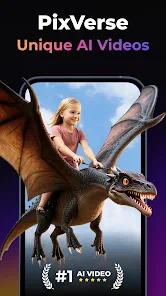
PixVerse AI is a pioneering platform in the "Generative Video" revolution, providing mobile users with the ability to generate cinematic, high-fidelity video clips from simple text or image prompts. In the 2026 landscape, where AI video has moved from a novelty to a critical tool for creators, PixVerse occupies a unique niche by offering a "Fast" model that prioritizes generation speed and character consistency without the need for high-end desktop hardware. The platform is designed to handle complex temporal dynamics—such as the fluid motion of water or the subtle facial expressions of a character—making it an essential tool for social media managers, indie filmmakers, and digital marketers.
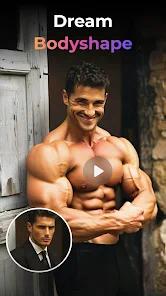
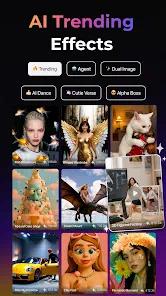
A technical breakdown of the PixVerse architecture reveals a sophisticated "multi-modal latent diffusion" engine. Unlike earlier AI models that produced "hallucinating" or jittery videos, PixVerse features the "V5 Fast" model, which can generate a 1080p, 5-8 second clip in under 30 seconds. This model is specifically optimized for rapid iteration, allowing creators to "prototype" scenes quickly. Furthermore, the "Image-to-Video" mode is exceptionally powerful; it can analyze a static photograph and infer realistic depth and motion, turning a family portrait into a living memory with a single click. The app also includes specialized "Style Engines" for different artistic directions, including hyper-realism, 3D animation, and stylized anime.
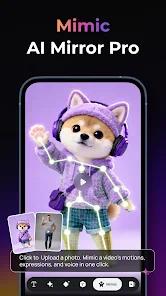
PixVerse distinguishes itself through its "Motion Control" and "Keyframing" tools on mobile. Users can manually direct the camera's movement—panning, tilting, or zooming—after the initial prompt is written, providing a level of "director's control" that is rare in the generative space. This feature is critical for professional workflows where a specific shot composition is required. Insightful observations suggest that PixVerse's "Character Reference" feature, which keeps a character's identity consistent across multiple video generations, is the key reason it has become a favorite for storytelling and web-series creators.
Monetization is handled through a tiered credit system. Free users are given 100 daily credits, which is generous enough for hobbyists, while "Scale" and "Business" plans provide hundreds of thousands of credits, priority rendering queues, and commercial usage licenses. The app is fully cloud-integrated, meaning the heavy computational lifting happens on remote servers, keeping the user's mobile device cool and preserving battery life during the creative process.
Pros & Cons
The "V5 Fast" model provides some of the fastest generation times in the industry, enabling rapid creative iteration that is essential for social media workflows.
The "Image-to-Video" mode exhibits remarkable depth-perception, allowing users to animate their own photos with realistic, physics-compliant motion.
Excellent character consistency tools ensure that a character's face, hair, and outfit remain stable across different shots, making it viable for storytelling.
Granular camera controls allow users to act as a virtual cinematographer, manually directing pans, tilts, and zooms to achieve specific shot compositions.
The "Community Remix" feature allows users to see the prompts behind successful videos and use them as a foundation for their own work, accelerating the learning curve.
Multi-style support allows for the creation of content in diverse aesthetics, from high-end cinematic realism to 2D anime and 3D Disney-style animation.
- ✕
The credit-based pricing can become significantly expensive for power users or businesses that require high volumes of 4K content.
- ✕
Like all current generative AI, the model occasionally struggles with complex human limb movements—such as walking or intricate hand gestures—leading to "uncanny" artifacts.
- ✕
Free-tier users face significantly longer queue times during peak hours and must include a watermark on all exported content.
Download


FAQs
Can I extend a video longer than 8 seconds?
Yes, the "Video Extension" tool allows you to add segments to an existing clip while maintaining style and character consistency.
What is a "Character Reference"?
It is an image you upload that the AI uses as a fixed template for a person's appearance across multiple generations.
Can I generate audio with the video?
Some newer beta models in the PixVerse suite now support ambient sound effect generation, though music integration is still primarily manual.
Is it safe for commercial work?
Paid subscribers receive commercial rights to their output, making it safe for advertisements and branded content.
Does it require a high-end phone?
No, because the video is rendered on PixVerse’s cloud servers, the app runs smoothly on any device with a stable internet connection.
Hot Reviews
Creators frequently mention that PixVerse has finally made AI video "usable" for narratives, praising the stable character consistency as its most revolutionary feature.
Users are often "blown away" by the app's ability to take a flat photo and give it 3D-like motion and realistic lighting, noting it feels like "magic".
A common point of frustration in reviews is the high credit cost of 4K generations, with some users feeling the free daily allowance is gone after just a few "test" runs.