
CapCut - Video Editor


Overview
CapCut is the global standard for mobile-first video editing, developed by ByteDance. Originally launched to support TikTok creators, it has evolved into a powerhouse suite that democratizes high-end post-production for over 200 million users.
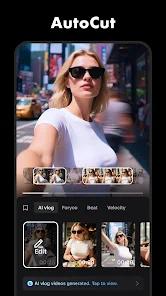
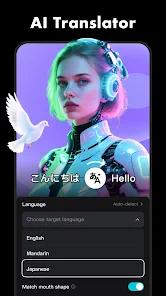
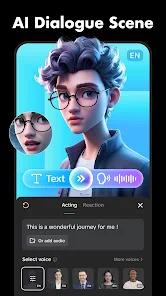
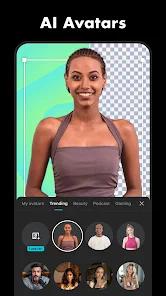
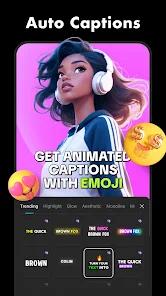
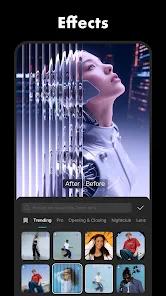
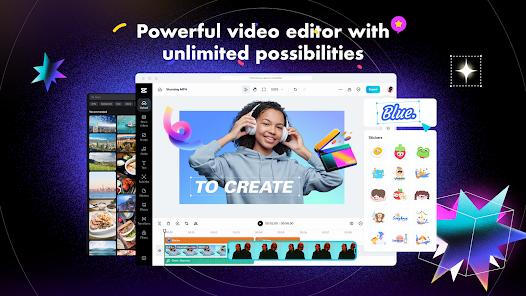
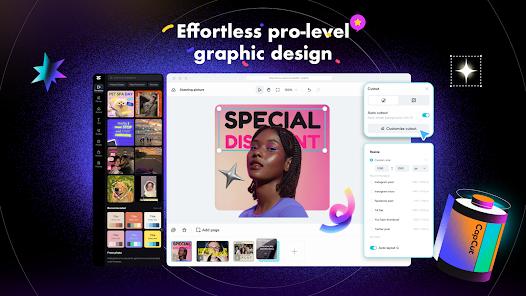
The functional disassembly of CapCut reveals a sophisticated "AI-Centric" workflow. The app's primary strength lies in its "Smart Tools" module, which includes "Auto-Captions" (voice-to-text in multiple languages), "Smart Cutout" (AI background removal), and "Smooth Slow-Motion" (using optical flow to generate extra frames). For traditional editors, CapCut offers a robust multi-layer timeline that supports "Keyframe Animation," "Chroma Key," and "Stabilization". The app also integrates a massive, weekly-updated library of trending music, sound effects, and filters that are directly synchronized with social media trends.
Deeply analyzed, CapCut represents the convergence of "Prosumer" power and "Casual" ease. It supports high-resolution exports up to 4K at 60fps and includes "Smart HDR" for professional color range. Unlike traditional desktop software, CapCut is built for speed; its "Template" system allows users to create high-quality viral content in seconds by simply swapping their own clips into pre-made edits. While the app is free, it leverages its "CapCut Cloud" and "Pro" features to offer a seamless editing experience across mobile, tablet, and desktop.
Pros & Cons
Revolutionary AI Toolkit: Features like "Smart Cutout" and "Auto-Captions" eliminate hours of manual editing work.
Professional Export Standards: Supports up to 4K 60fps resolution without forcing a watermark on the final project.
Unrivaled Asset Library: Offers millions of trending sounds, stickers, and cinematic filters that are updated weekly.
Seamless Multi-Platform Sync: Projects can be started on a phone and finished on a PC via the CapCut desktop program.
Advanced Keyframe Controls: Allows for precise movement and scaling of overlays and text for high-end motion graphics.
Intuitive User Interface: The multi-layer timeline is easy to learn for beginners while remaining powerful for pros.
- ✕
Massive Storage Footprint: Project files and the asset cache can quickly consume several gigabytes of internal storage.
- ✕
Constant Internet Requirement: Most high-end filters, stickers, and AI processing require a stable data connection.
- ✕
Device Performance Dependency: 4K editing and complex transitions can cause lag or crashes on older or lower-end smartphones.
Download


FAQs
Is CapCut really free?
Yes, the core editing features are free, and you can export 4K videos without a watermark for free by deleting the "end clip".
What is the "Pro" version?
CapCut Pro is a subscription service that unlocks exclusive AI features, cloud storage, and premium filters and transitions.
How do I use the "Auto-Caption" feature?
In the "Text" menu, select "Auto-Captions." The app will analyze the audio and generate synchronized subtitles automatically.
Can I use my own music in CapCut?
Yes, you can import audio from your device, extract audio from other videos, or use the integrated TikTok library.
Does CapCut work on a computer?
Yes, there is a dedicated CapCut Desktop version for Windows and Mac that syncs with your mobile account.
Hot Reviews
Creators frequently call CapCut "the only app you need." They praise the "One-Tap" nature of the AI tools, noting that they can make a professional-looking video while on their lunch break.
A common "hot review" highlights the power of the templates. Users enjoy being able to use a "trending edit" without having to manually set the transitions, making it much easier to go viral.
Some power users express frustration with how quickly the app "bloats" their phone's storage. They advise fellow editors to frequently clear their cache to keep their devices running smoothly.