
YouTube Studio
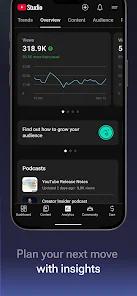
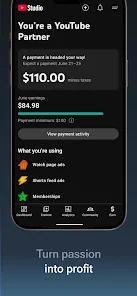

Overview
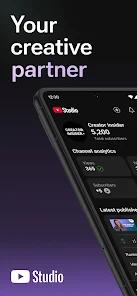
YouTube Studio has matured from a simple dashboard into a comprehensive "AI Creative Partner." In the 2025-2026 cycle, the application has prioritized lowering the technical barrier for creators through "Ask Studio," a Gemini-powered conversational tool. Creators can now ask natural language questions about their channel's performance—such as "Why did my views drop last week?"—and receive a data-driven AI Overview with tactical recommendations.
The technical architecture now includes "Veo 3" integration, which allows creators to generate high-quality video backgrounds and quick edits directly within the mobile app. New AI features like "Speech to Song" transform spoken dialogue into musical soundtracks for Shorts, while "Realistic Auto-Dubbing" with enhanced lip-syncing allows creators to expand their global reach with zero manual translation effort. This shift toward "Generative Management" ensures that creators can spend less time on data analysis and more time on high-level strategy.
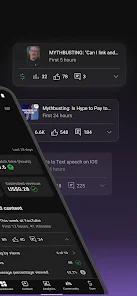
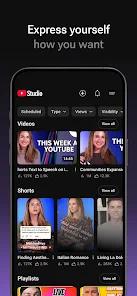
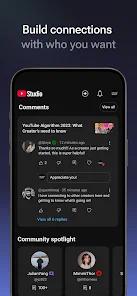
Operationally, the app provides deep granular control across five primary tabs: Dashboard, Content, Analytics, Comments, and Revenue. The "Comments" tab has been upgraded with AI filters, allowing creators to prioritize questions from subscribers or filter by users with a certain follower threshold, fostering deeper community relationships. For monetization, creators can track their earnings in real-time and manage their "YouTube Shopping" integrations to tag products directly in their videos.
Pros & Cons
Comprehensive Mobile Channel Management: Allows for full channel control from any location without needing a desktop computer.
AI-Driven Strategic Insights: "Ask Studio" provides actionable data analysis via a simple chat interface.
Advanced Audience Analytics: Provides granular data on when your audience is most active and what content drives engagement.
Global Reach Tools: Realistic auto-dubbing and lip-syncing help creators reach non-English speaking audiences effortlessly.
Dynamic A/B Testing: Allows for testing multiple titles and thumbnails to maximize your click-through rate (CTR).
Integrated Monetization Tracking: Clear, real-time breakdown of all revenue streams including Brand Deals and Shopping.
Efficient Community Moderation: Advanced filters help manage high-volume interactions and respond to critical fan questions.
- ✕
Mobile vs. Web Parity: Some hyper-advanced settings and bulk-editing tools are still only available on the desktop version of Studio.
- ✕
Learning Curve for Analytics: The sheer volume of data in the Analytics tab can be overwhelming for new or casual creators.
- ✕
System Resource Demand: Running high-resolution video analytics and AI dubbing tools can significantly drain battery on older devices.
Download


FAQs
Do I need a certain number of subscribers to use YouTube Studio?
No, any user with a YouTube channel can use the Studio app to manage their content and analytics.
How does "Ask Studio" work?
It is an AI-powered conversational tool that analyzes your channel's data and answers specific questions about performance and strategy.
Can I respond to comments directly in the app?
Yes, the Comments tab is designed specifically for easy interaction, including the ability to sort by "questions only".
What is the "Veo 3" integration?
It is a high-speed video generation tool that helps creators make Shorts and background visuals using AI.
Can I see my actual earnings in the app?
Yes, the "Revenue" tab provides a detailed breakdown of your estimated earnings and payment history.
Hot Reviews
Professional creators frequently state that they wouldn't know what to post next without the "When your viewers are on YouTube" data.
Users from non-English speaking regions praise the auto-dubbing for helping them quintuple their audience reach in months.
Reviewers love being able to "clean up" their comments section while commuting or traveling.