
Web Video Cast | Browser to TV
Overview
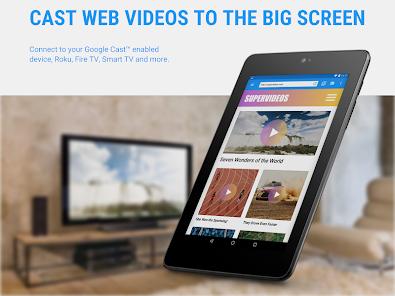
Web Video Cast, developed by InstantBits Inc., occupies a critical niche in the digital media consumption landscape. As streaming content moves away from traditional broadcast and cable toward a fragmented web-based model, this application provides a universal "bridge" that allows users to project almost any web-based video source onto a large-screen display. Unlike standard screen mirroring, which essentially replicates the phone's UI and often suffers from latency and resolution degradation, Web Video Cast extracts the direct video URL and sends it to the streaming device for native playback.
Functional Disassembly and Deep Insights
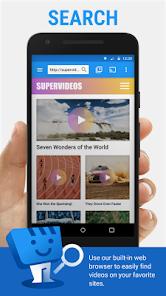
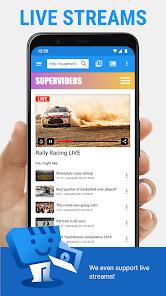
The technical core of Web Video Cast is its integrated browser, which is specifically engineered to "sniff out" video links hidden within complex web page architectures. Whether the content is a standard MP4 file or a complex HLS live stream (M3U8), the app identifies the highest available quality and provides the user with an option to cast it. This is a vital function for accessing media on sites that do not natively support casting protocols, such as many independent news sites, sports portals, and niche streaming services.
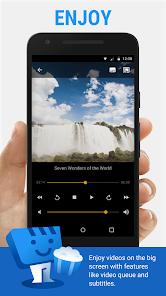
A significant second-order insight into the app's success is its treatment of subtitles. Subtitle management is traditionally one of the weakest points of mobile-to-TV casting. Web Video Cast addresses this by providing a multi-layered solution: it can detect subtitles embedded in the web page, allow the user to upload their own SRT files, or use an integrated API to search the OpenSubtitles.org database in real-time. This level of control ensures that language barriers are removed, even for content that was never intended for global broadcast.
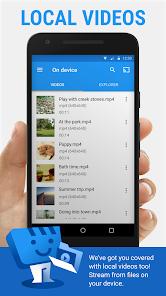
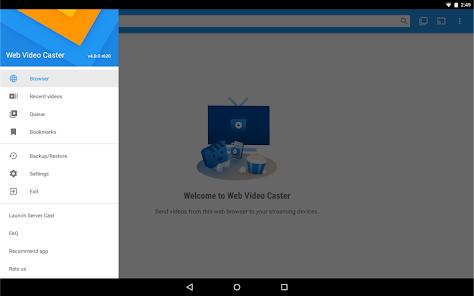
The application also serves as a robust media management center for local files. It allows for the casting of photos, music, and videos stored directly on the mobile device, effectively turning the smartphone into a centralized media server for the home network. The inclusion of a "Premium" tier adds advanced features such as video history, bookmarks, and a custom home page, further tailoring the experience for high-frequency users who rely on the app as their primary media gateway.
Comparative Protocol Support and Compatibility
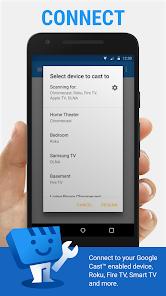
The application is notable for its agnostic approach to hardware. In a market where many casting tools are locked to specific ecosystems (e.g., Google Home for Chromecast or SmartThings for Samsung), Web Video Cast supports a comprehensive list of protocols including DLNA, Roku, Amazon Fire TV, and even more.
Pros & Cons
Universal Media Detection: The app can successfully extract video URLs from almost any website, including those that actively try to block external playback.
Direct URL Streaming: By sending the source link directly to the TV, the app preserves battery life on the phone and maintains higher video fidelity than screen mirroring.
Advanced Subtitle Engine: Integrated search for OpenSubtitles and support for local SRT files provide a premium viewing experience for international content.
Broad Hardware Agnosticism: Supports a massive array of devices from different manufacturers, preventing hardware lock-in for the user.
Manual Quality Control: Users can manually select specific resolutions to prevent buffering on slower networks, a feature often missing from auto-adjusting players.
- ✕
Aggressive Advertising in Free Version: The free tier is noted for having frequent and sometimes intrusive full-screen and video advertisements.
- ✕
Format Compatibility Constraints: The app does not transcode video; if the receiving device does not support a specific codec (like MKV on some older TVs), it will not play.
- ✕
Detection Clutter: On pages with many advertisements, the app may sometimes pick up video ads instead of the main content, requiring manual user intervention.
Download


FAQs
Can I cast a video if the website doesn't have a cast button?
Yes, the app's built-in browser will detect the video file automatically and provide its own "Casting" icon.
Why is the video buffering on my TV?
Buffering is usually caused by the source website's server or a weak Wi-Fi connection. The app itself does not host the content and cannot fix server-side issues.
Does Web Video Cast support 4K?
If the source website provides a 4K stream and your TV supports 4K, the app will pass that quality through to the device.
How do I get a refund for the Premium version?
Refunds are generally issued within 24 hours of purchase if you provide the order number in text format to the support email.
Does it work with Amazon Fire TV?
Yes, it fully supports Amazon Fire TV and Fire TV Stick via its native detection protocol.
Hot Reviews
Long-term users frequently refer to this app as their primary tool for bypassing expensive cable subscriptions, noting that it turns their TV into a truly universal web monitor.
While many users find the app indispensable, a significant portion of feedback centers on the frequency of ads in the free version, with some describing the experience as "exhausting" without the premium upgrade.
Users who watch foreign films have praised the integrated OpenSubtitles search, stating that it works more reliably than most built-in TV media players.