Google Sheets has evolved from a grid-based calculation tool into a sophisticated data analysis engine. In the 2025 landscape, the application has fully integrated Gemini AI to democratize data science. Users can now generate complex formulas and pivot tables using natural language prompts, effectively removing the barrier of entry for non-technical users. This "Generative Calculation" model allows Gemini to create data visualizations and tables based on content discovered within a user’s Drive, significantly accelerating the "time-to-insight" for business analysts.
The implementation of "Smart Chips" (triggered by the "@" symbol) has transformed the spreadsheet into an interactive directory, pulling in contact details, file links, and calendar events. For power users, "Conditional Notifications" represent a major automation breakthrough; the application can now be configured to send email alerts based on custom rules, such as when a specific row is added or a budget threshold is exceeded. This shifts the user from a passive data entrant to an active orchestrator of automated workflows.
On the mobile front, Google has optimized the interface for high-precision touch input. The 2025 version features a dynamic ribbon that adapts based on the selected cell type, and tablet users benefit from an expanded toolbar that mirrors the desktop experience. The underlying architecture ensures that all changes are synchronized via Google Drive, supporting robust offline viewing and editing that automatically merges upon reconnection.
Pros
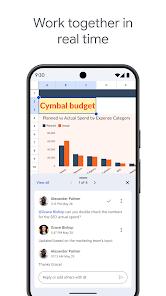
Elite Real-Time Collaboration: Multiple users can co-edit the same sheet simultaneously, with changes visible in milliseconds.
AI-Enhanced Productivity: Gemini generates formulas and data visualizations from simple text, reducing manual errors.
Comprehensive Integration: Deeply connected with Gmail, Google Drive, and Google Calendar for unified Workspace workflows.
Automated Monitoring: Conditional notifications keep stakeholders updated on critical data changes without manual check-ins.
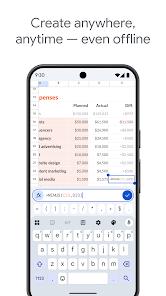
Robust Offline Architecture: Allows for seamless work in low-connectivity environments, with reliable auto-syncing.
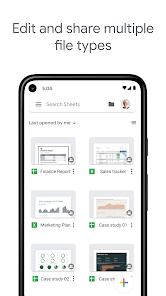
Native Excel Support: Edit and save Microsoft Excel files directly, maintaining full cross-platform compatibility.
Granular Security Controls: Precise permission management allows for viewing or editing at the individual user level.
Cons
Large Dataset Latency: Performance can degrade when handling massive spreadsheets exceeding several hundred thousand rows.
Advanced Pivot Limitations: While capable, it lacks some of the hyper-niche data modeling features found in desktop versions of Microsoft Excel.
Mobile Navigation Complexity: Navigating complex, multi-tab sheets on small phone screens can be ergonomically challenging.
FAQs
Yes, you can share a sheet via a link with "anyone with the link" permissions, though advanced collaborative features work best with logged-in users.
A regular filter changes the view for everyone editing the sheet; a "Filter View" allows you to sort data without affecting how other collaborators see the document.
Yes, all standard spreadsheet functions work offline, and the data is synchronized once you return to an active internet connection.
By right-clicking a cell on the web or long-pressing on mobile, you can access the "Edit history" to see every change made to that specific data point.
Yes, Google Apps Script allows for advanced automation, though mobile users primarily interact with pre-configured AI and conditional notification rules.
Hot Reviews
Yes, you can share a sheet via a link with "anyone with the link" permissions, though advanced collaborative features work best with logged-in users.
A regular filter changes the view for everyone editing the sheet; a "Filter View" allows you to sort data without affecting how other collaborators see the document.
Yes, all standard spreadsheet functions work offline, and the data is synchronized once you return to an active internet connection.
By right-clicking a cell on the web or long-pressing on mobile, you can access the "Edit history" to see every change made to that specific data point.
Yes, Google Apps Script allows for advanced automation, though mobile users primarily interact with pre-configured AI and conditional notification rules.