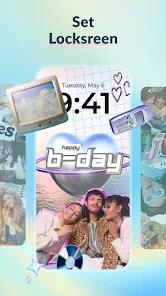
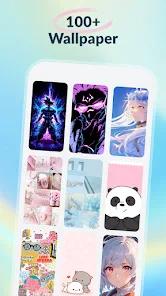
Colliz - DIY Wallpaper Craft, developed by Braly JSC, is a creative personalization suite that shifts the focus from static background galleries to user-generated content (UGC). The application is built for the "Gen Z" aesthetic, providing tools that allow users to design their own one-of-a-kind wallpapers using personal photos, stickers, and artistic frames. By offering a "canvas of endless possibilities," Colliz targets individuals who want their devices to be a true reflection of their unique style, whether that involves minimalist vibes, anime themes, or "dark mode" aesthetics.
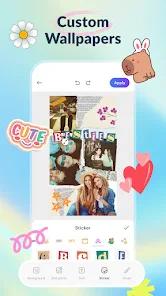
The application’s technical architecture revolves around three "powerhouse" features: DIY Frame Wallpaper, Collage Wallpaper Craft, and a Curated Trending Gallery. The "DIY Frame" tool is particularly sophisticated, offering both static and dynamic (live) frames that can animate the user’s background. Users can import images from their gallery, apply background removers, and layer stickers or custom text to create professional-looking layouts. For those seeking absolute creative freedom, the "Collage Craft" mode provides a template-free canvas where unlimited photos can be rotated, resized, and layered with an artistic brush tool for manual doodling.
However, the application’s early growth phase in 2026 has been marked by technical growing pains. Some users have reported a significant "black screen" bug where finished designs fail to render correctly once applied to the home screen. Furthermore, the app relies on a high-frequency advertisement model to stay "100% free," which some users find disruptive to the creative process. Despite these challenges, the app’s massive curated gallery—updated regularly with the latest social media trends—ensures that it remains a top-tier choice for users seeking fresh, trendy, and highly personalized mobile environments.
Pros
The application offers 100% creative freedom through its template-free "Collage Craft" mode.
The "Live Frames" feature allows for the creation of unique, subtly animated wallpapers that bring the home screen to life.
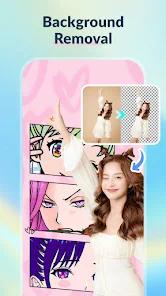
It includes a robust set of editing tools, including background removal, artistic filters, and a custom brush for doodling.
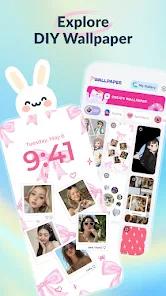
The curated gallery is updated frequently with diverse themes like Anime, Aesthetics, and Dark Mode.
The application is completely free to use, making it highly accessible for younger audiences.
Users can add custom text with a wide variety of fonts and styles to their wallpaper designs.
Cons
The app is heavily ad-supported, with advertisements appearing at almost every step of the design process.
Technical bugs have been reported where wallpapers appear as a black screen after being applied.
There is no direct "save to photos" option in some versions, forcing users to use screenshots or internal app saves.
The application requires several permissions that may be a concern for privacy-conscious users.
FAQs
You can select the "Dynamic Frames" option in the DIY Frame section, which allows you to add animations to your photos.
Yes, the developer advertises that all features and tools are 100% free to use.
While you can import your own photos, the app provides a massive internal library of trendy stickers to choose from.
Some users have reported saving issues; ensure the app has "Write External Storage" permissions enabled in your settings.
The gallery includes everything from Anime and Idols to Memes and Pastel aesthetics.
Hot Reviews
You can select the "Dynamic Frames" option in the DIY Frame section, which allows you to add animations to your photos.
Yes, the developer advertises that all features and tools are 100% free to use.
While you can import your own photos, the app provides a massive internal library of trendy stickers to choose from.
Some users have reported saving issues; ensure the app has "Write External Storage" permissions enabled in your settings.
The gallery includes everything from Anime and Idols to Memes and Pastel aesthetics.