
Themebox - App icons, Widgets
Overview
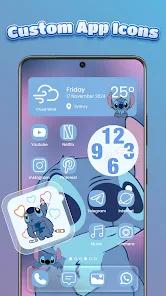
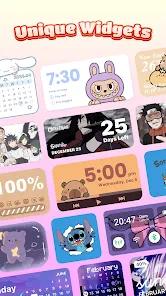
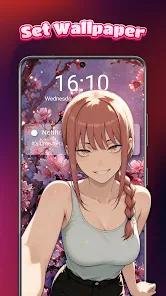
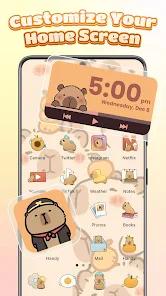
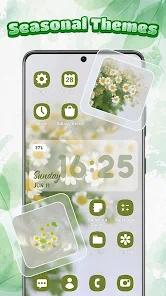
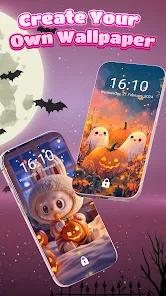
Themebox, developed by Fusion Flow Tech, is a comprehensive personalization application designed to transcend the stock aesthetic of the Android operating system. In an era where "digital expression" is increasingly important to mobile users, Themebox provides a centralized hub for custom icons, widgets, and wallpapers. The application is built on the philosophy of "Aesthetic Design," offering over 1,000 professionally crafted themes that range from minimalist and neon to pastel and anime-inspired styles.
Technically, Themebox functions as a multi-functional personalization tool. Its "App Icon Changer" allows users to not only select from existing packs but also create "DIY" icons by mixing fonts, transparency levels, and background colors. The "Color Widgets" system is equally expansive, providing interactive widgets for battery status, weather, and calendars, alongside customizable image widgets that pull from the user's local gallery. A unique feature is the "Smart Control Center," a floating panel that provides one-swipe access to essential system settings like Wi-Fi, Bluetooth, and screen brightness.
Furthermore, the application utilizes the AccessibilityService API to enable these advanced overlay features, such as the floating control panel, without requiring complex root access. While the app is free to download, it utilizes a "gem" economy where users must watch advertisements or share the app to unlock specific premium themes. This model has been a point of contention for some users, particularly when technical bugs prevent the widgets from loading correctly despite the time spent earning rewards.
Pros & Cons
Vast Aesthetic Variety: Offers a massive selection of styles (Minimalist, Anime, Neon) to suit any personality.
Integrated Productivity Tools: The floating Control Center provides genuine utility beyond mere visual changes.
Granular DIY Options: Users have significant creative freedom to design their own icons and widget layouts.
High Performance: Described as lightweight and fast, minimizing the impact on system resources for a launcher.
One-Tap Implementation: Allows users to apply entire thematic overhauls with a single click.
- ✕
Frustrating Ad Density: The process of earning "gems" through ads can be tedious and prone to failure.
- ✕
Persistent Technical Bugs: Some users report that widgets fail to appear on the home screen or "buffer" indefinitely.
- ✕
Permissions Complexity: The use of AccessibilityService API may raise concerns for privacy-conscious users.
Download
 Get it on Google Play
  Get it on App Store
 FAQs
How do I change my app icons?
Select an icon pack from the library, choose the apps you want to modify, and tap "Apply".
Will it drain my battery?
As with any app that uses persistent overlays or custom widgets, there may be a minor impact on battery life.
Can I remove the icon watermark?
The app provides specific instructions to create shortcuts that bypass the default Android icon watermark.
Is it compatible with my tablet?
Yes, Themebox is designed to work on both Android phones and tablets.
How do I get more gems?
Gems are earned by watching video ads or sharing the application with others.
Hot Reviews
Users love how the app can make an old Android device look modern and artistic with minimal effort.
A recurring complaint involves widgets not appearing on the home screen despite following the installation instructions correctly.
Reviewers often express frustration when they spend time watching ads to earn 100 gems, only to find that the theme they want has suddenly increased in price to 300 gems.