
Live Anime Shimeji Screen Pets
Overview
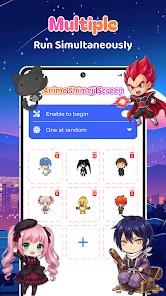
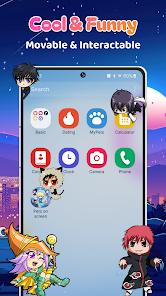
In an era where digital minimalism is often preached, Live Anime Shimeji Screen Pets takes a delightful u-turn toward 'digital maximalism' and desktop nostalgia. Shimeji, originally a Japanese desktop mascot craze, has successfully migrated to mobile via this application, offering users a layer of interactive personality that floats above system menus and other apps. The core function is simple yet technically impressive: it renders small, animated characters that crawl, jump, and hang from the edges of your screen without interfering with the touch responsiveness of the apps beneath them.
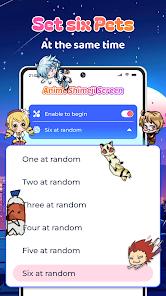
Comparing this to standard wallpaper-based personalization, Shimeji offers a dynamic engagement level that static or even live wallpapers cannot match. While a live wallpaper is a background element, these pets are active 'foreground' entities. The 2026 version of this app has improved its resource management significantly, addressing the historical issue of battery drain. Users can now host up to six characters simultaneously, each with independent physics and behavior trees. From a design standpoint, the app taps into the 'comfort tech' trend, providing a sense of companionship in a digital space that often feels sterile and utility-driven. However, the reliance on an ad-supported model remains its biggest friction point, creating a paradox where a 'relaxing' companion app is punctuated by high-frequency monetization prompts.
Pros & Cons
Interactive and cute animations
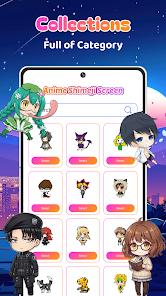
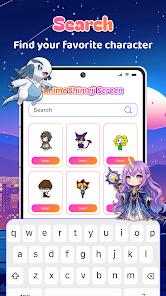
Extensive library of anime characters
Low system resource footprint
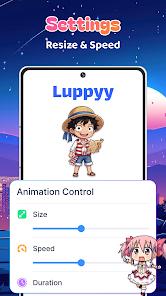
Highly customizable behavior settings
- ✕
Intrusive ad frequency in the free version
- ✕
Occasional character 'disappearing' bugs
- ✕
Subscription required for premium characters
Download
 Get it on Google Play
  Get it on App Store
 FAQs
Does it slow down my phone?
While it uses some RAM, the 2026 update is optimized to run smoothly even on mid-range devices.
Can I use my own art?
Yes, the app supports custom image imports to create personalized Shimeji.
How do I hide them temporarily?
There is a 'pause' button in the notification shade to hide all pets instantly.
Hot Reviews
I love how they just wander around while I'm reading news. It makes the phone feel more alive and less like just a tool.
The selection is huge. I have my favorite characters hanging from the top of my screen, and it's a great conversation starter.
The app is fantastic, but the number of ads you have to sit through to unlock a single character can be frustrating.