
Shield: Antivirus Home Screen
Overview
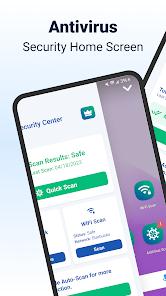
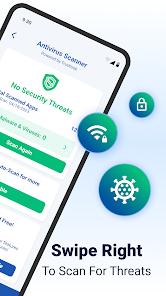
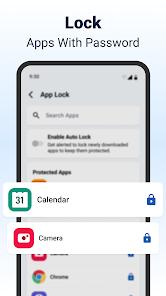
Shield: Antivirus Home Screen represents a unique evolution in the Android personalization space, combining two traditionally separate utilities into a single, cohesive privacy environment. Most privacy-conscious users are familiar with 'app lockers' that overlay a PIN or pattern screen on top of existing apps. However, these are often bypassed by clever users or system crashes. AppLock Launcher solves this by becoming the very 'skin' of the phone. By replacing the default system launcher, the app takes full control of the UI, ensuring that security isn't just an overlay, but a core component of the device's navigation.
Functionally, the launcher offers a sophisticated 'Double-Life' feature. Users can set up two different home screen configurations: one for public use and one for private use. When the phone is unlocked with a standard PIN, it shows a decoy screen with benign apps. When unlocked with a 'Privacy PIN,' the launcher reveals a hidden compartment of sensitive applications, hidden photos, and encrypted files. This is particularly useful for people who frequently share their devices with children or colleagues. In the 2026 update, the app introduced 'Biometric Camouflage,' which allows the fingerprint sensor to trigger different actions based on which finger is used—one finger opens the phone normally, while another opens it into a locked vault.
Deep insight into the app's architecture shows a high level of optimization. Because it is a launcher, it can 'hibernate' locked apps in the background more effectively than a third-party locker can, which significantly improves battery life. However, there is a trade-off in stability. Because it sits at the top of the Android stack, any bug in the launcher can lead to a 'frozen' home screen, which can be alarming for less tech-savvy users. The app offers much more in terms of aesthetic customization. It includes high-tech, futuristic themes that change color based on the time of day or the user's location. While native OS features are becoming more secure, this app survives by offering a 'Vibe' and a level of granular control that Google's stock software simply doesn't prioritize.
Pros & Cons
Integrated security that is harder to bypass than standalone locker apps.
Privacy-first launcher with stealth app hiding.
Lower battery drain than running a separate locker service.
- ✕
Replacing the default launcher can be jarring for some users.
- ✕
Password recovery can be difficult if not set up correctly.
- ✕
Can conflict with some system-level gestures on specific brands.
Download
 Get it on Google Play
  Get it on App Store
 FAQs
Is my data safe if I uninstall the launcher?
Yes, the apps themselves aren't encrypted, just the access to them via the launcher.
Does it support fingerprint unlock?
Yes, it integrates with the system's biometric security.
Can I hide the launcher app itself?
Some versions offer a 'Disguise' icon feature to make the launcher look like a calculator.
Hot Reviews
I love that I don't need two apps. The launcher is fast and the app lock is built-in.
The themes are really futuristic. It makes my old phone feel brand new and safe.
Be careful with permissions. If you don't give it all the rights, it won't be able to hide apps properly.