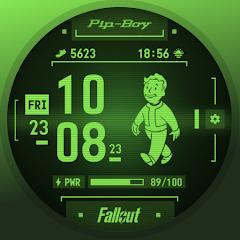
Fallout Pip-Boy SE Watch Face


Overview
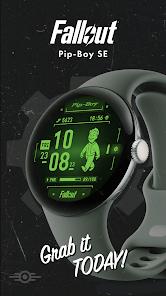
The Fallout Pip-Boy SE application is a high-performance smartwatch face developed by Facer Studios, designed specifically for the latest generation of Wear OS devices. This "Special Edition" (SE) is a targeted engineering response to the unique power and display requirements of modern chips like those found in the Samsung Galaxy Watch 7, Ultra, and Pixel Watch 3. Unlike earlier versions, the SE model is highly "battery-optimized," utilizing a streamlined rendering engine to provide animations without significantly compromising the watch's daily longevity.
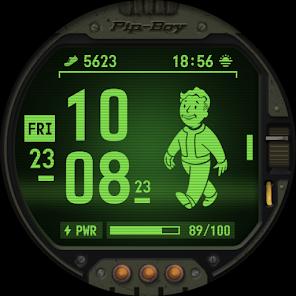
The application's primary appeal is its dynamic integration of the Fallout universe into a functional biometric dashboard. The central Vault Boy animation is not just a loop; it is reactive to the user's physiological data. For example, the animation state changes based on heart rate: a resting animation for 0-100 bpm, a moderate state for 101-150 bpm, and an exhausted or "high-adrenaline" state for heart rates exceeding 150 bpm. This mirrors the in-game mechanics of the Pip-Boy 3000, creating a deeply immersive experience for fans of the franchise.
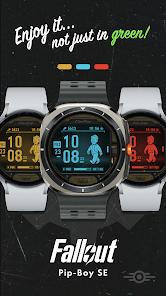
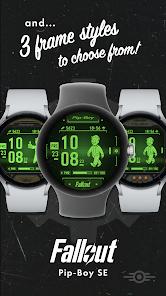
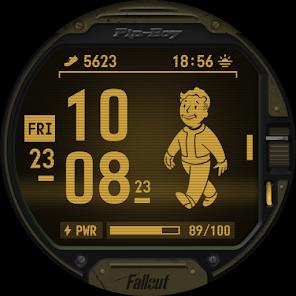
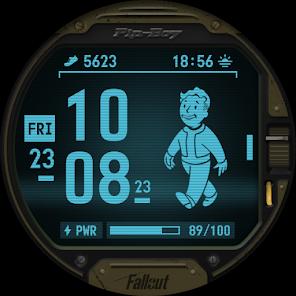
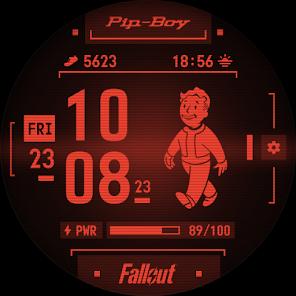
Technically, the face is built for customization within a strict aesthetic framework. It offers three distinct frame styles and four classic "monochrome" color options (Green, Yellow, Red, Blue). Crucially, it supports two Wear OS complications—typically set to Step Counter and Sunrise/Sunset by default—which can be customized to show other data points like weather or UV levels.
The deep insight here is that Fallout Pip-Boy SE represents a shift toward "Hardware-Specific Personalization." By creating a separate "SE" version for the newest watches, Facer Studios is acknowledging that older watch face architectures are insufficient for the high-refresh, power-sensitive displays of modern wearables. This ensures that the Fallout brand remains high-quality on premium hardware.
Pros & Cons
Premium Hardware Optimization: Specifically engineered for the latest Samsung and Pixel watches to ensure maximum efficiency.
Dynamic Biometric Feedback: The heart-rate-dependent Vault Boy provides a fun and unique way to monitor physical exertion.
Authentic Audio-Visuals: Includes iconic sounds and animations that perfectly replicate the Pip-Boy experience from the Fallout games.
Customizable Complications: Allows users to place their most needed data (like steps or sunset times) directly into the game-styled UI.
Robust Style Options: Offers multiple colors and frame designs, including a "non-pipboy" alternate style for a more subtle look.
Active Developer Support: Recent updates have fixed specific animation overlapping issues on the Galaxy Watch Ultra and Pixel Watch 3.
- ✕
Limited Complication Slots: Some users feel that the two complication slots are insufficient given the amount of screen space available.
- ✕
Fixed Background Graphics: The large Fallout logo at the bottom is static and cannot be replaced with a third complication.
- ✕
Sensor Permission Complexity: Requires manual setup of body sensors and location permissions through the watch settings to function correctly.
Download
 Get it on Google Play
  Get it on App Store
 FAQs
Why should I get the SE version instead of the original?
The SE version is specifically optimized for the newer batteries and displays of the Galaxy Watch 7 and Pixel Watch 3.
Does the Vault Boy animation stay on all the time?
No, he appears for several seconds when the screen activates to save battery, though the static UI remains.
Can I change the colors of the interface?
Yes, you can choose between Green, Yellow, Red, and Blue.
Does it track my steps?
Yes, the step counter is one of the default complications, and it pulls data directly from your watch's sensors.
How do I fix the animation if it stops working?
Facer recommends ensuring all body sensor and location permissions are enabled in the watch's "Applications" settings.
Hot Reviews
Reviewers frequently note that this is "definitely the favorite" of all available Pip-Boy faces, specifically praising the color options and the realism of the animations.
Users on newer devices highlight that this version is "battery-optimized," meaning it doesn't kill the watch's battery as fast as older, un-optimized animated faces.
A common point of valuable feedback is the request for more complications, as users feel that parts of the interface (like the settings button or the game logo) could be turned into data fields.
Some users find the initial setup frustrating, noting that the watch face might just show the "Powered by Facer" logo until all permissions are manually granted.