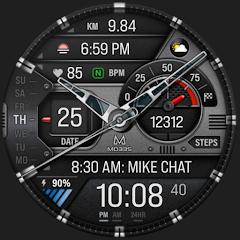
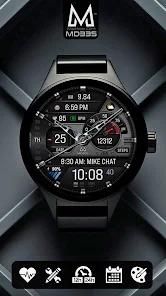
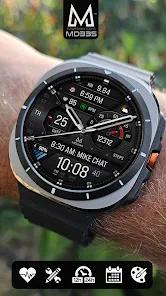
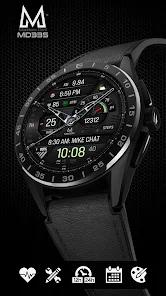
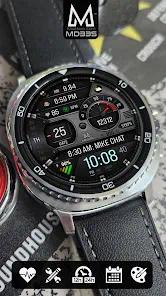
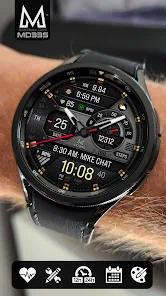
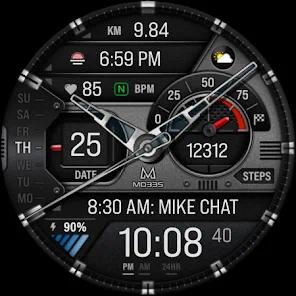
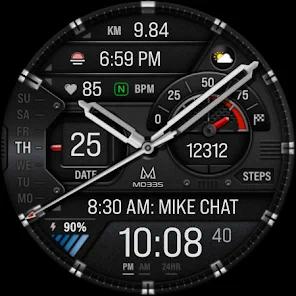
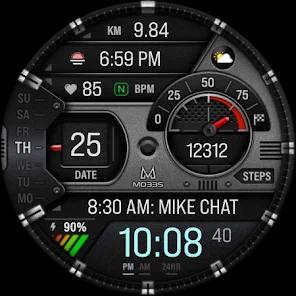
The MD335 Hybrid Watch Face is a sophisticated personalization tool that balances the timeless aesthetics of traditional horology with the data-driven requirements of modern wearable technology. Developed by the renowned Matteo Dini studio, this face is specifically optimized for the "Hybrid" category, featuring an analog layout with physical hands superimposed over a digital data dashboard. It is constructed using the advanced Watch Face Format, which ensures full compatibility with Wear OS 4 and 5 (API Level 33+), and is a popular choice for users of the Samsung Galaxy Watch Ultra and Pixel Watch 3 who seek a professional yet sporty appearance.
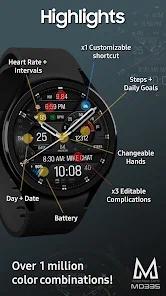
An in-depth feature breakdown of the MD335 reveals a high level of interactive complexity. The face provides four preset application shortcuts—typically dedicated to the Calendar, Battery, Heart Rate measurement, and Alarms—as well as one customizable shortcut for user preference. It supports three customizable complications that can display a wide range of metrics, including distance walked, calorie burn, UV index, and weather forecasts. Insightful observations regarding the "Hybrid" design show that the application addresses a common pain point: the analog hands blocking the digital data. The MD335 solves this by allowing users to change hand styles or even hide them entirely to view the complications beneath.
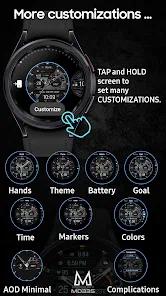
Comparative analysis of the MD335 against purely digital faces highlights its focus on "Interval" health monitoring. The heart rate complication is designed to show the pulse alongside interval bars, providing context for cardiovascular intensity during exercise. The app also tracks daily step goals with a dedicated visual progress bar. For aesthetics, the MD335 offers millions of color combinations, with independent control over the time color, battery level indicator, goal levels, and markers. A critical observation for Galaxy Watch users is that the Samsung Wearable app may fail to render the sheer number of customization permutations available; therefore, direct on-watch customization remains the most reliable method for configuration.
Pros
The hybrid design offers a classic, professional appearance that transitions well from corporate to athletic environments.
The "hideable hands" feature provides unobstructed access to the underlying digital complications when needed.
Integration of heart rate intervals provides more sophisticated health insights than simple pulse tracking.
Broad customization options for hands and markers allow for a highly personalized hardware experience.
The minimal AOD mode effectively balances information visibility with rigorous battery conservation.
Cons
The date display is currently limited to the day of the week and date, lacking a full month name option in some versions.
Weather complications may prioritize icons over location text, which can be a drawback for users who travel frequently between cities.
Complex graphical rendering can lead to minor synchronization stutters when the watch wakes from sleep on older hardware.
FAQs
Long-press the watch face on your device, tap "Customize," and swipe to the "Colors" or "Themes" tabs.
Yes, it supports all Wear OS devices with API Level 33+, including the Galaxy Watch 4 series.
You must assign "Distance" to one of the three customizable complication slots.
Tap the heart rate icon to trigger a manual reading; the face displays data from the watch’s sensors.
Yes, the MD335 includes a toggle to switch between dark and light themes.
Hot Reviews
Long-press the watch face on your device, tap "Customize," and swipe to the "Colors" or "Themes" tabs.
Yes, it supports all Wear OS devices with API Level 33+, including the Galaxy Watch 4 series.
You must assign "Distance" to one of the three customizable complication slots.
Tap the heart rate icon to trigger a manual reading; the face displays data from the watch’s sensors.
Yes, the MD335 includes a toggle to switch between dark and light themes.