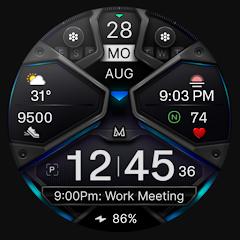
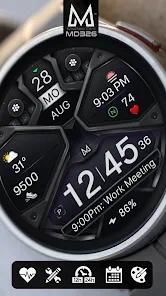
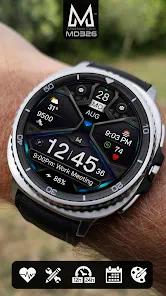
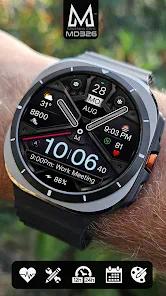
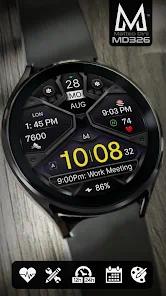
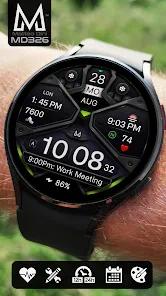
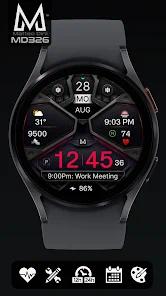
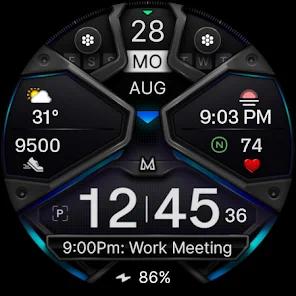
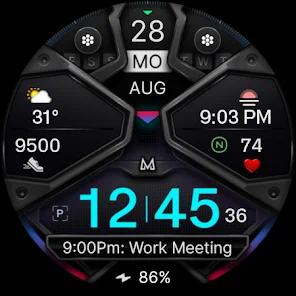
The MD326 3D Modern Watch Face represents a pinnacle in the aesthetic and functional evolution of Wear OS personalization, specifically catering to the high-end hardware profiles of the Samsung Galaxy Watch series and the Google Pixel Watch. Developed by Matteo Dini, a recipient of the "Best of Galaxy Store Awards," this application utilizes advanced graphical layering to simulate structural depth on the typically flat surfaces of AMOLED displays. The design philosophy pivots on a high-contrast, "3D Modern" aesthetic that prioritizes legibility while maintaining a sophisticated visual profile characterized by light reflections and accented shading. Technical examination of the app reveals its transition to the latest Watch Face Format mandated by Google Play, which ensures optimal battery efficiency and security for devices running Wear OS 4 and Wear OS 5 (API Level 33+).
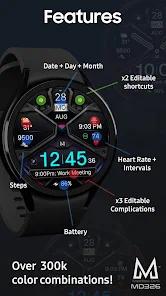
A critical feature breakdown of the MD326 highlights its modularity. The interface is partitioned into several active zones: three preset application shortcuts—typically mapped to the Calendar, Battery, and Heart Rate functions—and two customizable shortcuts that allow users to launch their most frequently used third-party apps directly from the wrist. Furthermore, the watch face includes three primary complication slots. These slots are designed to ingest data from the system or external providers, such as real-time weather, barometer readings, UV index, or precipitation probability. The hybrid nature of the face is perhaps its most compelling observation; it features digital time for precision alongside hideable analog hands for traditionalist appeal.
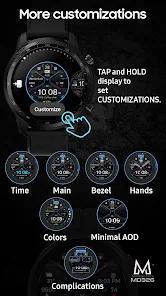
In-depth comparison with earlier digital faces suggests that the MD326 solves the "clutter-to-utility" ratio through its use of "Always-On Display" (AOD) modes. Users can toggle between a "Minimal" AOD, which preserves battery by displaying only the time and critical metrics, and a "Full" AOD that mirrors the active face’s vibrant design. Insightful observations regarding user interaction reveal that while the Samsung Wearable app on smartphones often struggles with the rendering of these complex, high-asset watch faces, the MD326 is best customized directly on the watch hardware by holding the screen and selecting the "Customize" option. This on-device editing bypasses Bluetooth data-transfer lag, offering a more stable configuration environment. Additionally, the heart rate monitoring within the app is a manual trigger system, mirroring the watch's internal sensors rather than operating a continuous, battery-intensive background process.
Pros
The sophisticated 3D layering provides a level of visual depth and light reflection that mimics high-end physical timepieces.
Extensive color customization allows users to modify the bezel, background, and indices to match personal style or attire.
Compliance with the newest Watch Face Format ensures longevity and battery optimization on the latest Wear OS hardware.
The inclusion of hideable hands allows for a seamless transition between analog elegance and digital clarity.
The AOD minimal mode is specifically engineered to reduce OLED burn-in while maintaining glanceable utility.
Cons
Customization via the smartphone companion app can be prone to loading errors or latency due to the complexity of the assets.
The heart rate complication requires manual intervention and does not provide continuous background updates by default.
Certain advanced data fields may not be available on all watch models depending on the underlying sensor suite of the hardware.
FAQs
It is recommended to bypass the phone app and customize the face directly on the watch by tapping and holding the screen.
Yes, it is fully compatible with all Wear OS devices running API Level 33 and higher.
The watch face mirrors sensor data; you must tap the heart rate zone to trigger a measurement or adjust your watch’s native health settings.
The app provides the slots, but the weather data is provided by your watch's system or third-party weather apps.
Yes, there are two fully customizable shortcut zones and three complication zones available for user preference.
Hot Reviews
It is recommended to bypass the phone app and customize the face directly on the watch by tapping and holding the screen.
Yes, it is fully compatible with all Wear OS devices running API Level 33 and higher.
The watch face mirrors sensor data; you must tap the heart rate zone to trigger a measurement or adjust your watch’s native health settings.
The app provides the slots, but the weather data is provided by your watch's system or third-party weather apps.
Yes, there are two fully customizable shortcut zones and three complication zones available for user preference.