
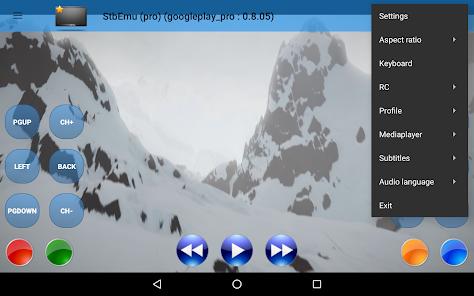
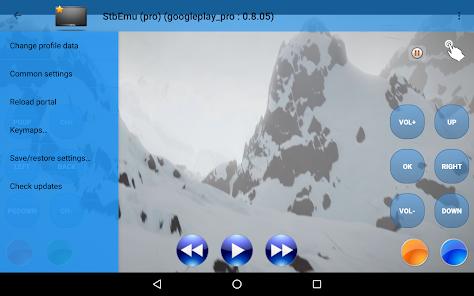
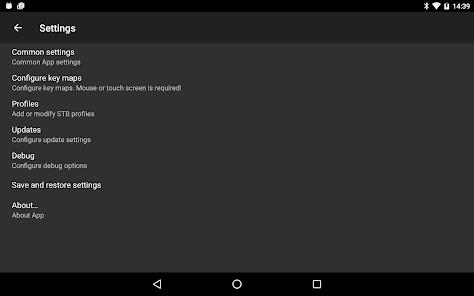
StbEmu (Pro), developed by Maxim Vasilchuk, is an advanced technical tool designed to emulate the functionality of IPTV set-top boxes (STBs), specifically the MAG 250/254 series used by professional IPTV service providers. Unlike consumer-grade IPTV apps that use simple M3U playlists, StbEmu uses the Stalker Portal protocol, which relies on hardware-mimicking MAC address authentication. This application is strictly for "experienced users" who possess the technical knowledge to configure portal URLs, profile names, and specific STB configurations.
The functional disassembly of StbEmu Pro reveals a sophisticated emulation layer. It allows users to create multiple profiles for different providers, manage electronic program guides (EPG), and access Video on Demand (VOD) libraries with a dedicated series player. A key insight for pro-users is the ability to manually set the "Serial Number" and "Signature," which are often required for high-security IPTV portals. The 2026 version has also been optimized to support 4K HDR streams and multiple video protocols including HTTP, RTMP, and RTSP.
Strategically, StbEmu Pro is designed to bridge the gap between traditional TV hardware and modern mobile/tablet viewing. It supports "TimeShifting," allowing users to pause, rewind, or fast-forward live broadcasts if the provider’s server supports it. However, the app does not come with any pre-loaded content; it is a "shell" that requires a third-party IPTV subscription to be functional.
Pros
Authentic STB Interface: Provides the exact look and feel of high-end IPTV set-top boxes, including the classic blue portal menus.
Professional Protocol Support: Specifically built for the Stalker Portal protocol, ensuring stability with high-tier private providers.
Advanced Remote Mapping: Allows users to map physical remote control buttons or keyboard keys to specific STB functions (like red/green/yellow/blue buttons).
High-Resolution Capabilities: Fully supports 4K, HDR, and high-bitrate streaming without the stuttering found in generic players.
DVR-Like Functionality: Features like TimeShifting and Catch-up TV support make the mobile viewing experience feel like a traditional TV.
Multi-Profile Management: Users can easily switch between different IPTV providers or regions within seconds.
Cons
Extreme Setup Complexity: Requires manual configuration of MAC addresses and portal URLs; it is not "plug and play".
Lack of M3U Support: Unlike many IPTV apps, StbEmu does not support common.m3u or.m3u8 playlists.
Prohibitive for Beginners: Without reading the official wiki or documentation, most users will be unable to get the app past the initial loading screen.
FAQs
In the app settings, go to "Profiles," select your profile, then "STB Configuration." The MAC address is listed there.
This usually means the Portal URL is entered incorrectly or the provider has not yet authorized your MAC address.
Yes, StbEmu is highly optimized for Android TV devices and works exceptionally well with standard TV remotes.
No, the app is an emulator only. You must obtain a subscription and portal URL from a third-party IPTV service provider.
Hot Reviews
In the app settings, go to "Profiles," select your profile, then "STB Configuration." The MAC address is listed there.
This usually means the Portal URL is entered incorrectly or the provider has not yet authorized your MAC address.
Yes, StbEmu is highly optimized for Android TV devices and works exceptionally well with standard TV remotes.
No, the app is an emulator only. You must obtain a subscription and portal URL from a third-party IPTV service provider.