
XA Downloader - Video Saver
Overview
XA Downloader is a high-performance utility designed for the seamless acquisition of video content from a vast array of web sources. In a digital climate where media consumption is often limited by data availability or connectivity issues, XA Downloader provides a reliable solution for offline viewing by integrating a private web browser with an advanced multi-threaded download manager. By 2026, the application has positioned itself as a "clean and efficient" alternative to more cluttered downloader apps, achieving over 10 million downloads and a strong cumulative rating of 8.7/10.
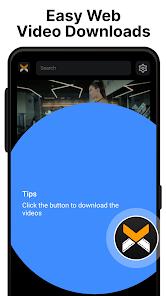
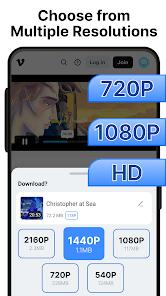
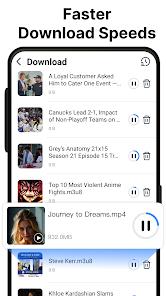
The core technology behind XA Downloader involves an intelligent video detection engine that scans web pages for playable media links. Once a video is identified, users can select from multiple resolution options, ranging from 480p to full 1080p HD, allowing for a balance between visual quality and device storage capacity. The inclusion of multi-threading technology is particularly significant; it significantly boosts download speeds by splitting files into smaller packets that are saved simultaneously, regardless of the user's internet connection quality.
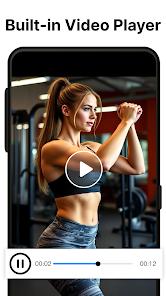
Compared to standard browsers with basic download features, XA Downloader provides a comprehensive media ecosystem. It includes a built-in video player with professional playback controls, such as variable seek speeds, pause, and fast-forward, supporting numerous formats including MP4 and various audio extensions. The 2026 interface is designed for "one-tap" convenience, emphasizing a user-friendly UI that avoids the excessive pop-ups and complex configurations found in many free utility apps. However, it remains compliant with legal standards, strictly prohibiting the download of content from platforms where such actions are legally restricted, such as YouTube.
Observations of the tool's usage in 2026 highlight its popularity among "power mobile users" who frequently save content for remote travel or daily commutes. The app's ability to maintain high speeds while using minimal system resources has made it a favorite in emerging markets where mobile data may be costly or inconsistent.
Pros & Cons
Intelligent Auto-Detection: The built-in browser automatically scans for video links, meaning users don't need to manually copy and paste URLs to start a download.
High-Speed Multi-Threading: Advanced technology ensures that downloads are completed in the shortest time possible, regardless of file size or network congestion.
Flexible Resolution Choices: Users can tailor their downloads to their needs, selecting lower quality to save space or full HD for a premium viewing experience.
Integrated Playback System: The robust built-in player allows users to watch saved content immediately, supporting various playback speeds and orientations.
Minimalist and Clean UI: Unlike many competitors, the app focuses on a straightforward design that is easy to navigate even for non-technical users.
Private Browsing Mode: The integrated browser includes privacy features, allowing users to find and save videos without leaving a digital trail on their device.
Broad Format Compatibility: Beyond standard MP4 files, the app supports a variety of video and audio formats, making it a versatile multimedia hub.
- ✕
Data Collection Practices: The app may collect and share data such as location and personal info with third parties for advertising purposes.
- ✕
Platform Restrictions: It cannot download content from major sites like YouTube due to legal and policy constraints in the Google Play Store.
- ✕
No Data Deletion Support: According to Play Store safety declarations, once data is collected, there is currently no option for users to request its deletion.
Download
 Get it on Google Play
  Get it on App Store
 FAQs
Can XA Downloader download videos from social media?
Yes, the app supports video detection and downloads from a wide range of social media and news platforms.
Where are the downloaded videos stored?
Videos are typically stored in the app's internal gallery or can be moved to a designated "Downloads" folder on your device's storage.
Does the app support 4K resolution?
While most versions focus on 1080p, 720p, and 480p, support for higher resolutions may depend on the source video's availability and device capabilities.
Is an account required to use the downloader?
No, the core downloading features can be used without an account, though signing in with Google may enable certain synced features.
Why is the download speed slow on some sites?
Download speed can be affected by the source server’s bandwidth limits or the user’s current internet connection quality.
Hot Reviews
This is the most efficient tool I’ve found for saving web clips. The auto-detection works almost instantly, and I love being able to choose 1080p quality for my favorite videos.
I’ve used many downloaders that are full of spam and pop-ups, but this one is very clean. It gets straight to the point and the built-in player is surprisingly smooth.
Being able to pick the resolution is a huge help. When I’m on a limited data plan, I can save a 480p version, and when I’m on Wi-Fi, I can go for the high-def version.