Photo Video Maker with Music
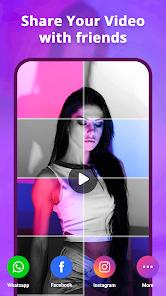
Overview
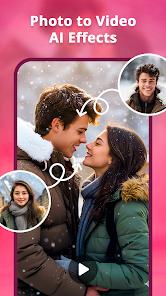
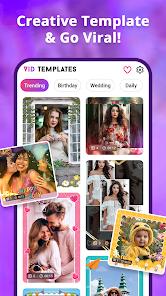
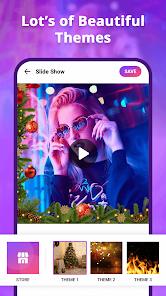
The Photo Video Maker with Music app is a pivotal utility in the contemporary "social-first" video economy, where static images are increasingly viewed as less engaging than dynamic, short-form video content. This application serves as a dedicated engine for the "stills-to-motion" transformation, providing a low-friction entry point for users who wish to create cinematic narratives without the technical overhead of professional editing suites like Adobe Premiere or DaVinci Resolve. The software architecture is built on a "template-driven" philosophy, where complex animation keyframes and transition timings are pre-programmed into thematic packages, allowing a user to achieve high-production-value results with a single tap.
Technically, the 2026 version of Photo Video Maker with Music features a robust "audio-visual synchronization" engine. This system analyzes the BPM (beats per minute) of the chosen soundtrack and automatically adjusts the duration of each image and the timing of each transition to match the rhythm of the music. This feature, once the domain of professional editors, is now accessible on mid-range Android hardware, significantly enhancing the "shareability" of the final output on platforms like TikTok and Instagram Reels. Furthermore, the app includes a library of over 200 royalty-free songs, mitigating the risk of copyright strikes which are a constant concern for digital creators. The rendering pipeline is optimized for mobile GPUs, supporting 4K export resolutions and custom aspect ratios (9:16 for stories, 1:1 for posts, and 16:9 for traditional displays).
Photo Video Maker with Music differentiates itself from general-purpose editors by its hyper-specialization. While those apps provide broader tools for cutting raw footage, this app offers superior tools for handling hundreds of static images simultaneously, including bulk-editing of durations and specialized "photo-only" transitions like 3D pans and zooms (the "Ken Burns" effect). Insightful observations of user behavior indicate that the app's value is highest for "milestone" creators—individuals documenting weddings, birthdays, or travel—who possess a high volume of photos but lack the time to manually edit them into a video.
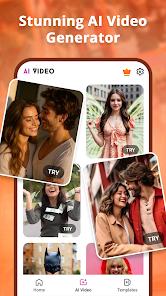
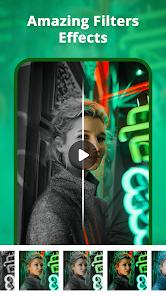
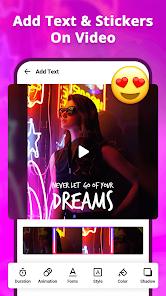
The application also serves as a light-duty photo editor, allowing for basic color correction, filter application, and the addition of animated stickers or text overlays within the video timeline. This "integrated workflow" reduces the need for tool-switching, which is a major driver of user retention in the creative category. As generative AI becomes more prevalent, the app has begun to integrate "smart themes" that can identify the subject of photos (e.g., a "Beach Trip" or "Baby Shower") and automatically suggest the most appropriate music and transition style.
Pros & Cons
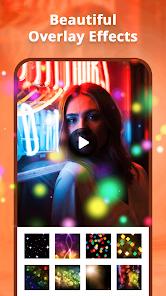
The application provides a "one-tap" creative solution with over 600 pre-made templates and effects, drastically reducing the time needed to create professional-looking videos.
The built-in library of 200+ royalty-free songs allows creators to publish their work on social media platforms without fear of audio muting or copyright takedowns.
Smart-sync technology automatically aligns image transitions to the beat of the music, creating a more professional and engaging viewing experience.
Support for 4K video export ensures that the final slideshows retain extreme clarity, making them suitable for viewing on large television screens or high-res monitors.
Multi-ratio support (1:1, 9:16, 16:9) allows for the instantaneous formatting of content for different social media platforms without manual cropping.
The app remains highly performant on older Android devices due to an optimized rendering engine that prioritizes efficiency over raw computational load.
- ✕
The free version is supported by a high frequency of interstitial advertisements that can significantly interrupt the editing and rendering workflow.
- ✕
Watermark removal and access to the full library of premium transitions often require a monthly or annual subscription fee, which can add up over time.
- ✕
While excellent for photos, the app lacks advanced video-cutting tools like masking or complex color grading that professional vloggers might require.
Download
 Get it on Google Play
  Get it on App Store
 FAQs
Can I add my own voice-over?
Yes, the app allows for voice recording directly over the timeline, which is ideal for narrating travel stories or instructional videos.
Is there a limit to how many photos I can add?
Technically no, but for optimal rendering speed and stability, it is recommended to keep projects under 150-200 images.
Does the app support GIF images?
Yes, the app can integrate both static JPG/PNG files and animated GIFs into the same video timeline.
Can I save projects to finish later?
The app features an auto-save "Draft" folder, allowing you to return to complex projects at any time.
How long does it take to render a 1080p video?
On modern devices, a 3-minute slideshow typically renders in less than 60 seconds, depending on the complexity of the effects.
Hot Reviews
Reviewers frequently mention using the app for "life celebration" videos, praising the sentimental themes and the ease with which music can be layered over old scanned photos.
Younger creators consistently highlight the 9:16 export option, noting that it allows them to turn their "photo dumps" into viral-ready Reels in minutes.
Many users with older or mid-range phones express gratitude for the app's stability, noting that it succeeds where "heavier" editors like Premiere Rush often fail.