Draw Animation - Anim Creator
Overview
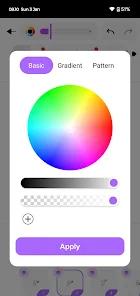
Draw Animation has positioned itself as the definitive 'TikTok-era' animation tool in 2026. It is built for the rapid production of short-form, high-engagement content like 'Stickman Battles' and animated memes. The app's core philosophy is 'Simplicity over Complexity,' yet it provides surprising depth for those who want to master the craft of frame-by-frame movement. The 2026 update introduced 'Dynamic Layer Masking,' a feature typically reserved for desktop suites, allowing for much more complex character interactions and lighting effects.
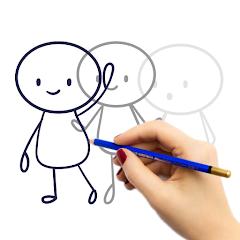
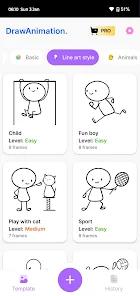
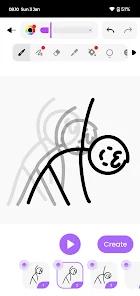
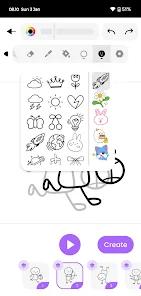
The workflow is reminiscent of a digital flipbook. You draw a frame, toggle the 'Onion Skin' to see the previous frame's ghost, and then draw the next incremental movement. The app's brilliance lies in its 'Motion Path' automation, which allows beginners to draw a line and have a character follow it, taking the manual labor out of simple transitions. Draw Animation is more focused on the 'Social Sharing' experience, with integrated templates for YouTube Shorts and Instagram Reels. It includes a massive library of royalty-free 'Anime-style' sound effects and music tracks that can be synced frame-by-frame. For an aspiring animator in 2026, this app is the perfect playground to learn the fundamental 12 principles of animation (like Squash and Stretch) without the intimidating technical overhead of industry-standard tools.
Pros & Cons
Highly intuitive frame-by-frame workflow
Integrated sound effects library specifically for memes and anime
Supports high-FPS (up to 60) for smooth professional movement
- ✕
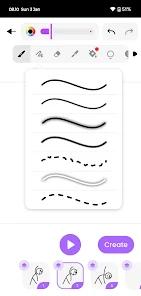
Limited brush engine for detailed painterly art
- ✕
High-layer counts can cause lag on mid-range devices
- ✕
The free version has noticeable watermarks on export
Download


FAQs
Can I import photos to animate over?
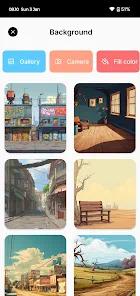
Yes, you can import images as backgrounds or layers for 'rotoscoping' style animation.
What file formats can I export?
The app supports MP4 (video) and GIF (looping animation) in various resolutions.
Is there a cloud backup for projects?
Yes, premium users can sync projects across multiple devices.
Hot Reviews
The UI just feels faster. I can get a meme animated and posted in under 15 minutes.
I never thought I could animate, but the tutorials and the onion skinning make it so easy to learn.
I wish there were more textured brushes like charcoal or watercolor. It's very 'flat' right now.