Drawing Desk: Learn to Draw



Overview
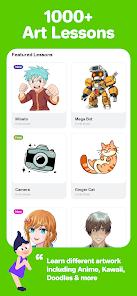
Drawing Desk, developed by 4Axis Technologies, is a highly successful mobile application designed to bridge the gap between structured art pedagogy and freeform digital creativity. Serving over seventy million users worldwide, the platform acts as a comprehensive drawing, painting, and educational hub. The software's architectural core is split into two primary components: a multi-engine digital sketching canvas and a dedicated, step-by-step educational library containing over one thousand guided lessons.
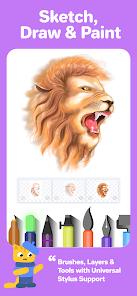
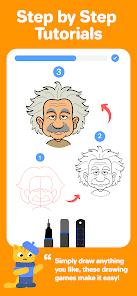
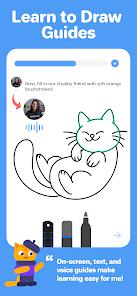
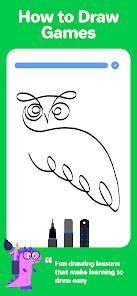
The application caters to various artistic skill levels by structuring learning paths based on personalized, goal-oriented parameters. Beginners can access interactive, game-like tutorials that guide them on-screen with text and voice cues, breaking down complex compositions into simple spatial shapes. For advanced artists, Drawing Desk hosts expert-led professional Masterclasses that teach digital art principles from the ground up, including deep dives into shading, anatomy, and color theory. The drawing engine itself provides twenty-five specialized sketching tools, such as pencils, crayons, neon brushes, watercolor brushes, and smudge tools, alongside a rich library of over two hundred instant shapes and customizable gradients. On tablet devices, the application supports unlimited layers and advanced layer transformations to allow complex graphic rendering.
A major technical pillar of Drawing Desk is its suite of integrated, AI-powered creative drawing tools. These tools include "Sketch to Art AI" and "Text to Art AI," which translate raw line drawings or descriptive textual prompts into fully colored, high-resolution digital illustrations. Additionally, the app features a proprietary ten-second "Auto Colorize" engine that automatically shades and colors sketches based on prompt hints, alongside automated background and object removal tools to accelerate the digital editing workflow.
Pros & Cons
Comprehensive Pedagogical Library: Over 1,000 structured lessons and professional artist-led masterclasses covering anime, manga, caricature, and fine art basics.
Multi-Engine Creative Toolkit: Equipped with twenty-five sketch tools, smudge blends, neon brushes, and watercolor physics simulators.
Cutting-Edge Generative AI Tools: Features powerful AI-assisted tools for rapid sketch-to-art rendering, text-to-image creation, and background subtraction.
Robust Layer Architecture: Supports unlimited layers on larger screens, complete with alpha locks, layer masks, and precise transform options.
Goal-Oriented Structured Learning: Tracks user progression, establishing customized and motivational paths toward artistic milestones.
- ✕
Overly Simplistic for Advanced Professionals: The software's strong educational bias and structured, "hand-held" tutorial style can feel restrictive for experienced studio artists.
- ✕
Highly Restrictive Free Model: Crucial assets, brushes, canvas properties, and lessons are locked behind subscription walls, pushing users heavily toward premium plans.
- ✕
Data Loss Vulnerabilities: Users have reported application crashes on older device builds that can lead to corrupted saves and loss of active project progress.
- ✕
Severe Phone-Canvas Layers Ceiling: On smaller phone interfaces, layers are heavily capped compared to the unlimited layers available on tablet devices.
Download


FAQs
How do the Drawing Desk masterclasses and guided lessons work?
The masterclasses are video courses taught by professional artists. Guided lessons break down drawing subjects into simple on-screen lines, utilizing interactive guides, text directions, and voice-over coaching.
What creative tasks can be executed with the integrated AI utilities?
Users can utilize "Sketch to Art AI" to transform simple doodles into complex paintings, leverage "Auto Colorize" to render colors in ten seconds, and employ AI algorithms to erase objects or remove photo backgrounds.
Does Drawing Desk support the use of physical pressure-sensitive styluses?
Yes. The app is fully optimized for active styluses, including the Apple Pencil, to ensure natural pressure sensitivity, smooth stroke curves, and accurate palm rejection.
How are projects managed and synchronized within the app?
Drawing Desk automatically saves drawings to its internal gallery. Premium subscriptions also unlock cloud-syncing capabilities to secure designs and make them accessible across multiple mobile devices.
Is there a way to unlock premium templates and brushes without a subscription?
While the core masterclasses and advanced brushes require a premium subscription, the app offers temporary access to select features by watching sponsored advertisements or earning in-app coins through offers.
Hot Reviews
The step-by-step masterclasses are fantastic. Being able to follow along with on-screen guides makes digital art highly accessible, helping users rapidly improve their drawing speed and form.
The app sometimes closes unexpectedly during complex coloring phases. If the progress auto-save does not trigger properly, hours of detailed painting work can be lost.
Almost all of the best brushes, advanced layers, and interesting stickers are locked behind a subscription. The constant prompts to sign up for premium trials can feel intrusive.