
FlipaClip: Create 2D Animation
Overview
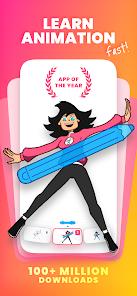
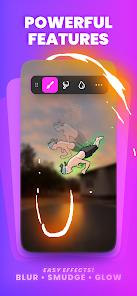
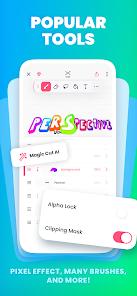
The FlipaClip application has emerged as the definitive mobile solution for 2D frame-by-frame animation, bridging the gap between recreational sketching and professional-grade digital production. Developed by Visual Blasters LLC, the application leverages a classic flipbook mechanic but enhances it with a suite of sophisticated tools including "Onion Skinning," multi-layer support (up to 10 layers in the premium version), and AI-driven features such as "Magic Cut," which allows creators to instantly isolate objects from their frames. By 2026, FlipaClip has established itself as an "Editors' Choice" on the Google Play Store with over 50 million downloads, serving as a primary tool for social media creators, YouTube animators, and aspiring anime artists.
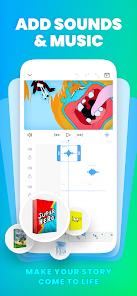
Technical analysis of the 2026 iteration reveals a robust integration with pressure-sensitive hardware, specifically the Samsung S Pen and SonarPen, which provides a tactile experience mimicking traditional animation on paper. The app's timeline offers granular control over individual frames, while the "AI Voice Maker" facilitates natural, lifelike narration without the need for external recording studios. And it provides 6 free tracks and supports custom imports. Furthermore, FlipaClip's export capabilities are comprehensive, supporting MP4, GIF, and PNG sequences with alpha channel (transparency) support, making it an ideal "prototyping" tool for professional studios needing quick visualizations of ideas.
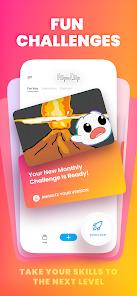
The 2026 ecosystem for FlipaClip is characterized by a vibrant community that participates in weekly animation challenges and seasonal contests, fostering a social layer that encourages skill acquisition and peer feedback.
Pros & Cons
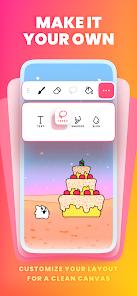
The application features a remarkably intuitive user interface that makes the complex process of frame-by-frame animation accessible to beginners and children.
Sophisticated "Onion Skin" tools allow for precise tracking of movement by displaying ghosted images of the surrounding frames, a staple of professional 2D workflows.
Integration with AI tools like "Magic Cut" and "AI Voice Maker" significantly reduces the time required for tedious tasks like rotoscoping and dialogue synchronization.
High-resolution export options, including PNG sequences with transparency, allow for seamless integration into advanced video editing software like After Effects.
Hardware-specific support for pressure-sensitive styluses like the Samsung S Pen provides a professional drawing experience that rivals dedicated graphics tablets.
- ✕
Many advanced features, including the full brush library and custom audio imports, are locked behind a monthly subscription model.
- ✕
The application can experience performance degradation or "pixelation" issues on older hardware when working with complex projects with multiple layers.
- ✕
The lasso tool lacks a "bulk edit" function, requiring users to manually apply changes to individual frames rather than across the entire timeline.
Download


FAQs
Can I use FlipaClip to make professional movies?
Yes, while it is designed for mobile, many creators use it to produce high-quality content for YouTube and social media; it supports 1080p and 4K exports.
How does the AI Voice Maker work?
You enter text into the tool, and the AI generates a natural-sounding voiceover that you can then sync directly to your animation timeline.
Is there a limit to the length of my animation?
The limit is primarily determined by your device’s storage and processing power, though the app is optimized for short-to-medium length clips.
Does FlipaClip support rotoscoping?
Yes, you can import existing videos or photos as a layer and draw over them frame-by-frame to create rotoscoped animations.
What happens to my projects if I cancel my subscription?
You will still have access to your projects, but certain premium tools and the ability to add more than 3 layers may be restricted.
Hot Reviews
I’ve been using FlipaClip for five years, and it is the best software for anyone wanting to learn 2D animation. The new AI Voice Maker has completely changed how I make my shorts—no more recording under a blanket!
Using this on a Galaxy Tab with the S Pen feels exactly like using a professional Wacom tablet. The pressure sensitivity is perfect, and the onion skinning tool makes it easy to keep my movement fluid.
The app is great, but it’s frustrating that adding audio now requires a subscription. I would much rather pay a one-time fee to unlock specific features permanently than have another monthly bill.