
Stickman: draw animation maker
Overview
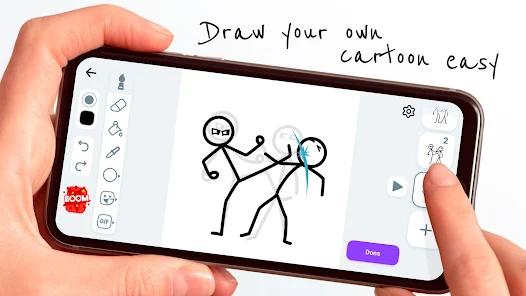
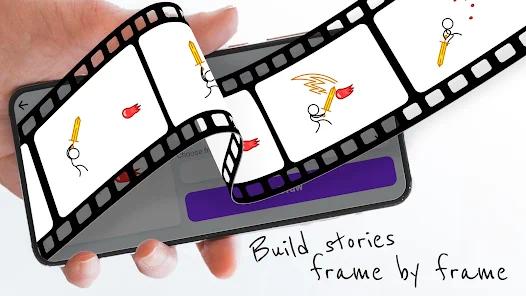
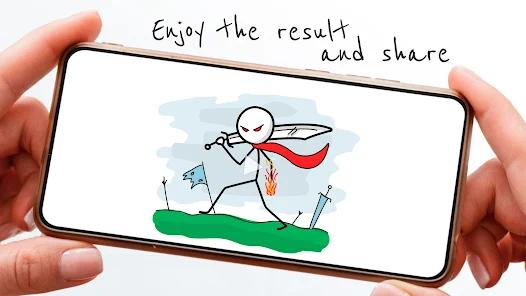
The Stickman: draw animation maker app is a mobile-focused 2D raster and vector frame-by-frame animation platform designed specifically for Android touch interfaces. It operates conceptually as a digital simulation of a traditional physical flipbook, providing user-facing tools to draw sequential images and render them into continuous video or animated GIF formats. It can interpret screen coordinates and maps them directly onto virtual canvas objects.
The application relies heavily on the Android platform's custom view drawing APIs to capture user strokes. Unlike high-end vector drawing programs that use complex cubic Bezier curve fitting to mathematically clean up lines in real-time, this application uses a direct raster-path caching model. This design choice reduces the CPU work required per stroke, allowing smooth performance on entry-level Android devices.
A key feature of the animation loop is the onion skinning system, which displays semi-transparent overlays of preceding and succeeding frames. This system helps animators track motion paths and spacing directly on the canvas. The canvas data is stored frame-by-frame, with each frame cached as an uncompressed bitmap layer inside the application's temporary directory. While this approach speeds up loading during active editing, it introduces a major stability issue.
Because the app lacks robust auto-save state-preservation APIs, if the Android operating system reclaims memory by destroying the app background process (e.g., during low memory conditions or when the device dies), the unsaved frame bitmaps are often permanently lost. It provides ad-supported free tier with optional in-app purchases.
Pros & Cons
Low Hardware Resource Demands: The direct raster-path drawing engine runs smoothly on older Android architectures without causing device overheating or battery drain.
Responsive Onion Skinning: Provides reliable semi-transparent frame overlays that give creators clear visual reference points for movement and spacing.
Offline Functionality: The drawing tools, timeline manager, and local export engines can run completely without an internet connection.
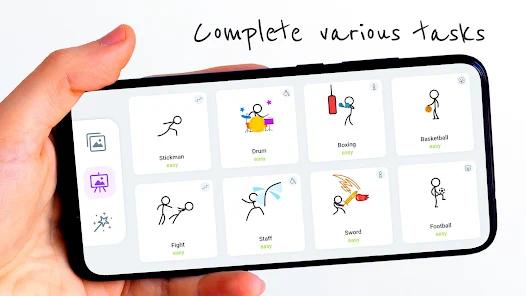
Simplified Learning Curve: The user interface mimics a physical flipbook, making it accessible to beginners who want to learn basic animation timing.
Custom Frame Rate Control: Features adjustable playback speeds from 3 to 24 frames per second, allowing creators to inspect details or run smooth animations.
Direct Render Export: The application successfully compiles individual frame images into MP4 or shareable animated GIF formats directly on the device.
- ✕
Project State Volatility: Lacks automated crash-recovery or background state-saving, which can cause project data loss if the app process is terminated.
- ✕
High Ad Frequency: The free version displays frequent interstitial ads that disrupt the creative flow when navigating between menus.
- ✕
Limited Drawing Toolset: Lacks advanced features like layers, customizable vector paths, precise geometric shapes, or pressure-sensitive brush settings.
- ✕
No Multi-Track Audio Support: Users cannot import or align audio tracks directly on the animation timeline, making sound design and lip-syncing impossible.
Download


FAQs
How can a user avoid losing animation progress if the application closes unexpectedly?
To minimize data loss caused by background state-saving issues, users should manually save their projects regularly and avoid switching to heavy apps while working.
Does this application support pressure-sensitive styluses like the Samsung S-Pen?
The application processes stylus inputs as standard touch coordinates but does not support advanced pressure sensitivity or palm rejection.
What file formats are supported when exporting finished animations?
Animations can be compiled and exported as standard MP4 video files or loopable animated GIFs.
Is there a way to use the application completely without advertisements?
Yes, users can purchase the in-app premium upgrade to permanently remove ads and unlock advanced drawing assets.
Why does the application require access to device media storage permissions?
This permission is required to save compiled video and GIF files directly to the device's public directories.
Hot Reviews
The application is widely praised by beginners and younger creators for its intuitive, easy-to-use tools that make learning the basics of frame-by-frame animation enjoyable.
A common complaint among users is the loss of work when switching apps or when devices shut down, highlighting a flaw in how the app caches project states.
Users frequently complain about the placement and volume of ads, noting that while drawing itself is ad-free, the menus are disrupted by frequent unskippable ads.