PaperColor
Overview
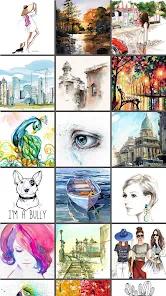
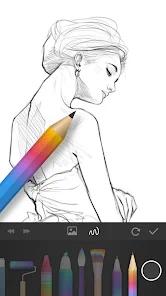
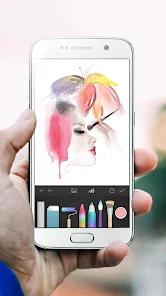
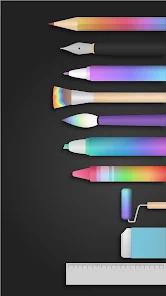
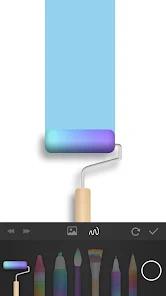
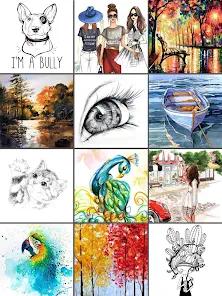
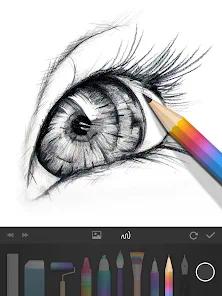
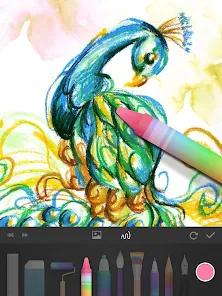
PaperColor, developed by Eyewind, is a digital painting application designed to mimic traditional, analog drawing experiences on Android touch screens. The software focuses on natural media emulation rather than highly complex vector graphics or dense technical interfaces. PaperColor replicates physical drawing tools like detailed pens, pencils, crayons, watercolors, paint rollers, and erasers, making it a popular choice for quick sketching, casual coloring, and graffiti doodling.
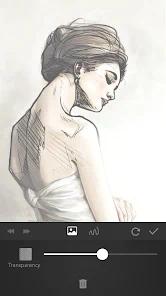
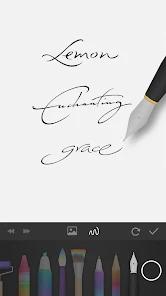
A key feature of the application is its integrated "base map tracing" workflow. This system allows users to import any photo from their device's gallery, overlay it on the canvas, set it to a translucent opacity, and trace directly over the lines to easily create hand-drawn cartoon illustrations. It also includes a unique signature pen tool, enabling artists to add a personalized handwritten signature directly to their artwork upon completion. Recent system updates have optimized the application's overall performance, reducing memory footprint, streamlining brush responsiveness, and adjusting layer limits to minimize crashes during drawing sessions.
Despite these updates, PaperColor is not designed for advanced, high-end digital illustration. The application limits core digital tools like multi-layer support, advanced color wheels, and premium brushes behind a premium in-app paywall. Free-tier users must also navigate a highly ad-supported environment, where they are required to watch full-screen ads to temporarily unlock specific brush sizes and colors. Furthermore, because the app saves files locally without automatic cloud backups, users face a risk of losing projects if their device crashes or powers down unexpectedly.
Pros & Cons
Authentic natural-media brush simulation emulates physical tools like crayons and rollers.
Intuitive photo tracing overlay tool makes photo-to-sketch conversions simple.
Distinct digital signature tool lets creators apply personal handwritten signatures.
Streamlined, minimalist interface provides a clean workspace with no learning curve.
Lightweight design with low memory consumption, optimized for older Android devices.
- ✕
Multi-layer drawing support is highly restricted and locked behind a premium paywall.
- ✕
High risk of data loss due to unstable saving mechanisms during sudden device power loss.
- ✕
Intrusive video advertisements require users to watch ads to select basic tools and colors.
- ✕
Rigid interface is locked to a single orientation with no support for canvas auto-rotation.
Download
 Get it on Google Play
  Get it on App Store
 FAQs
How does tracing work in PaperColor?
Users select a photo from their library, set it as a background tracing map, adjust the translucency slider, and trace over the outlines on the canvas layer above.
Does PaperColor support drawing in layers?
The basic free version is limited to a single drawing canvas; multi-layer support is a premium feature unlocked via the Pro upgrade.
Will my artwork be automatically saved if my phone's battery dies?
No, the local saving mechanism does not feature reliable background auto-saves; a sudden power loss can result in lost work.
Can I export my drawings with transparent backgrounds?
Standard free exports include the default background paper layer; premium tools are required to export transparent overlays.
Are there custom rulers available in the app?
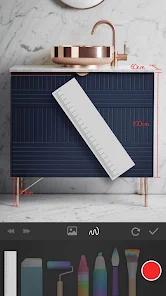
Yes, the toolbar includes basic straight-line rulers and standard erasers to assist with geometric drawings.
Hot Reviews
The translucent image overlay feature works exceptionally well, making it easy to trace portraits and create clean, cartoon-style illustrations.
The saving mechanics can be highly unstable, with users reporting completed work being completely wiped if they close the app or if their device power dips.
Restricting the multi-layer feature entirely behind a paid upgrade makes drawing complex compositions difficult, prompting some users to look for alternative free tools.
The crayon and paint roller brushes are fun and tactile to use, making the application an enjoyable digital sketchbook for casual painting.