
Infinite Painter
Overview
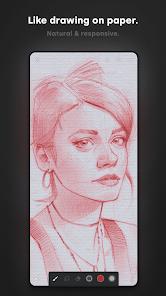
Infinite Painter, developed by Infinite Studio LLC, is an award-winning digital painting and sketching application designed specifically for mobile devices. Rather than trying to copy traditional desktop software designs, Infinite Painter reimagines the digital art studio with a clean, touch-first interface. This design makes it a highly capable and popular choice for professional artists, concept designers, and hobbyists on Android tablets, phones, and Chromebooks.
Gesture-Driven Workspace and Ergonomic Design
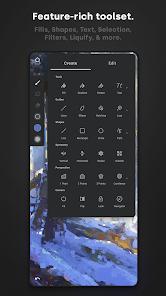
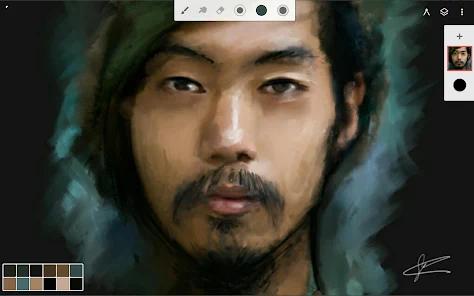
The standout feature of Infinite Painter is its clean, gesture-driven interface designed to maximize your drawing space. It keeps the canvas free of clutter by hiding toolbars, allowing artists to expand and collapse layer stacks with a flick, pinch layers to group them, and pin favorite tools directly to the workspace. It also supports separated finger-to-stylus mapping, letting you assign specific functions to touch gestures (such as the eyedropper or canvas rotations) while reserving the active stylus entirely for painting.
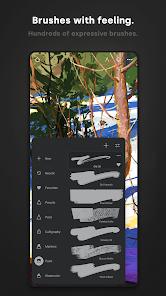
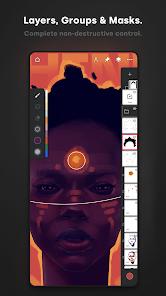
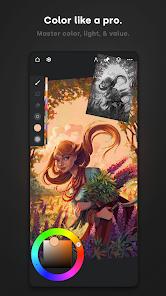
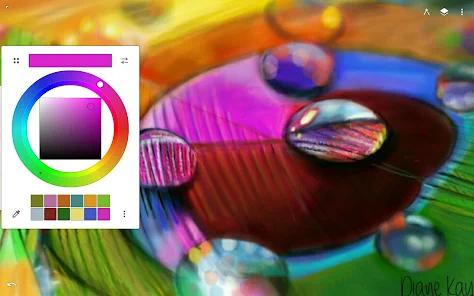
The rendering engine runs on a 64-bit deep color pipeline, supporting realistic brush-to-canvas interactions across more than 160 built-in brushes. Brushes are highly customizable with over 100 settings, and custom brush sets can be easily imported, exported, or shared with the online community. The layers panel supports 30 blend modes, non-destructive adjustment layers, clipping masks, and layer grouping.
Technical Perspectives and Smart Shape Detection
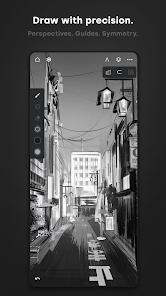
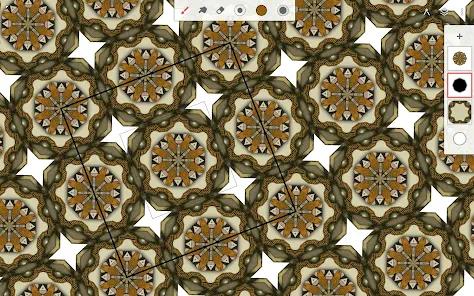
For detailed architectural and environmental design, Infinite Painter features five different 3D perspective guides, isometric grids, and radial symmetry settings. It also includes smart shape detection, which automatically smooths out hand-drawn lines into clean geometric shapes when you pause at the end of a stroke. Finished projects can be exported as standard images, high-resolution layered PSD files, or shared alongside a high-definition timelapse video of your creative process.
While the application is highly polished, its free version restricts users to three layers at device resolution and basic selection and transformation tools. It offers one-time purchase upgrade. Some users have also noted minor bugs, such as occasional stroke desaturation during long painting sessions, or inaccuracies with the smart paint bucket on highly detailed layouts. However, for artists looking for an ergonomic, mobile-first painting experience on Android, Infinite Painter is an excellent, professional-grade option.
Pros & Cons
Minimalist, custom workspace maximizes your active canvas area.
Powerful brush engine with realistic blending and extensive customization options.
Advanced perspective guides, including 5 distinct 3D cityscape grids and isometric guides.
64-bit deep color rendering with native CMYK print mode support.
Custom gesture mapping allows you to assign different tools to touch inputs and stylus inputs.
- ✕
Unlicensed version is limited to three active layers at device resolution.
- ✕
Occasional color rendering issues can cause early strokes to desaturate during large projects.
- ✕
Smart fill and paint bucket tools can sometimes be inaccurate on highly detailed canvases.
- ✕
Project files and custom workspaces can occasionally fail to transfer cleanly during device upgrades.
Download


FAQs
Can I export Infinite Painter projects into Adobe Photoshop?
Yes, the application fully supports exporting layered PSD files, keeping your adjustments and layers intact.
What are the limits of the free version of Infinite Painter?
The free tier limits you to three layers at device resolution, basic transformations, and simple symmetry options.
Does the app support stylus tilt and pressure?
Yes, it is fully optimized for active styluses like the S Pen, offering highly responsive pressure and tilt mapping.
How does the Smart Shape detection tool work?
By drawing a shape and pausing your pen at the end of the stroke, the app automatically converts your line into a clean, editable geometric shape.
Can I record a timelapse of my drawing process?
Yes, the app features an integrated high-definition timelapse recorder to capture and share your creation process.
Hot Reviews
The interface is clean and exceptionally easy to use, and being able to pin multiple reference images directly onto the canvas is incredibly helpful.
The app has fantastic brush customization, but a persistent bug can cause early strokes to fade to gray, and the fill tool occasionally floods the whole canvas.
This application is incredibly fluid and offers a much wider range of brush customizations and perspective tools than competing drawing apps.